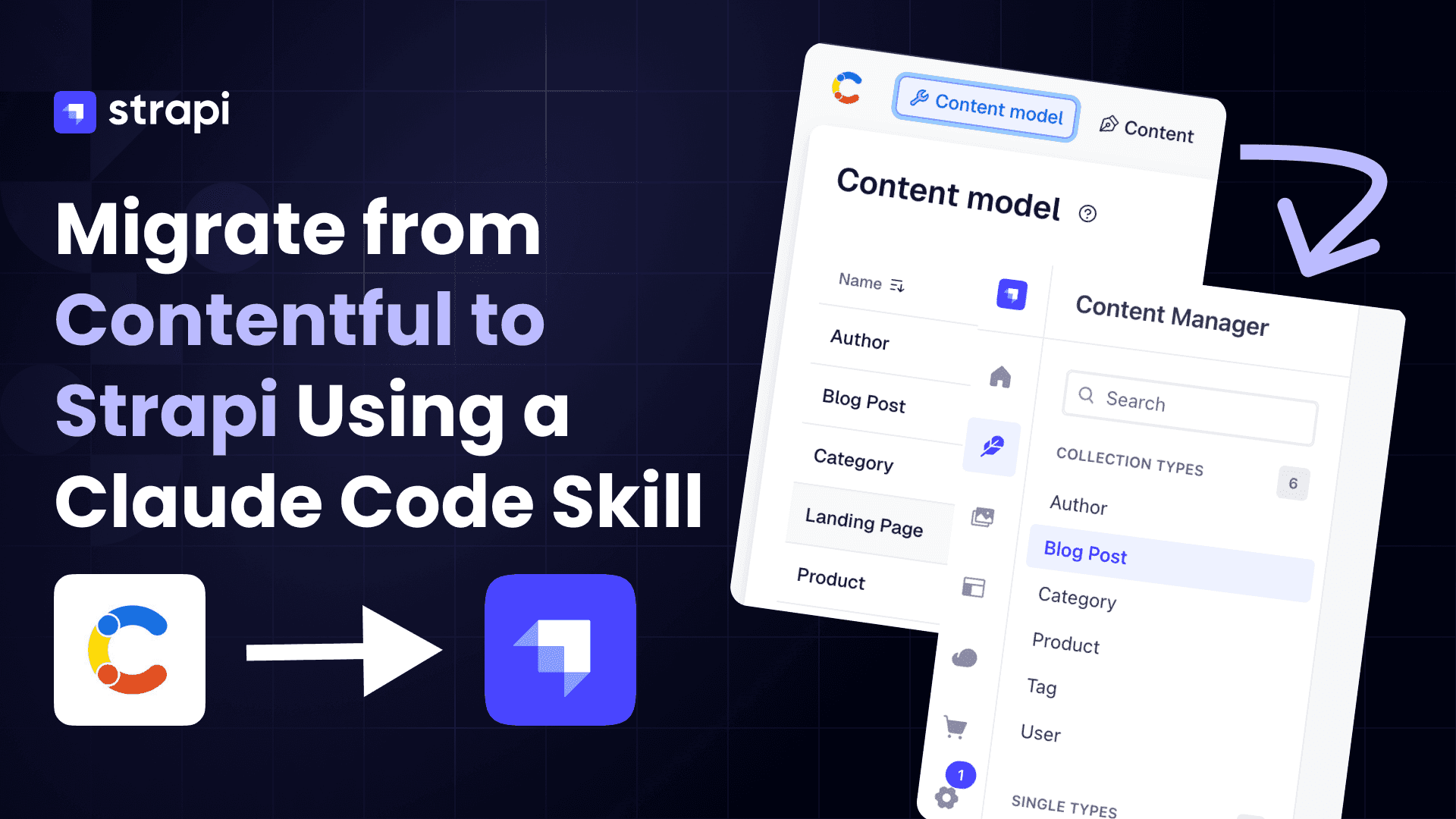
TL;DR
- By the end, you will have moved a complete site from Contentful into Strapi: a blog with a landing page, posts, authors, and categories, plus a product catalog.
- You won't write migration code. You point an AI skill (for Claude Code) at your Contentful content, and it reads your model and does the move, whether that's a blog, products, or whatever you've got.
- Everything comes across: your formatted text, your images, and the links between things (which post belongs to which author and category, and which posts are featured on the home page).
- The takeaway: with today's AI tools, leaving Contentful isn't a scary engineering project anymore.
- The repo gives you a sample Contentful space to practice on, plus the skill that does the migration, so you can try the whole thing, start to finish.
Contentful is being acquired by Salesforce. As I write this, Contentful has signed a definitive agreement to be acquired by Salesforce. What that means, in my opinion:
- Distribution win for Contentful. It rides Salesforce's enterprise machine: no separate procurement cycle, and instant reach into big accounts.
- Less of the developer-first "cool" Contentful that people fell for. Acquired products tend to drift toward the parent company's priorities.
- More expensive, and likely the end of self-serve. Salesforce sells to enterprises, so expect pricing and focus to follow. Don't rule out sunsetting Contentful entirely down the road. They did, after all, gut Heroku's beloved free tier after acquiring it.
This is my opinion, not a prediction. But if any of it rings true, the safe move is to make sure your content isn't locked into someone else's platform. That's exactly what this guide is about.
Video Resource
Here is the video version of this tutorial. Skip if you prefer the written version.
Why move from Contentful to Strapi?
Contentful is a hosted headless CMS. Teams usually start looking elsewhere for three reasons:
- Per-seat, per-record pricing that scales up faster than your team does.
- Content-model limits on lower tiers that constrain how you structure data.
- No data ownership. Content lives on Contentful's servers, not yours.
Strapi is the most popular open-source alternative. You self-host it (or use Strapi Cloud), you own the database, and the REST and GraphQL APIs are yours to customize.
The Salesforce acquisition only sharpens these reasons. Co-founder Sascha Konietzke pitches Contentful's structured content as the layer for Salesforce's Agentforce, writing that "AI agents now outnumber humans on the Web." Whichever way that goes, owning your content keeps the choice yours.
The difference shows up the moment you sit down to build:
- Contentful is software-as-a-service. There's no way to run it locally or offline. Even to read your own content model, you create an account and authenticate against Contentful's servers. That's why the setup below makes you sign up and run
contentful login. - Strapi is the opposite: fully self-hosted. You run it on your own machine with
npm run develop, the data lives in your own database, and no account or login to anyone's servers is required.
That ownership is the whole point of the move, and you'll feel it in this tutorial: the source side needs a hosted account, and the destination side is just a process on localhost.
The two systems model content differently, which means a direct database copy does not work. Schema translation, asset re-upload, and relationship reconnection are all required. That's what the migration script handles.
We'll walk through a real migration of a small blog, and you get a project you can run end-to-end.
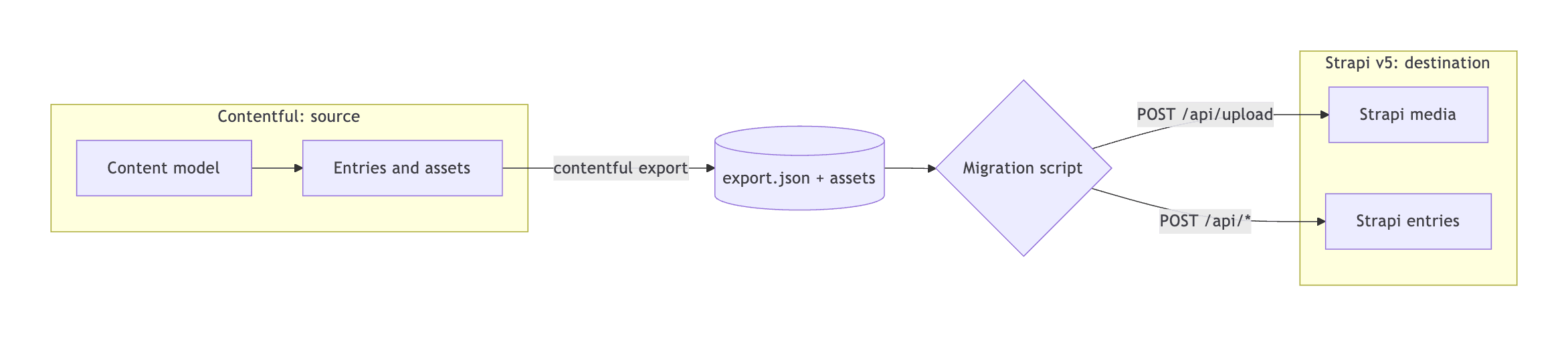
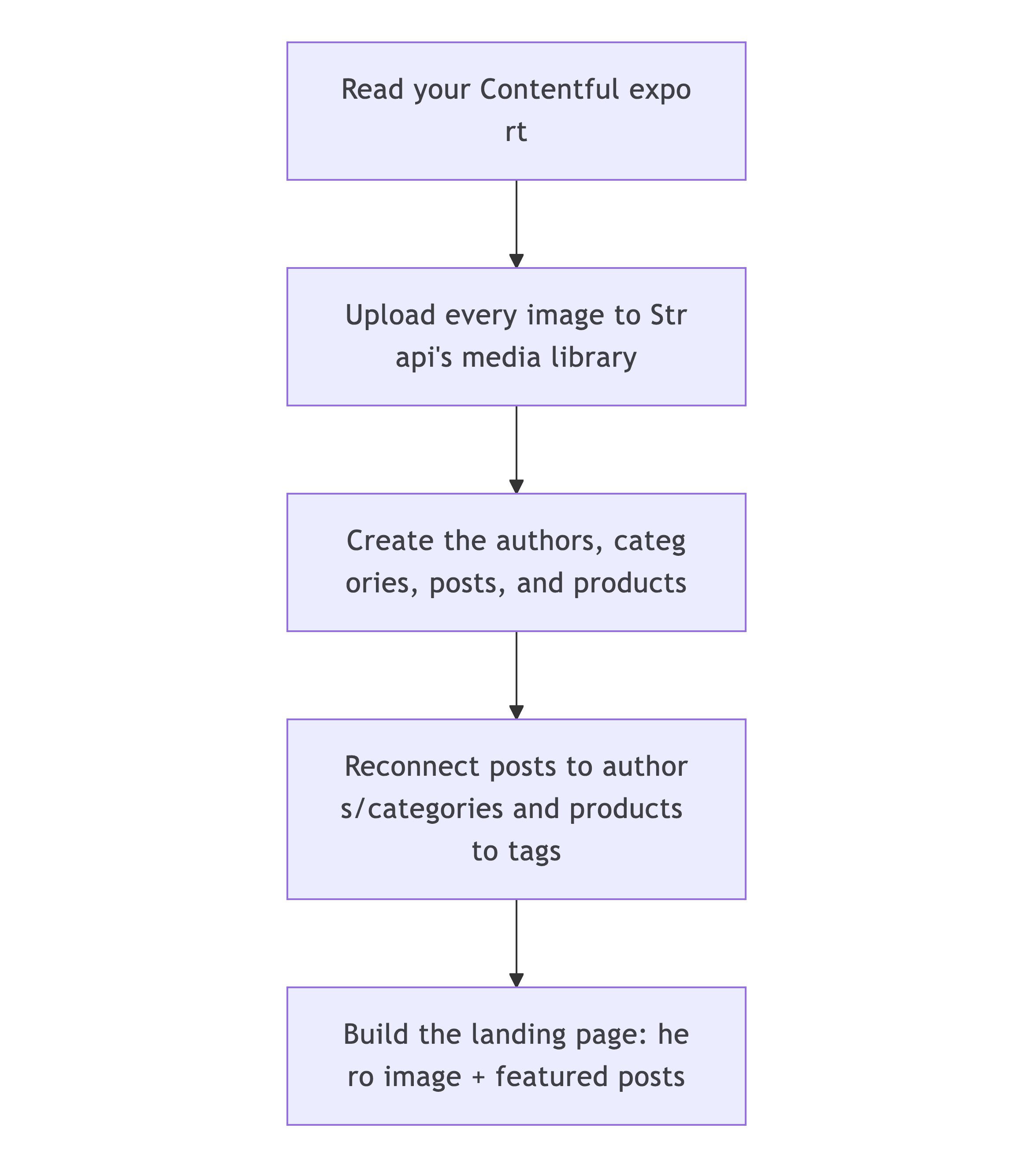
Here's the shape of what we're building:
Prerequisites: Node.js, the Contentful CLI, and a Free Contentful Account
Goal of this section: get everything installed and authenticated so the later steps just work. None of it assumes you've used Contentful or Strapi before. Four steps.
1. Install Node.js (version 18.18 or newer) from nodejs.org, then confirm:
node -v # should print v18.18 or higher2. Clone the example code. Clone the companion repo and move into it:
git clone https://github.com/PaulBratslavsky/contentfull-to-strapi-migration-post.git contentful-to-strapi
cd contentful-to-strapi
Inside you'll find playground/contentful-seed/ (scripts to spin up a sample Contentful space) and .claude/skills/contentful-to-strapi-migration/ (the skill that does the migration). That's the whole project.
3. Create a free Contentful account. Because Contentful is hosted, there's no local option: you need an account on their servers even to define a content model. Go to contentful.com, click Sign up (the free tier is plenty for this tutorial; no credit card required), and verify your email. That's all you need here.
Step 4 handles the space and token from the CLI.
Why an account is unavoidable here. Contentful is software-as-a-service: you can't spin it up locally, so reading or exporting your own content always goes through their hosted API and requires logging in. Strapi (the destination) is the mirror image: fully self-hosted, runs on
localhost, and needs no account at all. It's the same reason teams migrate in the first place.
4. Install the Contentful CLI Part 1 (creating the content model and exporting your space) is driven by the Contentful CLI, so set it up now.
Install the CLI (skip if you already have it; confirm with contentful --version):
npm install -g contentful-cli
contentful --version              # confirm it's on your PATH
5. Log in to Contentful
contentful loginA browser window will open where you will log in (or sign up if you don’t have an account), authorize this CLI tool, and paste your CMA token here:
? Continue login on the browser? Yes
? Paste your token here: *******************************************

Great! You've successfully logged in!
6. Set your active space. Contentful's Free plan includes 1 Starter Space. List your spaces and set that one active:
# shows your space(s) and their IDs
contentful space list

┌────────────┬──────────────┐
│ Space name │ Space id     │
├────────────┼──────────────┤
│ Blank      │ pwomps5x1tsi │
└────────────┴──────────────┘
Use your ID in the next step.
# make it the active space
contentful space use --space-id <id-from-list>
Heads up on
contentful space create. If you already have your one included space, creating another is a paid action. The CLI warns "adding new spaces … will result in extra monthly charges" and asks you to confirm. On the Free plan, answernand justspace usethe space you already have. (If that space already holds content you care about, note that the seed step adds the sample blog's content types and entries to it. Use a throwaway space if you'd rather keep them separate.)
No global install? Prefix every
contentfulcommand withnpx -y contentful-cli(for example,npx -y contentful-cli space list) and skip step 4a.
With Node, the code, and the CLI logged in against your space, you're ready to seed your Contentful content. That's Part 1. (We create the Strapi destination later, in Part 2.)
How the two CMSes line up
Before writing any code, map the concepts. Most of a migration is just deciding what becomes what.
| Contentful | Strapi v5 | Notes |
|---|---|---|
| Content Type | Collection Type | A type with many entries (blog posts, authors). |
| A single special entry | Single Type | One-of-a-kind content like the landing page. |
| Entry | Document | In v5, the stable identity is the documentId. |
| Asset (on the CDN) | Media (Upload library) | Must be re-uploaded; URLs change. |
| Reference (Link) | Relation | Reconnected after entries exist. |
| Rich Text (JSON AST) | Rich text (Blocks) | The skill converts the tree into Strapi's native block format. |
| Array of strings (tags) | Collection + relation | Free-text lists are promoted to their own type so they're reusable. |
For our sample, that means: blog-post, author, category, and product as collection
types; landing-page as a single type; and a tag collection the skill promotes from
the products' free-text tags.
One extra field that makes life easy: contentfulId
Add a plain string field called contentfulId to every destination type. We store each record's original Contentful ID there.
It costs nothing and buys two things. First, the migration becomes idempotent: re-running it updates the same record instead of creating a duplicate. Second, you keep a paper trail back to the source if you need to debug later. It's the same trick the community strapi_lift guide relies on. Once the migration is done and you're sure you won't need to re-import, you can safely drop the field.
Part 1 — Seed a sample Contentful space
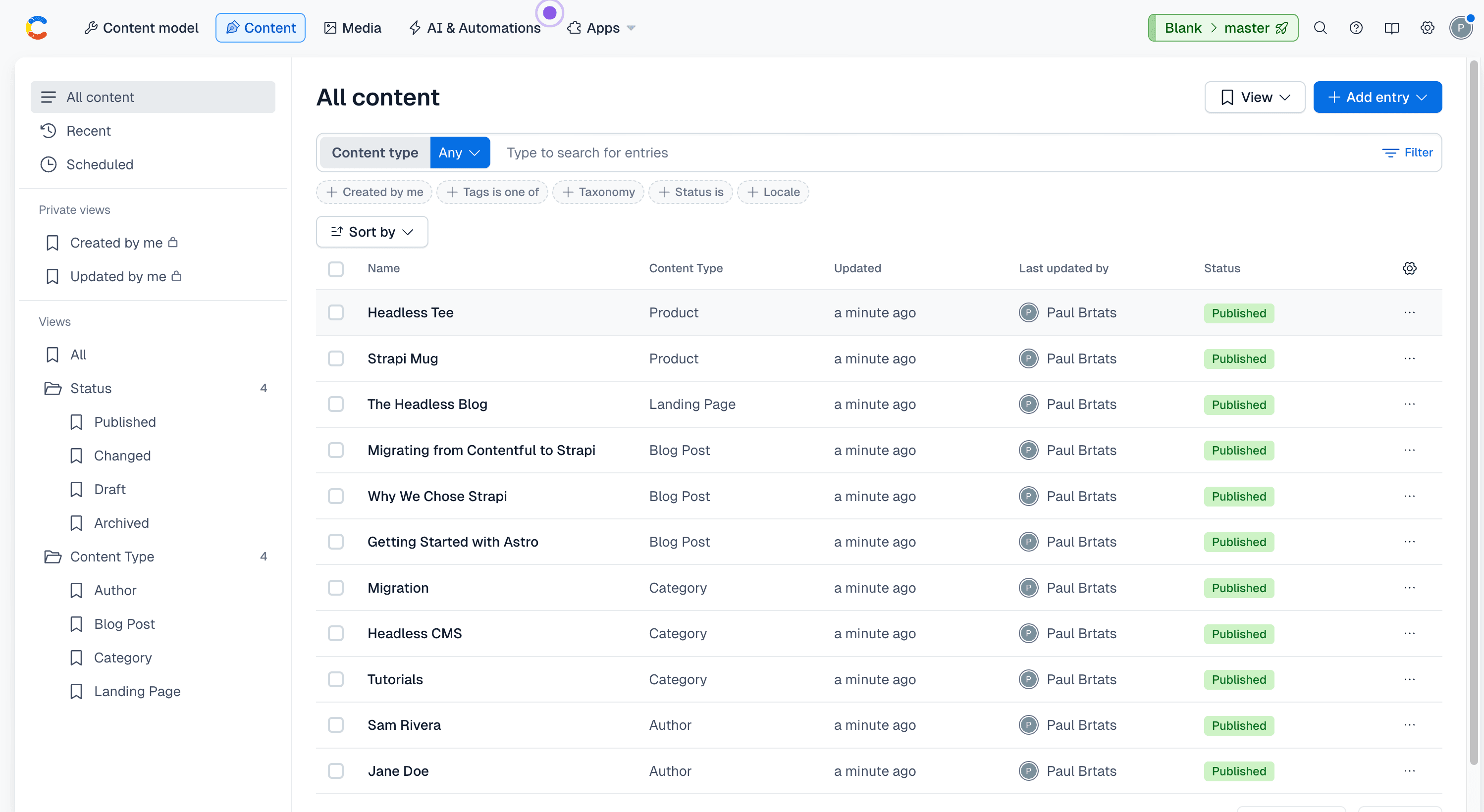
Goal of this section: end up with a Contentful space holding a small sample site, then
export it to a file we can migrate. The sample is a blog (three posts, two authors, three
categories, a landing page, images) and a product catalog (a couple of products with
price, SKU, image, and tags). The product collection is there on purpose: it shows the skill
reads your model and isn't limited to a blog. (It even promotes the products' free-text
tags into their own tag collection on the Strapi side.)
The seed project already lives in playground/contentful-seed/. Run these four commands in
order:
cd playground/contentful-seed
npm install        # 1. install the seed project's dependencies
npm run model      # 2. create the content types in your Contentful space
npm run seed       # 3. add and publish the sample posts, authors, categories, and images
npm run export     # 4. download it all to ./export/export.json (the file you'll migrate)
The commands reuse the credentials from your contentful login in setup, so there's nothing
else to configure. Open your space in the Contentful web app, and you'll see the seeded
blog; playground/contentful-seed/export/export.json is what you hand to the skill in Part 2.
Part 2 — Migrate into Strapi with the skill
Goal of this section: stand up a Strapi v5 project and hand the migration to the
contentful-to-strapi-migration skill. You point it at the export from Part 1; it reads
your content model, creates matching content types in Strapi (rich text as the native
Blocks editor), builds the migration for your data, and runs it.
Step 2.1: Create a Strapi project. Use Strapi's official generator:
npx create-strapi-app@latest my-strapi-blog --non-interactive
cd my-strapi-blog
npm run develop
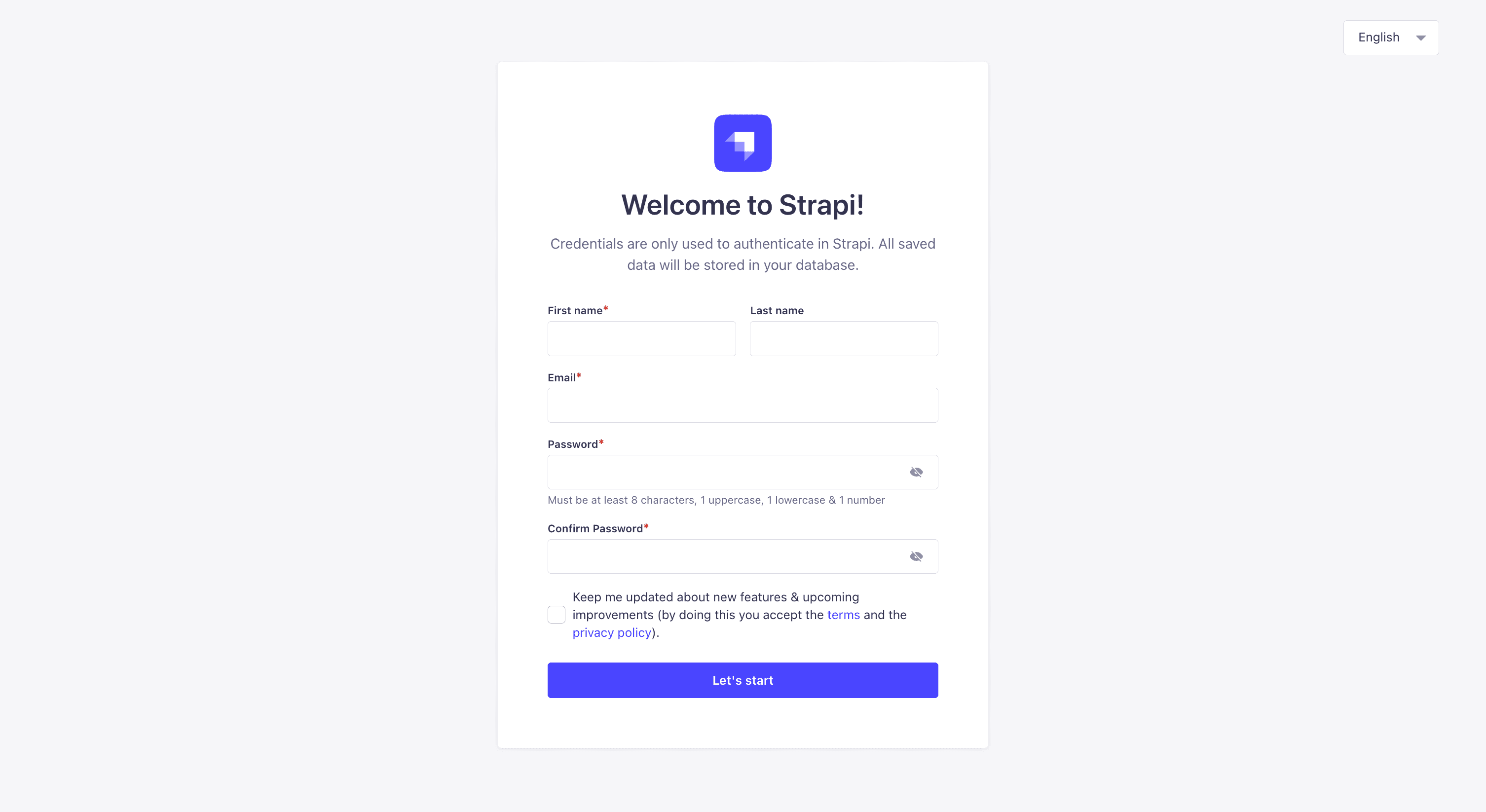
Create your first admin user.
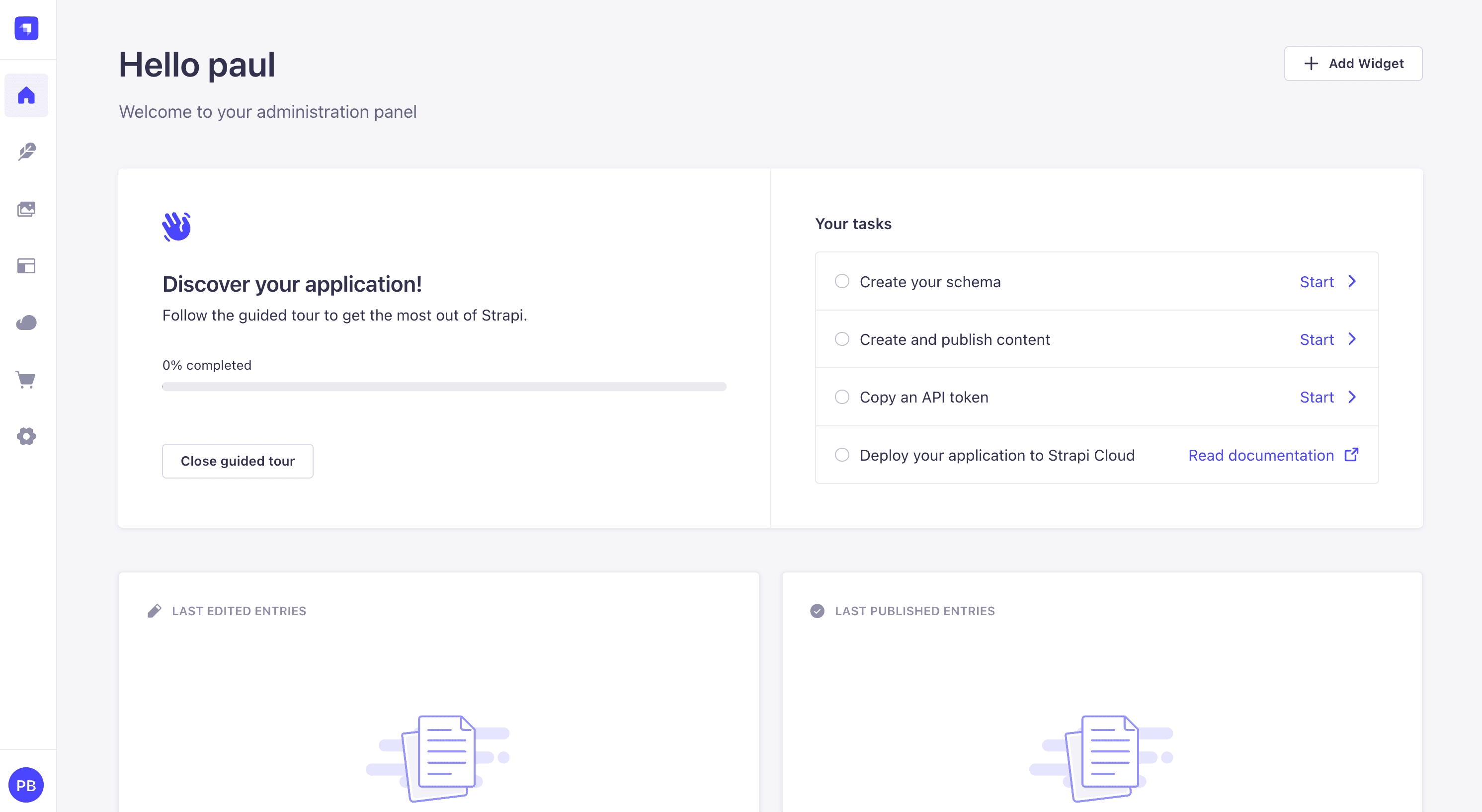
Once you log in, you will be greeted with the dashboard.
Leave it running; the admin panel is at http://localhost:1337/admin.
Step 2.2: Run the skill. With the Strapi dev server still running, open
Claude Code at the repo root. From there, you can see both your export and the Strapi project, and the skill (shipped at.claude/skills/contentful-to-strapi-migration/) is picked up automatically. Then give it a prompt with the two paths:
Use the contentful-to-strapi-migration skill to migrate my Contentful export into Strapi. The export is at playground/contentful-seed/export/export.json and its downloaded images are in playground/contentful-seed/export/. My Strapi v5 project is at ./my-strapi-blog, running at http://localhost:1337. Create the content types, set up a write API token, and create a migration script that I can run. Here's what the skill does for you, start to finish:
- Reads your Contentful model from the export: every content type, field, and relationship.
- Creates matching Strapi content types, picking the right field for each: a Rich text (Blocks) field for rich text, single media fields for images, relations for references, a single type for one-off pages like the landing page, and a
contentfulIdon every type so the migration can re-run safely. (For our sample, that'sblog-post,author,category, andproductcollections, alanding-pagesingle type, and atagcollection the skill promotes from the products' free-text tags.) - Sets up access: a write API token plus public read on the new types, so you can check the result with a plain
curl. - Generates the migration script for your data on top of a tested engine (rich-text→Blocks conversion, asset upload, a Strapi REST client) that ships with the skill, then hands you the exact command to run it. It doesn't run automatically, so you can open the script and config and review them first. When you run it, it prints a summary of what moved.
Because it works from your model, the skill isn't limited to this blog. Point it at any Contentful space, and it shapes both the Strapi content types and the migration to match.
That's the whole idea: the skill builds the migration script for you to review and run, you don't hand-write one.
How the skill works, step by step
The skill follows a fixed pipeline. Every stage runs the same way each time, with one human checkpoint in the middle where you review the plan before anything is written to Strapi. Here's the run that produced the blog and product catalog above.
1. It reads your export and your Strapi project. It detects whether the project is TypeScript or JavaScript, so the files it generates match, and it confirms the dev server is up.
2. It analyzes the export and prints a plan of every content type, every field, and the Strapi type it proposes for each:
Migration plan  (locale: en-US)
5 content types · 11 entries · 16 assets
It also flags the judgment calls, like a free-text list of tags that could become its own collection.
3. You review the plan. This is the checkpoint. It's the one place a real decision gets
made. In this run, both blogPost.tags and product.tags held plain strings, so the skill
promoted them into a single shared tag collection with relations, instead of leaving them
as raw JSON. (Collections beat JSON for anything reusable.)
4. It generates the Strapi schema. It writes the content-type files (TypeScript here), and Strapi's dev server hot-reloads them. Six types appear and their routes go live:
  + author (collection)
  + category (collection)
  + blog-post (collection)
  + product (collection)
  + landing-page (single)
  + tag (collection, promoted)
5. It sets up read access and a write token. A bootstrap grants the public role read
access so you can check the result with curl, and you supply a Full access API token for
the migration to write with.
6. It hands you the migration script to run. The skill stops here. You run the script yourself, and it works in four passes, then prints a summary:
[1/4] Uploading assets to the media library...
[2/4] Promoting tag-like fields to collections...
[3/4] Creating entries (no cross-entry relations yet)...
[4/4] Linking relations...

Migration complete:
  tags          12
  authors        2
  categories     3
  blog-posts     3
  landing-page   1
  products       2
That's the whole pipeline: analyze, review, generate, then run. The only step that needs your judgment is the review in the middle. Everything else is identical on every run, which is what makes the result predictable.
Part 3 — What the skill handles for you
You don't have to write any of this. But it's worth seeing what the skill does behind the scenes, because it's the same three things every migration comes down to. Seeing them turns "magic" into "I get it."
It works in order, so nothing ever points at something that doesn't exist yet: bring the images over, create the entries, then connect them up.
Formatted text → Strapi Blocks
Contentful keeps rich text as a structured tree: a heading here, a bold word there, an image in the middle. Strapi's native Rich text (Blocks) editor has its own structure, and the skill translates one into the other: headings, lists, links, quotes, bold/italic, and inline images all carry over. Images that were sitting inside the body get repointed to their new home in Strapi's media library, so nothing breaks after the move. This is the fiddliest part of any migration, which is exactly why it's built into the skill instead of being something you write.
Images → Strapi's media library
Your images live on Contentful's CDN; Strapi keeps its own copy. The skill brings each image into Strapi's media library and then attaches it to the entry that uses it. Those are two quick steps, and it does both for you.
One thing worth knowing: Contentful's CDN can resize and optimize images on the fly, while Strapi's media library serves fixed sizes. If on-the-fly resizing matters to you, point Strapi at a CDN that does it. There's an official. Cloudinary provider for exactly that.
In Strapi, you can try Strapi AI, which automatically generate alt-text, captions, and tags to save hours of manual work, boost accessibility, and improve SEO — while keeping full editorial control.
Relationships → reconnected
In Contentful, a post points at its author and category, and the home page points at its
featured posts. The skill creates every entry first, remembers where each one landed, then reconnects those relationships, so a post always finds its author and the home page finds
its featured posts. The product catalog works the same way: each product reconnects to the tag records the skill promoted from its free-text tags, so a list of strings becomes a real, reusable relation. And because every migrated entry remembers where it came from, you
can re-run the whole migration as often as you like without ever creating duplicates.
Verify it worked
When the skill finishes, it prints a summary of what was moved. Check the result over the public API:
curl http://localhost:1337/api/blog-posts        # each post has its author, category, and cover image
curl http://localhost:1337/api/landing-page      # hero image + featured posts
curl http://localhost:1337/api/products          # each product has price, SKU, image, and tag relations
Open a post's body and you'll see Strapi Blocks, with any in-body image pointing at a /uploads/... URL on your own server. Run the migration again, and the counts stay the same: every entry remembers where it came from, so a re-run updates rather than duplicates.
The whole run, in order
The complete sequence in one place. Do the tool setup
first (Node, the repo, contentful login, space use), then:
# Source — seed a sample Contentful space and export it (Part 1)
cd playground/contentful-seed
npm install
npm run model               # create the content model in your space
npm run seed                # create + publish the sample entries and images
npm run export              # writes ./export/export.json + downloaded images

# Destination — create a Strapi project (Part 2)
cd ../..
npx create-strapi-app@latest my-strapi-blog --non-interactive
cd my-strapi-blog
npm run develop             # create your admin user, then leave it running
Then, in Claude Code, run the skill:
Use the contentful-to-strapi-migration skill to migrate my Contentful export at
playground/contentful-seed/export/export.json into the Strapi project at ./my-strapi-blog
(running at http://localhost:1337). Create the content types, set up a write API token,
and generate the migration script for me to review and run.
The skill stops once the script is ready. Review migrate/migrate.js and the generated
migration.config.json, then run it yourself:
cd migrate
node migrate.js --export ../playground/contentful-seed/export/export.json --config migration.config.json
# Verify
curl http://localhost:1337/api/blog-posts # posts with author, category, cover image
curl http://localhost:1337/api/landing-page # hero + featured posts
curl http://localhost:1337/api/products # products with price, SKU, image, tag relationsThat's it. Your whole site now lives in Strapi: the blog (posts, authors, categories, images, and the landing page) and the product catalog (with tags as a real relation), with formatted text as Strapi Blocks and every relationship reconnected.
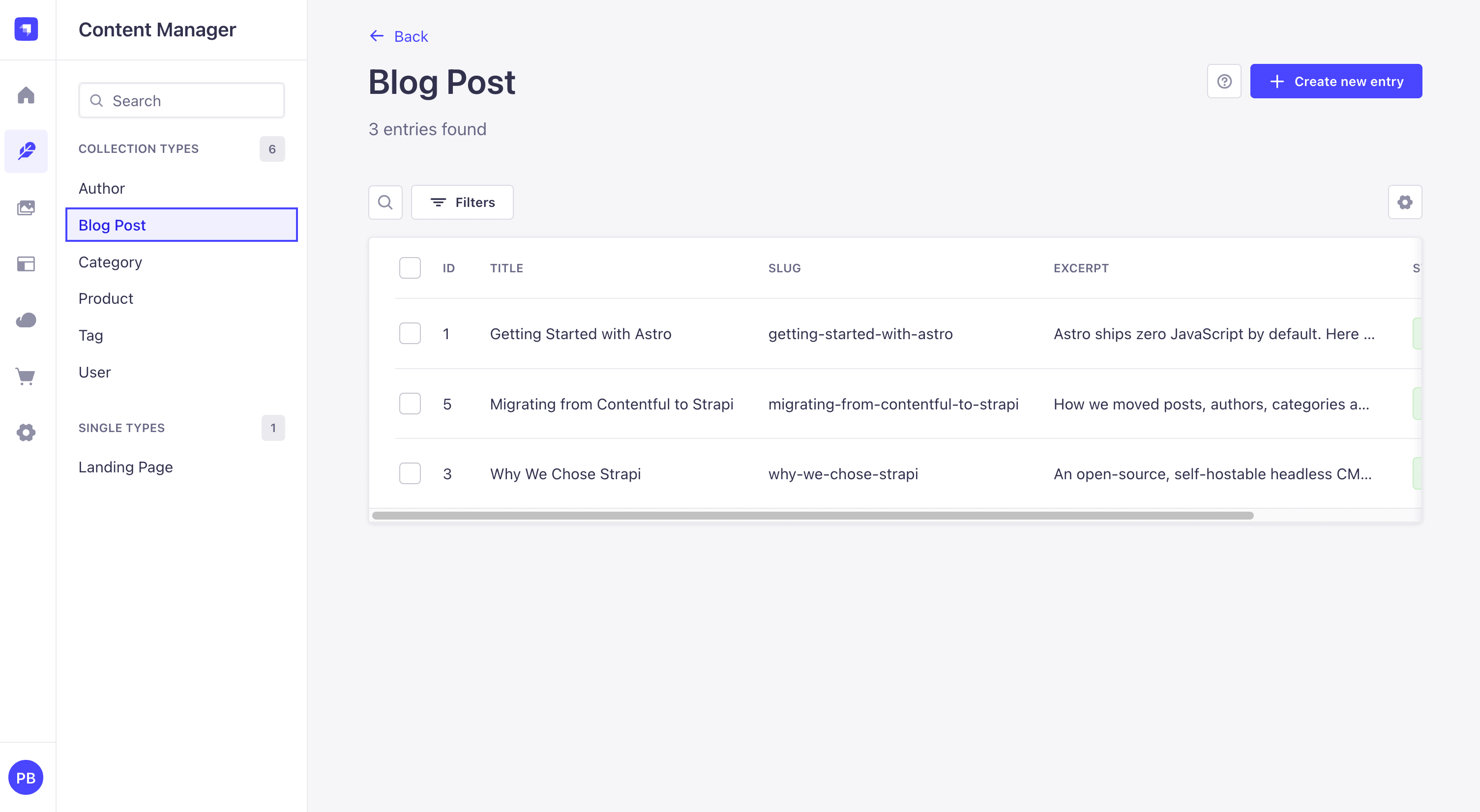
Make the skill your own
The skill ships in this repo at .claude/skills/contentful-to-strapi-migration/,
so Claude Code finds it automatically when you open the project. It's deliberately a starting point, not a one-size-fits-all migrator. It knows this sample blog's shape, and it reads your Contentful export to adapt. Point it at a different space, and it builds the matching content types and migration for that model. Want to change how something maps? Just
tell Claude; the skill is yours to adapt.
Using the Strapi MCP Server Instead of the REST API
Strapi 5.47 and later ships a built-in MCP server that lets an AI client create, update, and publish entries and wire up relations natively.
This skill creates entries over the REST API, which requires only a write token.
To use the Strapi MCP for the entry step instead, enable it in config/server.js (mcp: { enabled: true }), connect via /mcp with an admin token, and tell Claude to use it for that step. Note that the MCP server does not create content types or upload media — those steps still use the REST API regardless.
That's exactly the kind of thing you'd adjust in your own copy of the skill.
New to agent skills and want to build your own? Strapi has a friendly primer: What are agent skills and how to use them.
Scaling up to a real migration
The script in this post is deliberately small and readable so you can see exactly what each step does. It's perfect for a blog with hundreds of entries and a solid base to extend. For a large production migration (thousands of entries, gigabytes of assets, resumable runs, structured logging), it's worth knowing about purpose-built tooling.
A community guide on the Strapi blog, Migrate from Contentful to Strapi by Tim Adler, is built around strapi_lift, his open-source migration tool. It documents a real migration of roughly 2,000 entries and 11 GB of assets that took about seven hours, and adds things you'd eventually want at scale:
- Resumable, idempotent imports. Interrupt it and restart: it checks each entry by
contentfulIdand updates rather than duplicates. - Subset testing. Flags like
--content-types articles:10,categories,--ids, and--skiplet you rehearse on a slice before the full run. - Asset repair. A
fix-assetscommand re-downloads the 0-byte assets a flaky export leaves behind. - A
resetcommand to wipe imported content and start clean. - Structured
log.jsonlyou can slice withjq(jq 'select(.level=="error")') to trace which entry actually caused a failure.
The trade-off is configuration: you describe each content type with a per-type mapper plus an "intermediate model," and you write a small "link" class for every kind of relation so the tool knows how to resolve it. That's more upfront setup than our single mapping file: the cost of being general. Same three hard parts under the hood, just industrialized.
A rough rule of thumb:
- Hand-roll (like this post) when you want full control, your content model is small-to-medium, and you're comfortable in Node. You'll understand every transformation, which matters most for the rich-text and asset edge cases that are unique to your content.
- Use a tool like
strapi_liftwhen the volume is large, you need restartable runs and audit logs out of the box, and you'd rather configure than write the plumbing.
Either way, the hard parts are the same three we covered here: rich text, assets, and relations. Once you understand them, the tool you pick is just a delivery mechanism.
Citations
- Migrate from Contentful to Strapi (community guide on the Strapi blog, by Tim Adler): https://strapi.io/blog/migrate-from-contenful-to-strapi
- strapi_lift migration tool: https://github.com/toadle/strapi_lift
- What are agent skills and how to use them (Strapi blog): https://strapi.io/blog/what-are-agent-skills-and-how-to-use-them
- A New Chapter for Contentful: Scaling Our Vision with Salesforce (Sascha Konietzke, Contentful): https://www.contentful.com/blog/a-new-chapter-for-contentful/
- Salesforce Signs Definitive Agreement to Acquire Contentful (Salesforce newsroom): https://www.salesforce.com/news/stories/salesforce-signs-definitive-agreement-to-acquire-contentful/
- Strapi REST API reference: https://docs.strapi.io/cms/api/rest
- Strapi Upload API: https://docs.strapi.io/cms/api/rest/upload
- Strapi — managing relations with the REST API: https://docs.strapi.io/cms/api/rest/relations