TL;DR
- The new Media Library is generally available as of v5.54. It adds an always-visible folder tree, drag-and-drop into folders, infinite scrolling, and MCP tools for managing media.
- Plugins can now register their own MCP tools, and actions an AI agent takes through the MCP server show up in the audit logs.
- I showed how custom plugin tools can power an internal admin chat and also be exposed to outside AI clients, with separate permissions for each.
- I also shared a Claude Code skill for migrating WordPress sites to Strapi. It proposes a plan you review, starts with a dry run, and can move content in batches.
- Matt from VirtusLab demoed a paid plugin that promotes selected content from one Strapi environment to another, such as staging to production. It carries over media, relations, dynamic zones, and individual locales without overwriting the rest of the target.
- If you have been waiting to upgrade, Marco suggested now is a good time to move to the latest Strapi version.
What the call covered
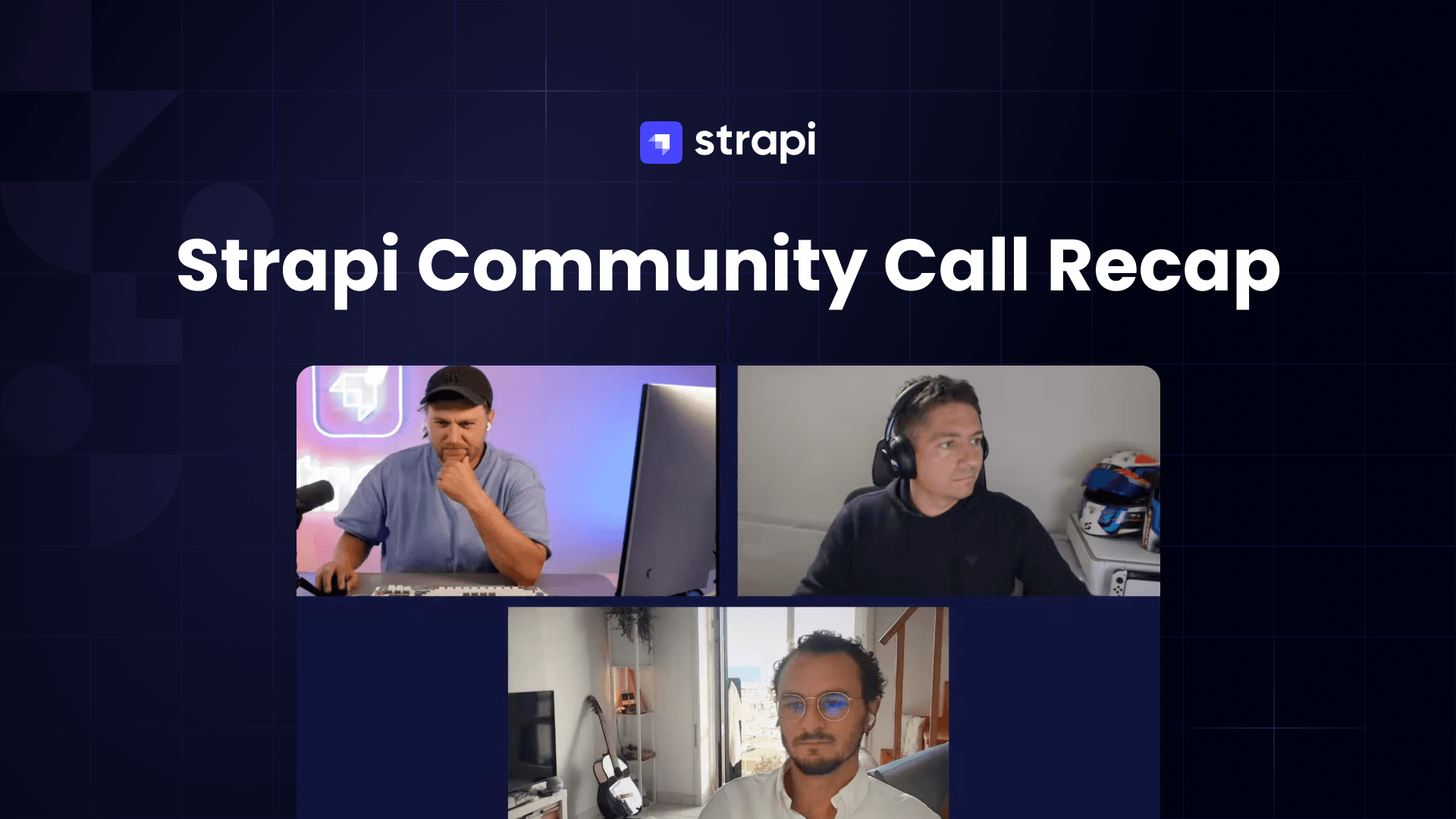
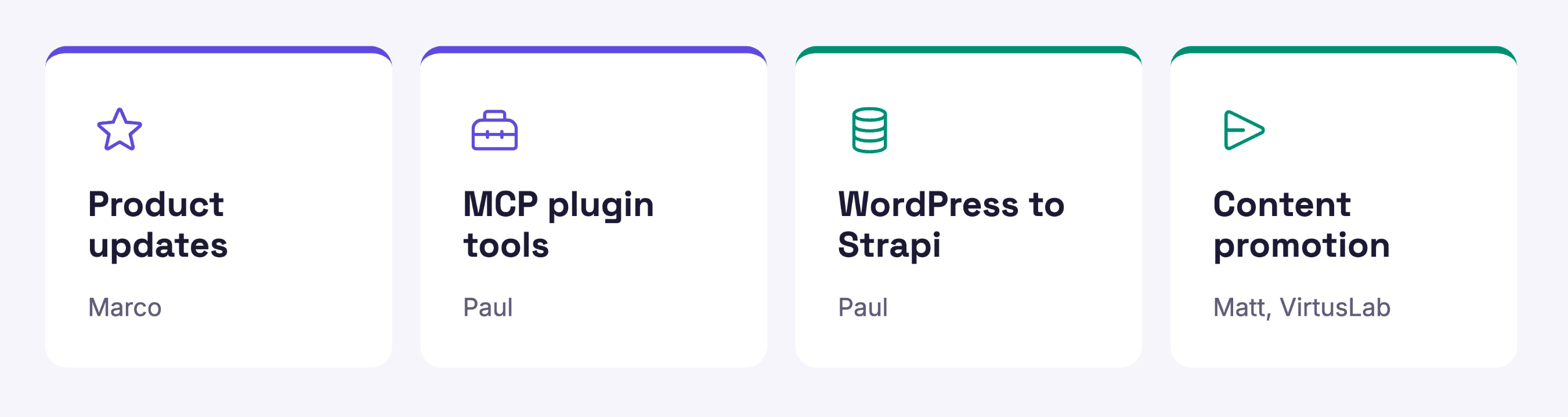
I hosted the call and demoed my MCP plugins and a WordPress migration workflow. Marco, Strapi's product marketing manager, covered product updates and what's next. Matt from VirtusLab, a Strapi partner, demoed a plugin for promoting content between environments.
The new Media Library
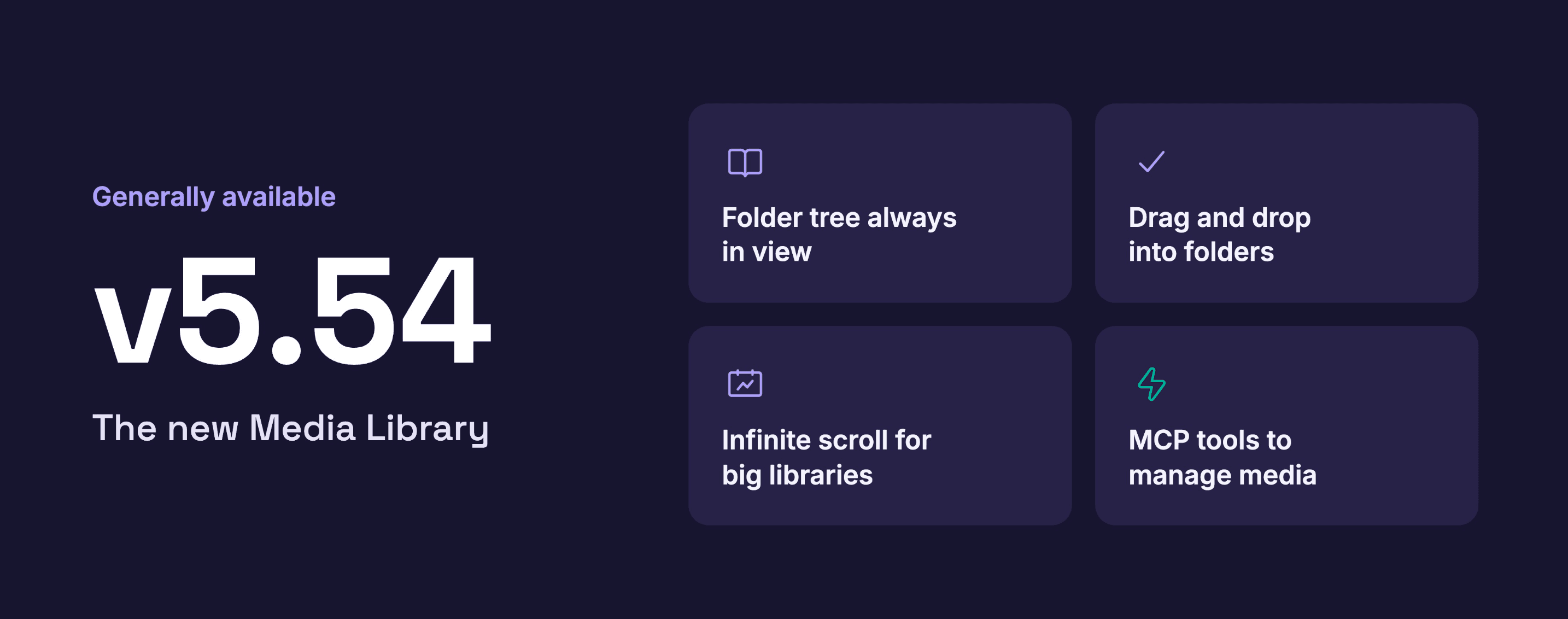
The redesigned Media Library has been generally available since v5.54. Marco said the team reworked how you browse and manage files, not just the look.
- A folder tree stays visible in the sidebar, so you no longer navigate back and forth through breadcrumbs.
- The upload button is available while you browse.
- You can drag and drop files straight into folders.
- Infinite scrolling replaces page-by-page navigation, which helps with large libraries.
- Opening a file shows its details in a side panel instead of taking over the whole screen.
The MCP server also gained media tools. An AI agent can now create and manage folders, update files, and move files between folders, the same things you can do in the admin panel.
MCP updates: plugin tools and audit logs
Plugin developers can now define their own MCP tools and add them to Strapi's MCP server. Before this, an agent connected to Strapi could only use the tools Strapi shipped. Now a plugin can add tools for whatever it does.
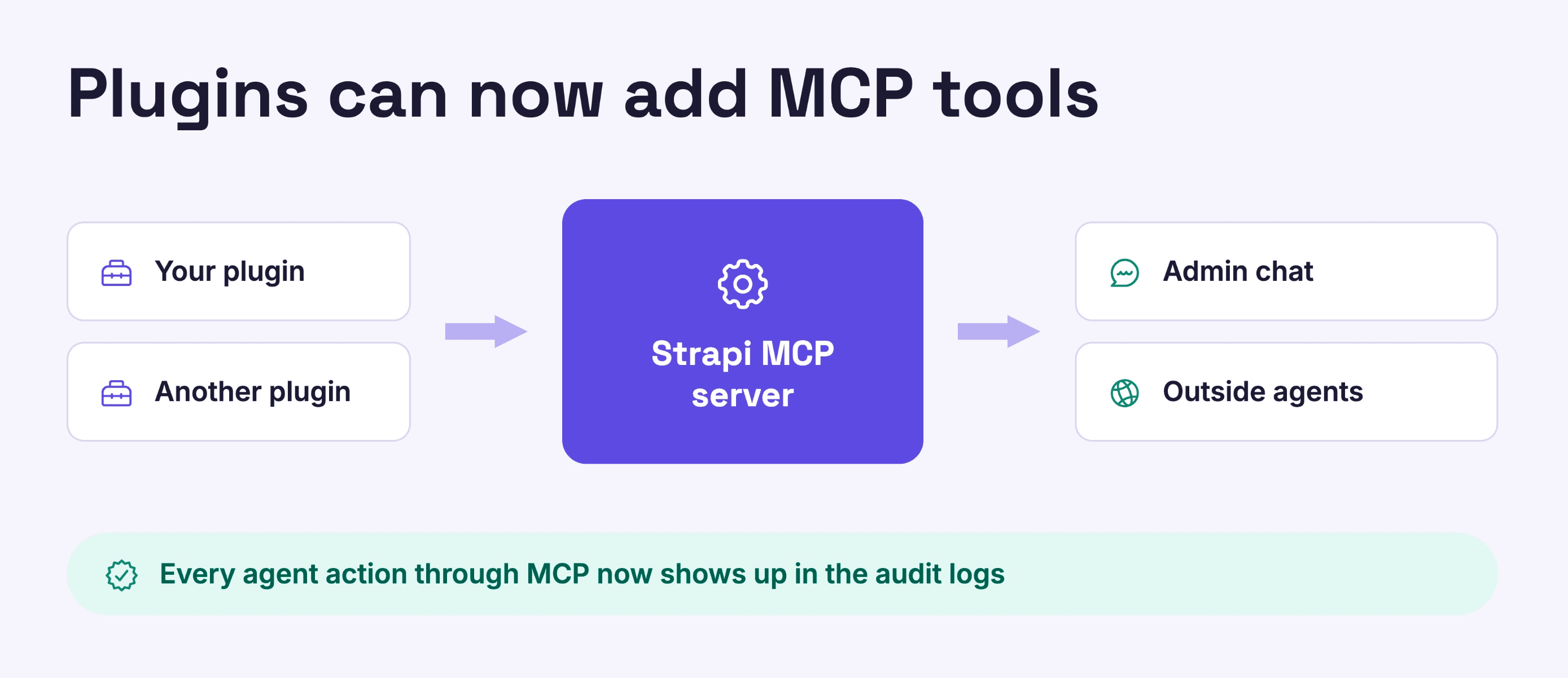
Actions an agent takes through the MCP server are now recorded in the audit logs, alongside actions taken by admin users. Audit logs themselves also got updates: you can export them, and they now track more events, including actions related to releases.
Other improvements
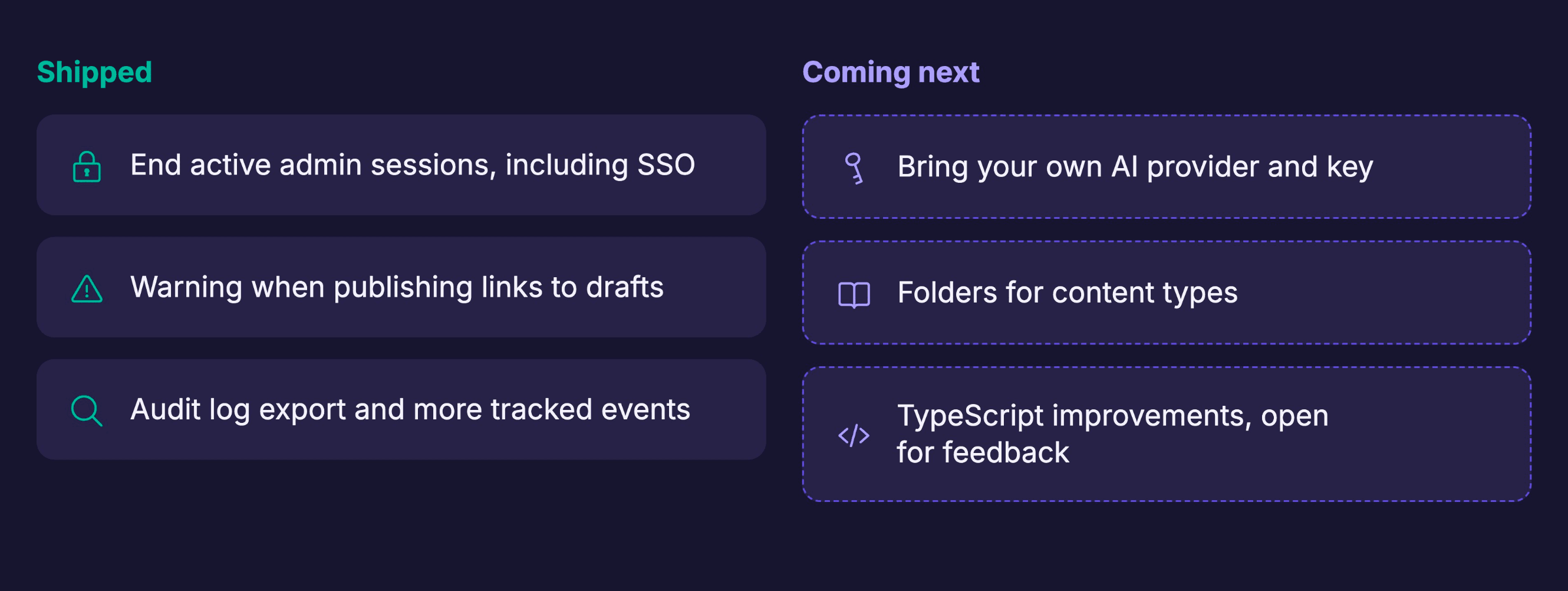
Marco covered several smaller changes:
- Administrators can end active admin sessions, including sessions from users who signed in through SSO. This lets you remove someone's access right away if a session should no longer be trusted.
- When you publish a document that links to other documents still in draft, Strapi now warns you.
What's coming next
- Bring your own AI provider. Strapi's AI features are available on the Growth plan. The team is working on letting you use your own AI provider and API key instead of only the built-in setup.
- Folders for content types. This is one of the most requested features from the community. It will let you group a long list of content types into folders.
- TypeScript improvements. There is an open discussion on GitHub about improving Strapi's type system. Marco said community feedback there can shape the direction.
You can get full detail what we shipped here.
Building MCP tools in your own plugins
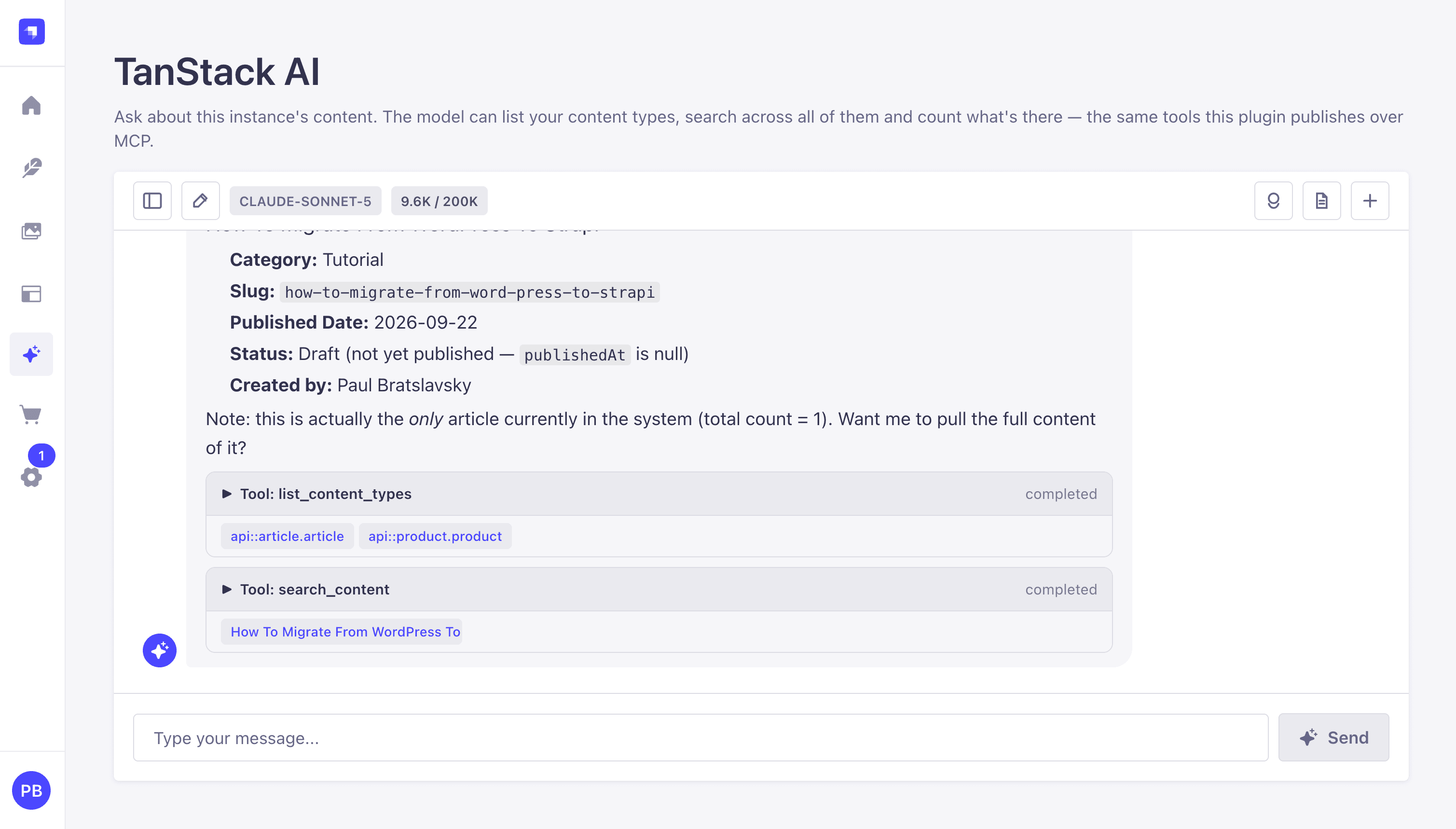
I showed two plugins I built. One adds an AI chat window to the Strapi admin panel (my TanStack AI plugin). The other fetches transcripts from YouTube videos. Each plugin registers its own tools, and the chat can use tools from both.
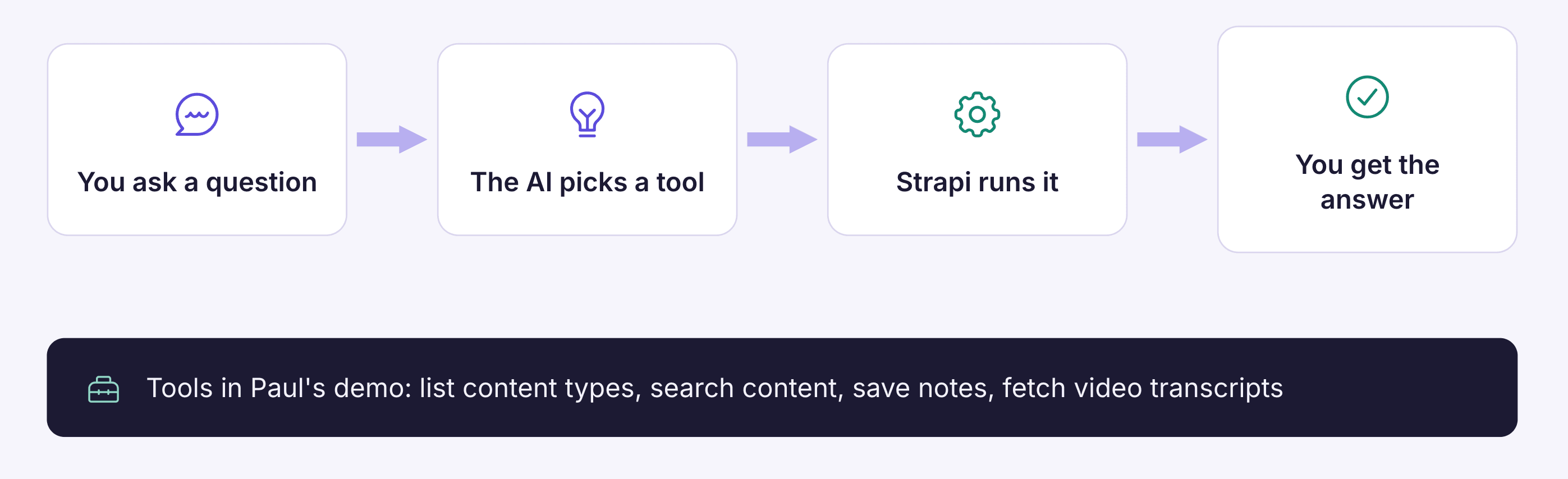
A tool is an action the AI can take. If you ask the chat "how many articles do I have?", the AI picks a tool that counts articles, and Strapi runs it. In my demo, the chat used tools to list content types, search content, save notes, and fetch transcripts.
Permissions are set in two places:
- Inside the admin panel, each admin role controls which tools its users can use in the chat. A Super Admin sees all of them. You can create other roles with fewer tools.
- For outside AI clients, you create an admin API token and choose which tools it can reach. I exposed search and content counts through my token but not the tool that lists content types.
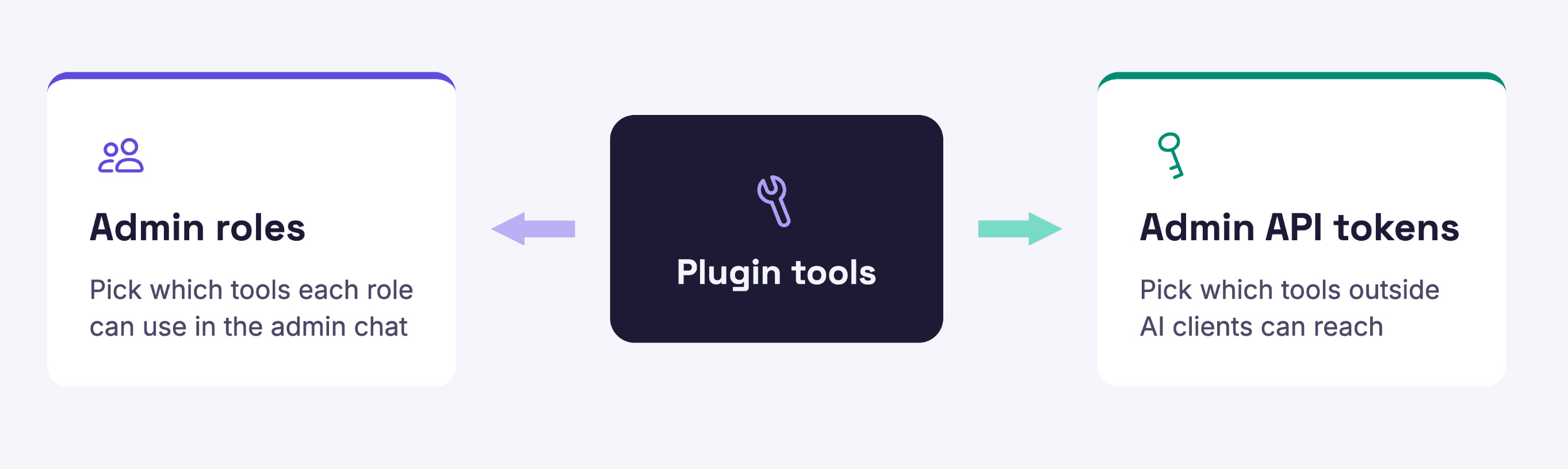
This means you can build an internal tool for your editors and expose only part of it to outside agents.
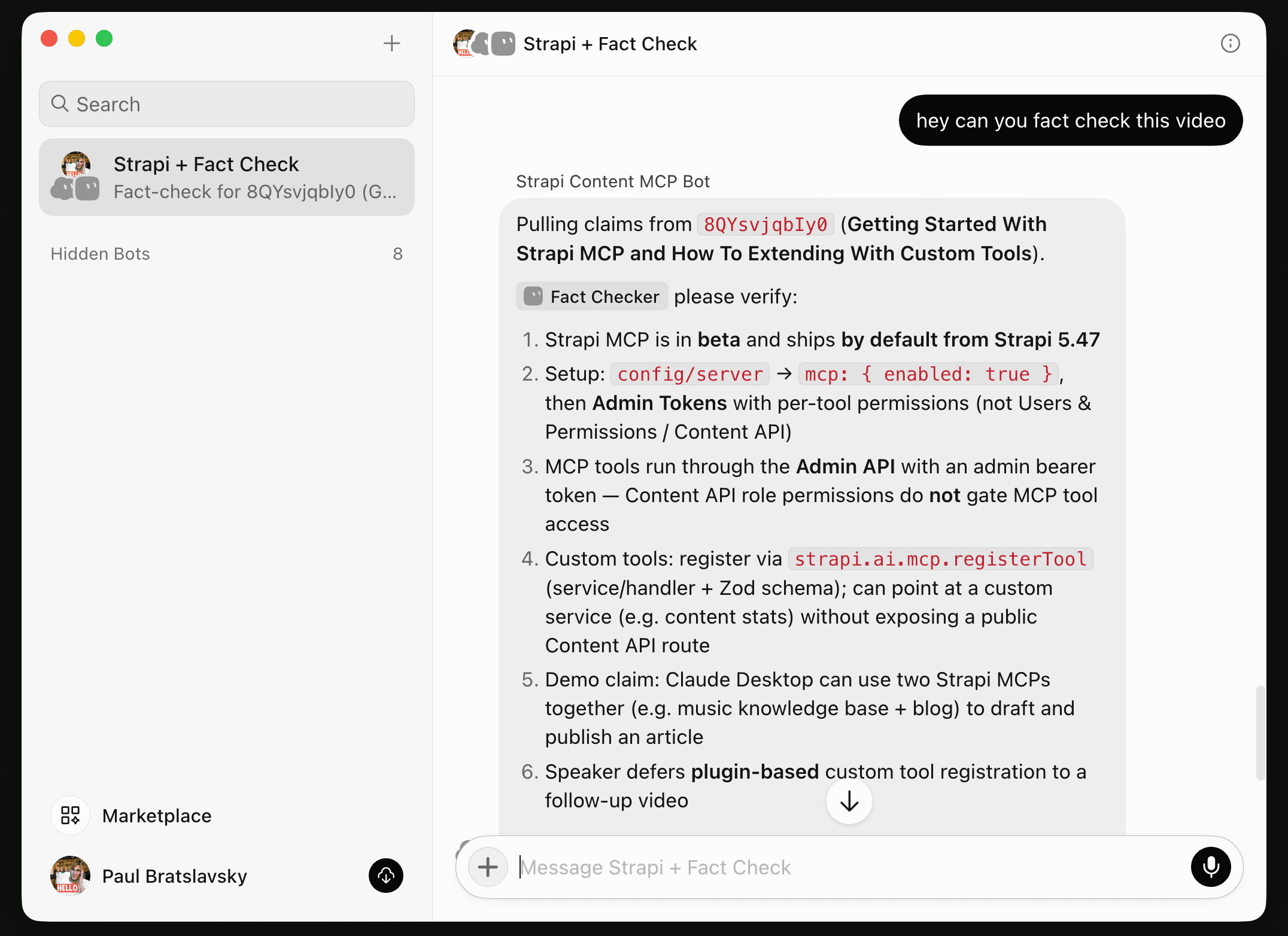
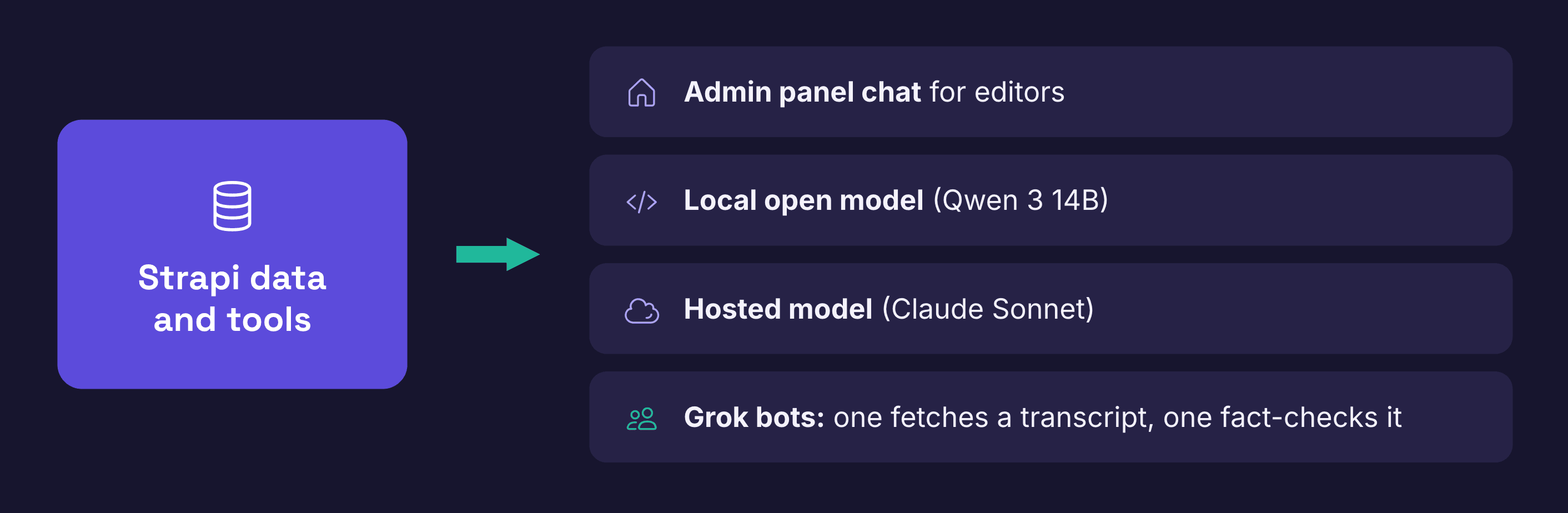
I then connected to the Strapi MCP server from other clients such as Grok, where one bot fetched a video transcript through the Strapi MCP server and a second bot fact-checked it.
My point was that the same Strapi data and tools can be used by people in the admin panel, by a custom app, or by an outside agent.
You can find my TanStack AI plugin on Github here.
Migrating from WordPress to Strapi with Claude Code
Migrating from WordPress to Strapi with Claude Code
I built a Claude Code skill for moving WordPress sites to Strapi. Before the demo, I explained why I think moving is worth it:
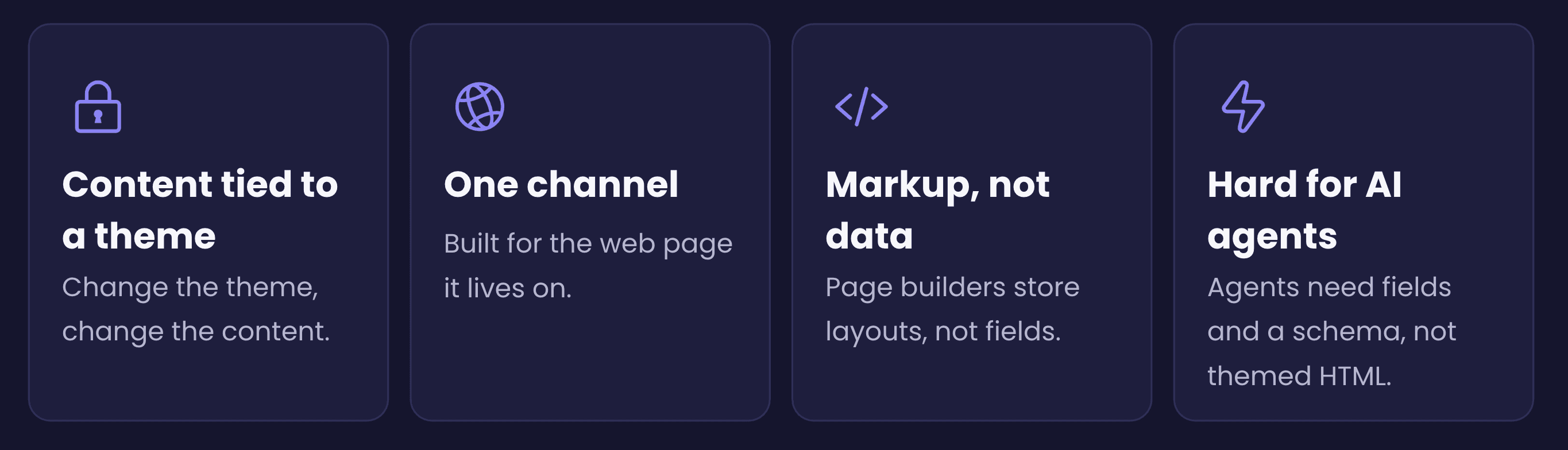
- Content is tied to the theme. In WordPress, the content, the HTML, and the theme are tangled together. If you change the theme, it can change your content.
- Page builders mix layout and data. With Elementor and similar builders, the layout and the fields are stored in one place. In my view, markup is not data.
- AI agents need structure. In my opinion, agents work best with fields and schemas, not themed HTML.
- One site, one channel. A WordPress site usually serves only its own website. Strapi keeps content separate from how it is displayed, so the same content can feed a website, a mobile app, internal apps, or an AI agent.
- Migration is easier than it was. Moving a site still takes work, but AI tools make it much less of a barrier.
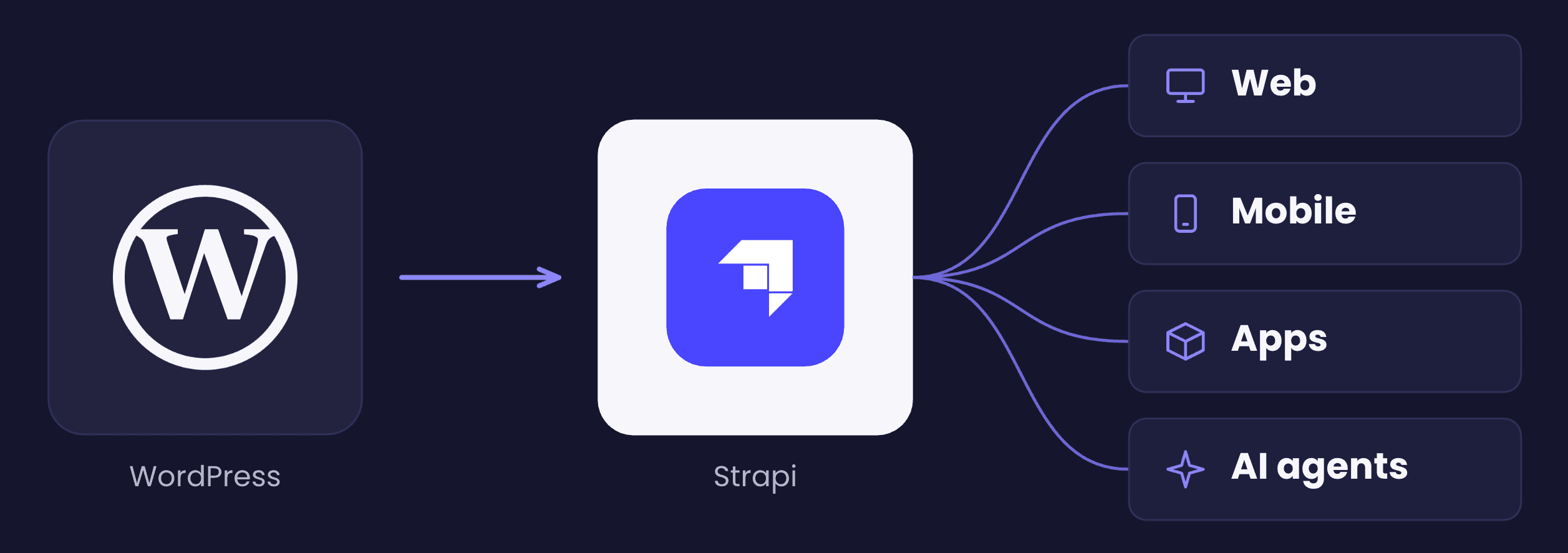
Changing the theme can affect the content. AI agents work better with content stored as structured fields than with themed HTML. Strapi keeps content separate from how it is displayed, so the same content can feed a website, a mobile app, or an agent.
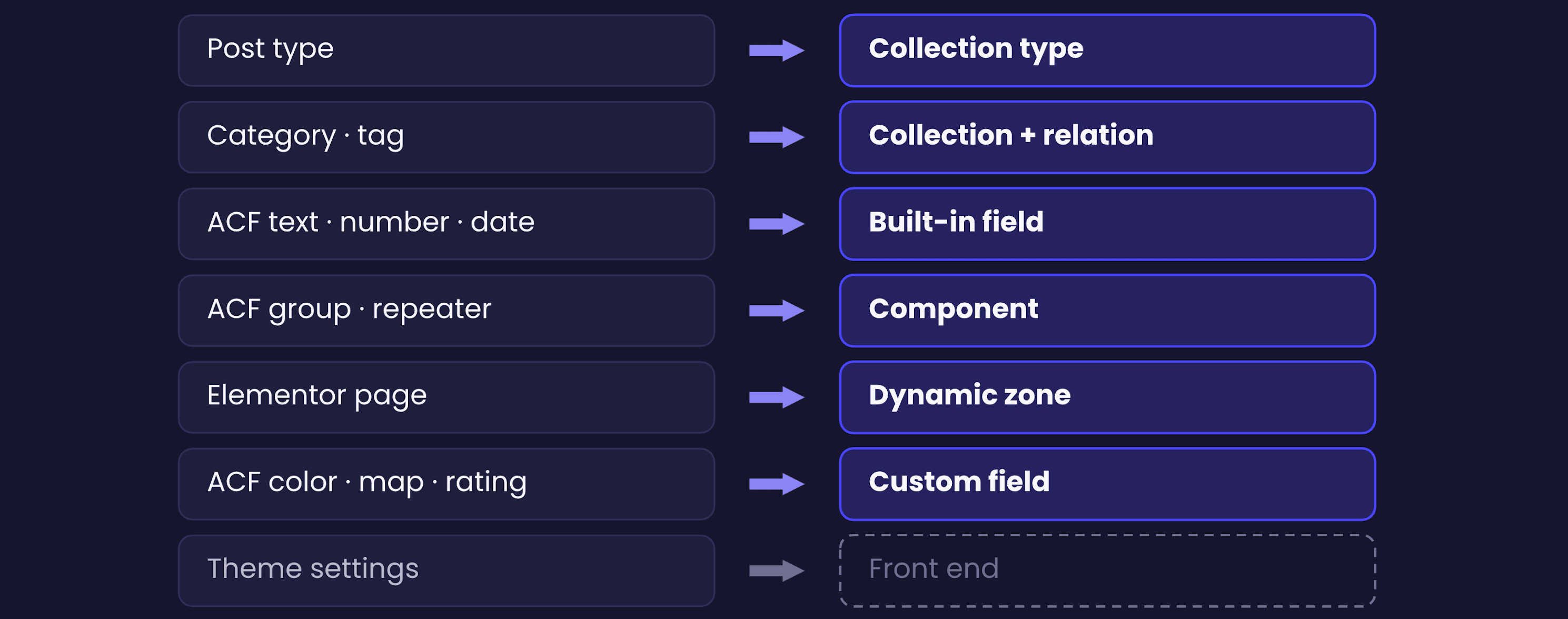
The skill maps WordPress content to Strapi like this:
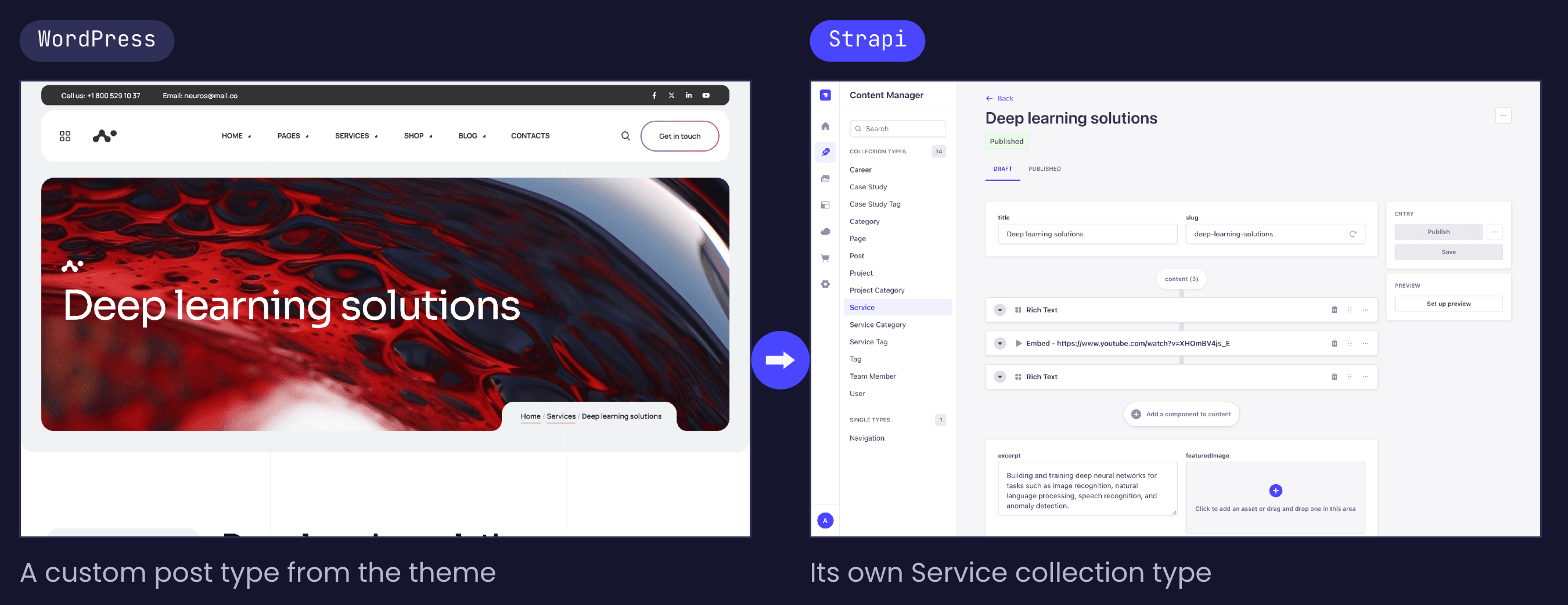
- Post types become collection types.
- Categories and tags become collection types linked by relations.
- ACF custom fields become Strapi's built-in fields, or custom fields from plugins when needed.
- Elementor pages become dynamic zones built from components such as a hero, rich text, image, feature, and quote.
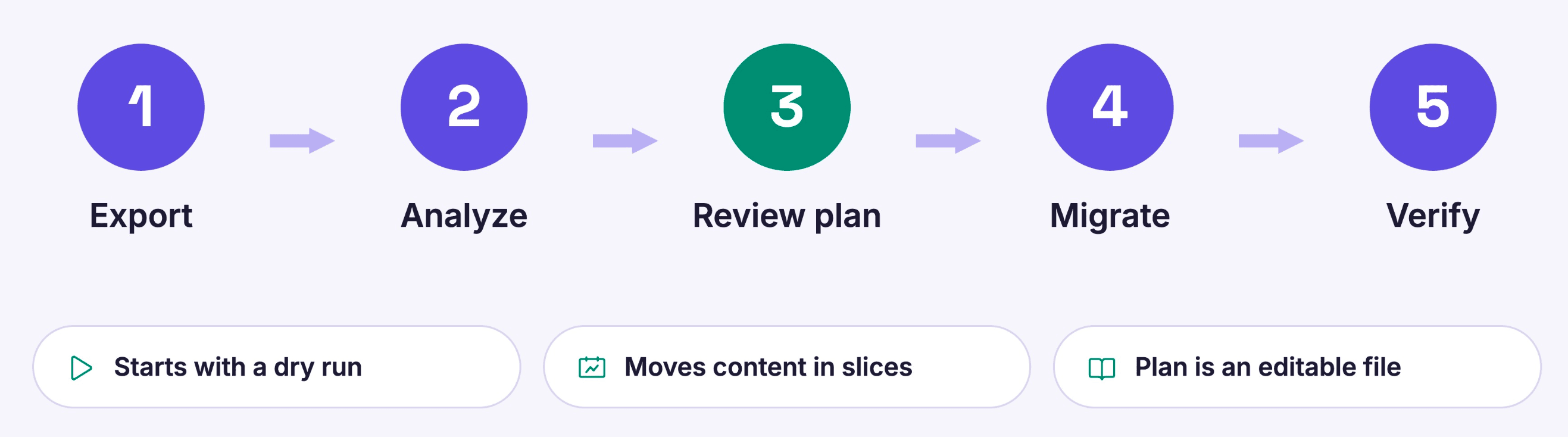
The workflow is: export the WordPress data, have the skill analyze it and propose a plan, review and edit the plan (it is a markdown file), then let it generate and run the migration code and verify the result. It starts with a dry run and can move content one slice at a time, which helps with large sites.
I found that the WordPress API hides some content and ACF data, so I also wrote a WordPress plugin that exposes all of it. It is in the same repo.
My lessons from migrating two sites:
- There is no one-click migration. Every site is different. The skill gets you most of the way, and you should adapt it to your project.
- Use the migration as a chance to rethink your content model instead of copying it one to one.
- If a run does not look right, adjust the plan and run it again.
- After your content is in Strapi, you can point Claude Code at the Strapi MCP server and have it help build the new frontend from your existing content types.
This blog post walks through the process and includes a demo project for a practice migration.
Promoting content between Strapi environments with Strapi XECP Plugin
Born from teams that outgrew copy-paste between environments. Strapi Cross-Environment Content Promotion Plugin (XECP) delivers controlled, non-destructive content promotion — snapshots, schema validation, and RBAC, so the same reliable path serves a single project and an enterprise release train.

Matt presented a plugin VirtusLab built for a customer who needed to move approved content from one environment to another, for example from staging to production. Until now, teams often did this by copying and pasting or by exporting and importing, which can lose relations or introduce mistakes.
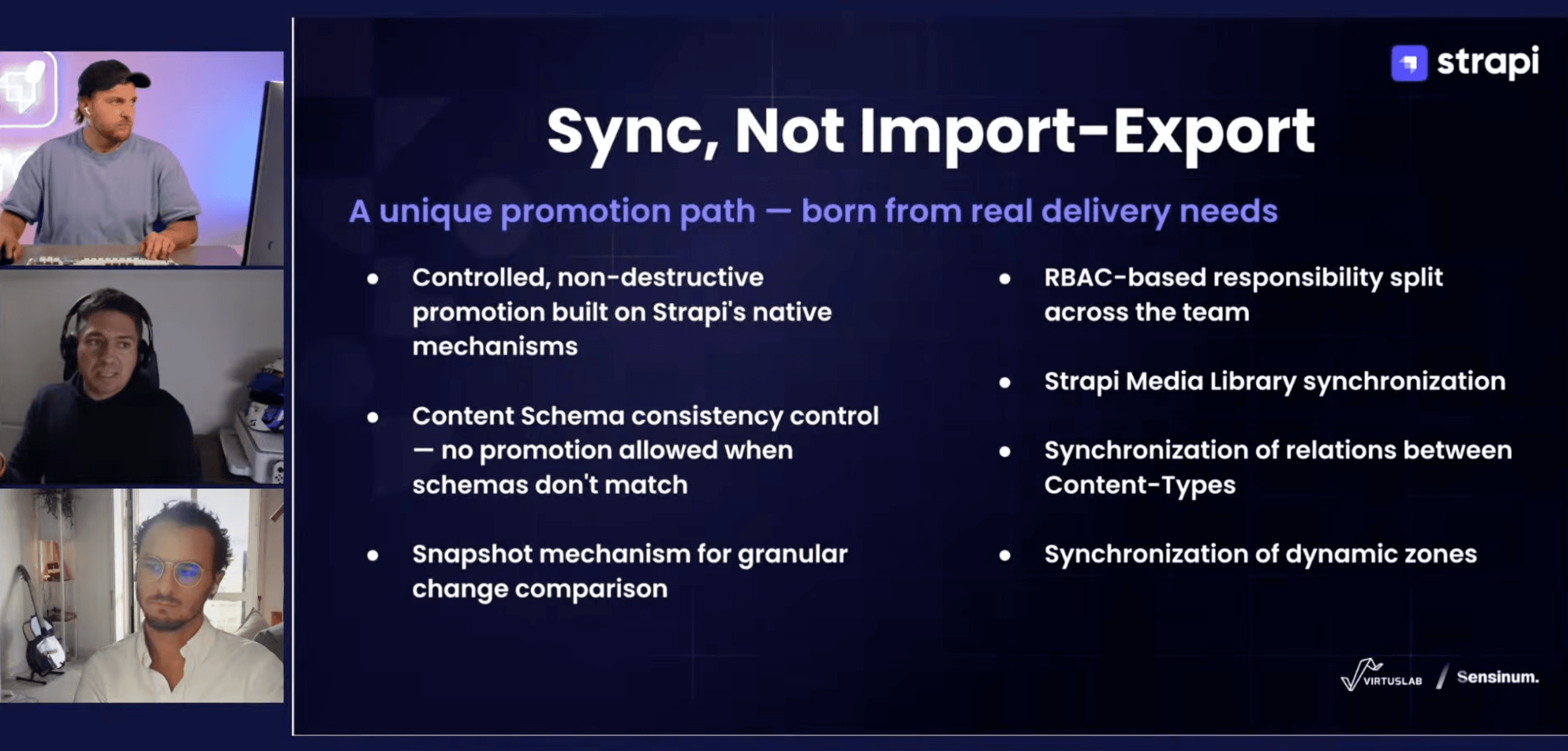
The plugin copies content without deleting anything on the target. What it does:
- Checks that the schemas on both environments match.
- Uses snapshots to work out what changed between source and target.
- Lets you pick individual entries, or a single entry in specific languages, instead of syncing everything.
- Uses Strapi's built-in role-based permissions.
- Copies media, relations (five levels deep by default, configurable), and dynamic zones.
In the demo, Matt set up which content types to sync, a unique field to match entries across environments (since document IDs differ), the target URL, and an API token. He then edited one article and created another on the source, and the plugin showed both changes. After he promoted them, both articles appeared on the target with their dynamic zones, images, and relations. He added a Polish version of an article and promoted only that locale. The target in the demo was also a multi-domain setup using another Sensum plugin.
The plugin is paid: $49 per month per project, with any number of environments, and two months free with a yearly plan. A planned "Boost" tier adds a visual diff to choose which fields to sync, scheduled and queued promotions, and multiple target environments. Matt offered a two-week trial key to anyone who contacts him.
I also mentioned that plugin developers can list plugins on the new Strapi Community Hub, and that we plan to support listing paid plugins there in the future.
LaunchPad in more frameworks
The LaunchPad demo project now has versions for Astro, Nuxt, and TanStack Start, in addition to Next.js. All are open source in the LaunchPad repo.
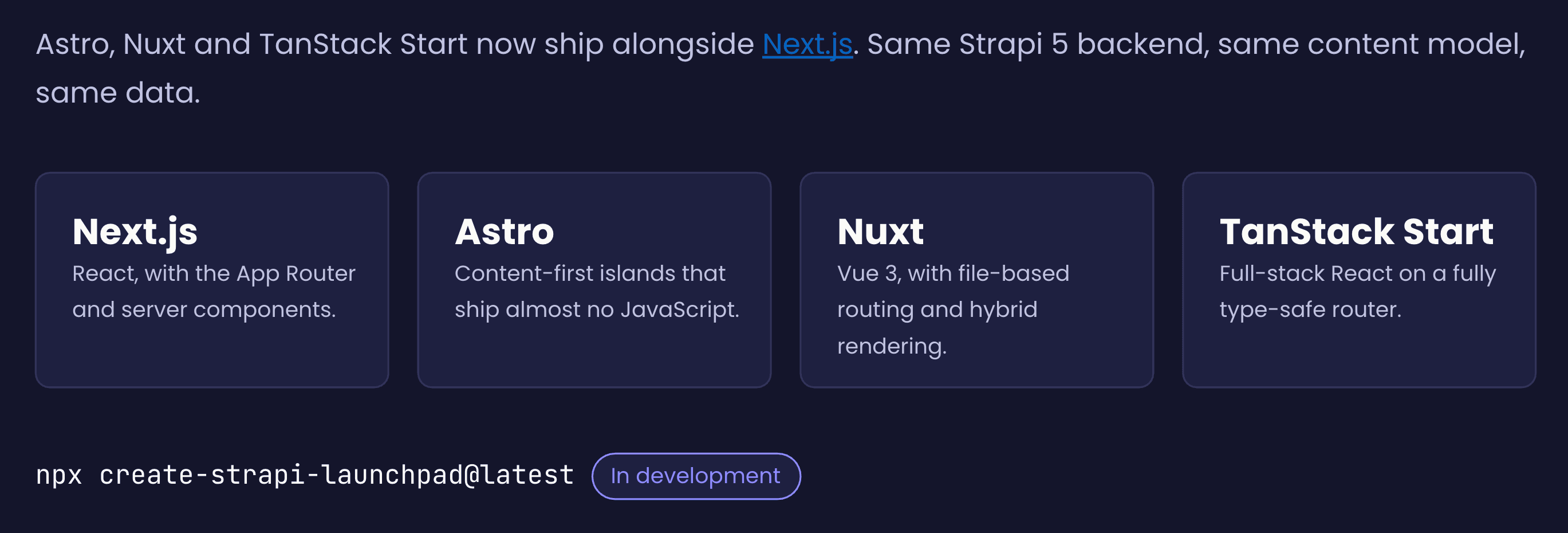
I'm also working on a create-strapi-launchpad command. It asks which of the four frameworks you want, pulls the repo, adds demo data, and sets up both projects. It is still in development, but feel free to try it.
You can also just try Launchpad Demo in our playground without hassle here
What to do next
- Upgrade to the latest Strapi version to get the new Media Library and MCP updates.
- Join the TypeScript discussion on GitHub if you have feedback on Strapi's types.
- Open office hours now run only on Wednesdays at 12:30 PM CST.
- If you have built something with Strapi, or are using the MCP server to automate parts of your workflow, reach out to me or Marco. We are looking for community projects to feature.