Streamline Content Management
Give editors a smarter, more intuitive content‐editing experience by showing only the fields that matter.
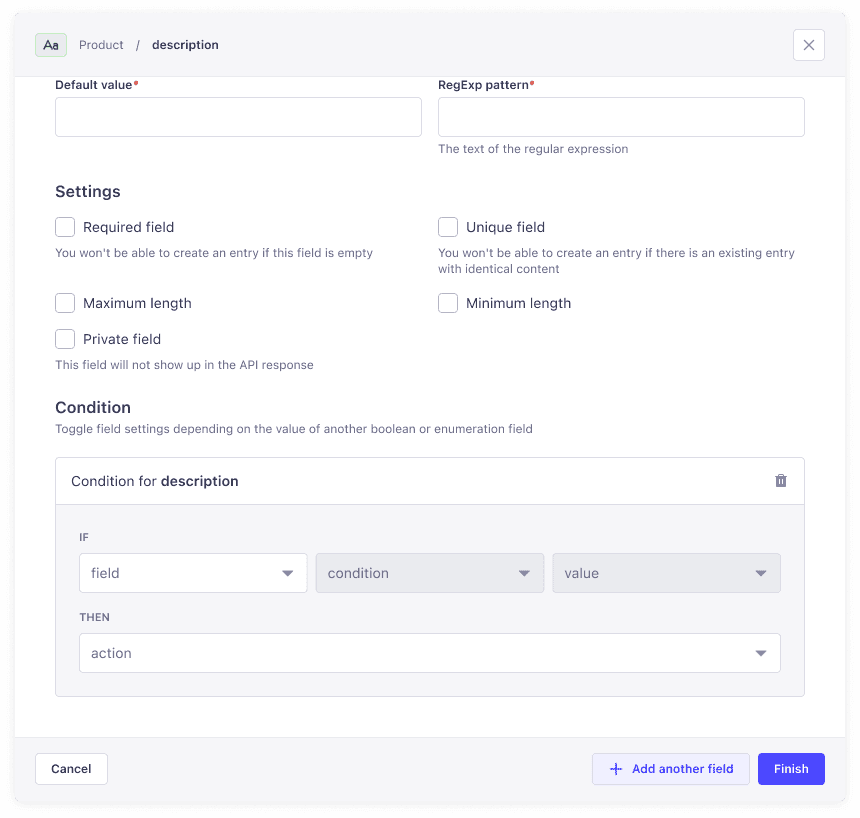
interactive demo from the Content Type Builder
Get full control over field visibility in the Content Manager
Conditional Fields let you control field visibility in the Content Manager. Based on the value of one field—like a dropdown or checkbox—other fields will appear or disappear automatically, giving editors a context-aware editing experience.

Smarter UI, better UX
Editors see only relevant fields, creating a clean, intuitive interface.
Increased efficiency
Reduce cognitive load and speed up content entry by hiding unnecessary inputs.
Fewer mistakes
Minimize data-entry errors by only exposing fields that apply.
Frequently Asked Questions

Schema-Level JSON Configuration
For developers, define conditional logic in your schema.json to version-control and collaborate in code.
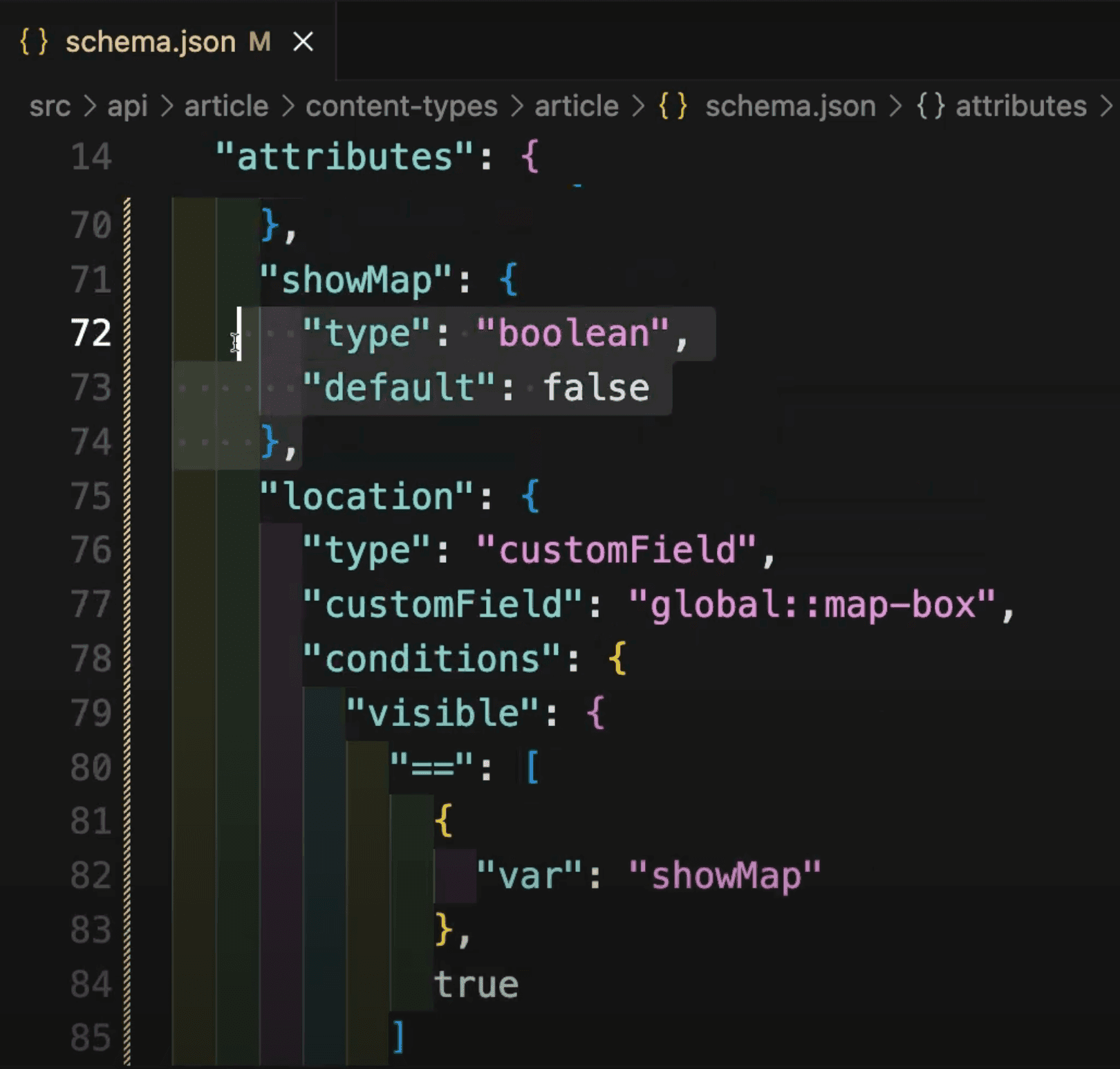
Visual UI in the Content-Type Builder
No-code users can add visibility rules directly in the builder: pick a trigger field, select “is” or “is not,” and choose the target value.
Nested condition logic (coming soon)
Build multi-level rules that adapt dynamically as you go. Combine multiple conditions (e.g., show “Promotional Banner” when “Content Type is Article” and “Enable Marketing Options” is checked) to craft deeply customized editing experiences without resorting to custom code.
More trigger types (coming soon)
Expand your conditional logic beyond checkboxes and drop downs. Soon you’ll be able to show or hide fields based on relationships to other entries (e.g., only display “Author Bio” when a linked “Author” exists) or the current user’s role (e.g., reveal “Publish Settings” only to administrators).

Conditional logic on custom field types (Coming Soon)
Give your bespoke field plugins the same smart behavior. Whether you’ve created a rich text editor, a map picker, or a third-party integration, you’ll be able to drive its visibility with the same intuitive “is”/“is not” rules you rely on today.