Instantly Revert Content Changes
No more headaches over lost edits or accidental changes. Keep your workflow smooth and stress-free with Content History.
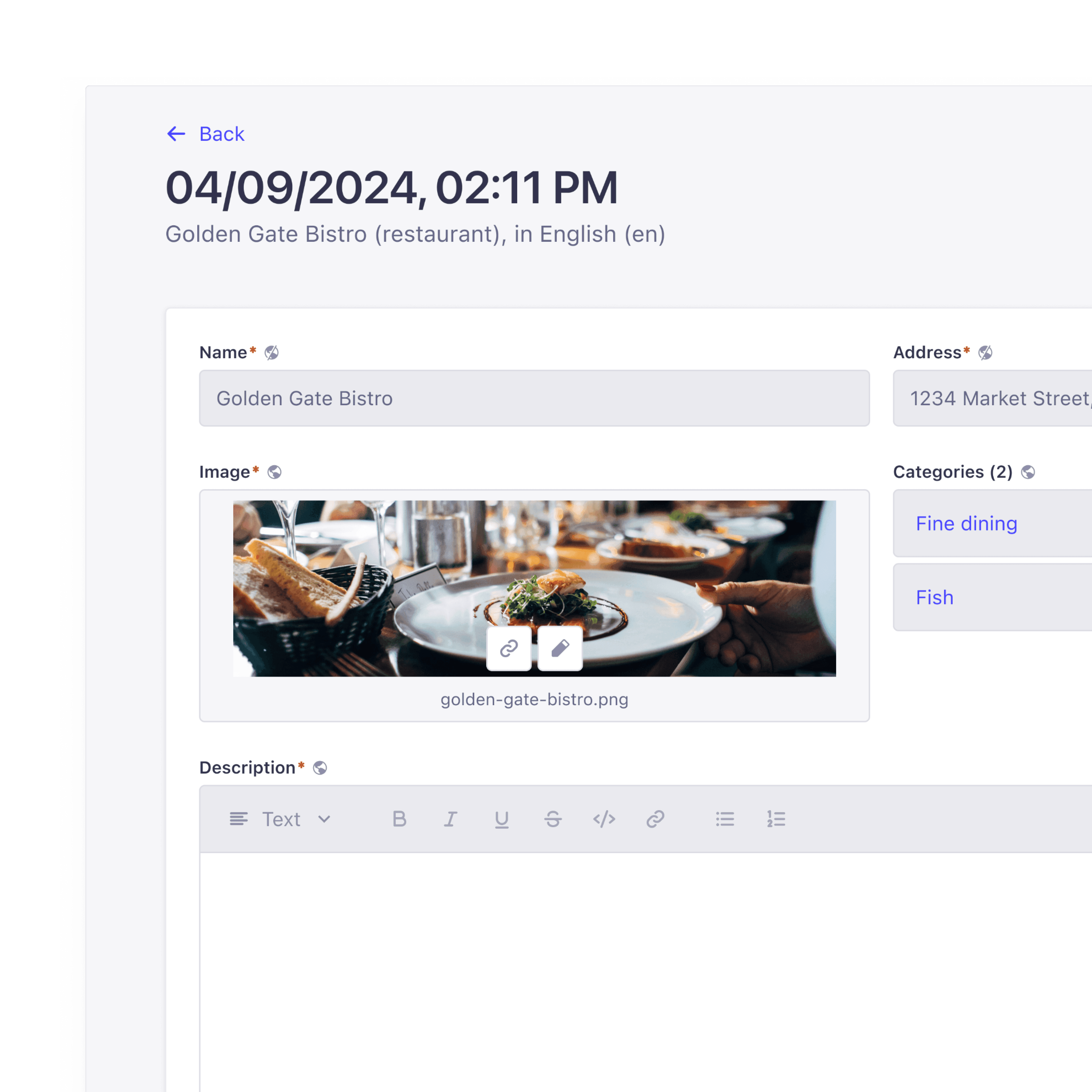
Try an interactive demo




Gain Full Control Over Your Content
Content History offers a seamless way to manage changes, giving you the confidence to edit, track, and collaborate without disruption. Stay organized and in control of your content evolution.

Confidence in Every Change
Make bold updates, knowing you can always revert to a previous version. Experiment with new ideas and workflows without worrying about losing previous work.
Simplify Your Workflow
Content History removes the guesswork. Track changes, see who made updates, and quickly correct mistakes—all within your existing Strapi setup. No need for third-party tools or manual workarounds.
Total Transparency
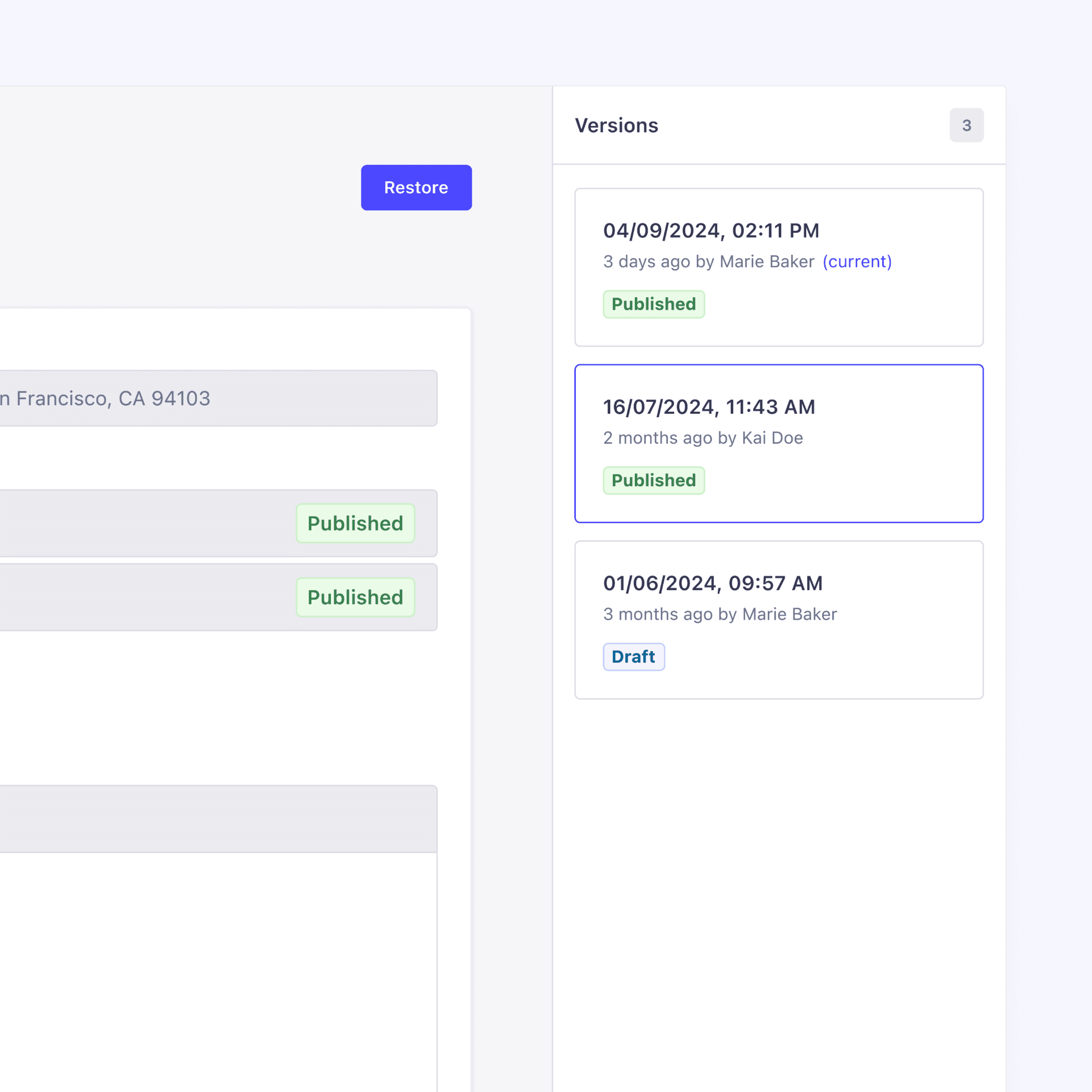
Every change is recorded and tied to the responsible team member, making collaboration easier and ensuring accountability across your team.

One-Click Rollbacks
Whether you need to fix an error or return to a previous state, restoring a previous version is as simple as clicking "Restore." The rollback feature overwrites the current draft, giving you a fresh start without losing any progress.

Automatic History Creation
Strapi automatically creates a version every time you save or publish content, ensuring you can roll back instantly when needed. No more worrying about lost updates or irreversible mistakes.

Instant Access to Changes
Access your content’s full history from the edit screen. With a clear view of what changed, who made the update, and when it happened, you’re always informed and ready to act.

Content Structure Management
Content History handles changes to your content structure. If fields are added, removed, or re-added, Strapi will try to recover the content or display useful information. No content is ever deleted—it's always available in your database.

Track Changes Across Locales
For multilingual projects, Strapi keeps your content in sync. Roll back any version, and Strapi will automatically update the relevant fields across all locales.