A fintech company publishes updated terms of service. Two weeks later, a regulator asks: "Who approved this version, when did they approve it, and what exactly changed?" Without structured audit data, answering that question means digging through raw database timestamps, correlating deploy logs, and hoping someone kept notes in a spreadsheet.
A proper compliance management system answers four questions for every content change: who did it, when they did it, what the content looked like before and after, and who approved the change.
Strapi 5 covers these requirements through built-in Enterprise features and customization hooks that fill the gaps. This guide walks through the full pipeline: audit logs, Role-Based Access Control (RBAC), review workflows, Content History, custom Document Service middleware, and webhooks.
In Brief:
- Strapi's built-in Audit Logs (Enterprise) record admin actions at the Admin API level with searchable history, user attribution, and payload inspection.
- Layering RBAC roles, review workflows, and Content History creates an end-to-end compliance pipeline for regulated content.
- Document Service middlewares capture custom audit events beyond what the built-in logs track.
- Webhooks push audit data to external SIEM or logging platforms for long-term retention and alerting.
Important up front: Audit Logs and Review Workflows are Enterprise features, while Content History is available on Growth and Enterprise plans. RBAC with custom roles is available in Community Edition (free since v4.8). Budget for the Enterprise plan from day one if you're building for a regulated industry.
Prerequisites and Project Setup
Before configuring audit trails, you need a running Strapi 5 Enterprise instance with a production-grade database.
What You Need Before Starting
Audit Logs, Review Workflows, and several other features in this guide require an Enterprise license and specific runtime dependencies. Confirm the following are in place before proceeding, since missing any of them will block parts of the compliance pipeline:
- Node.js v20, v22, or v24 (Active or Maintenance LTS versions only; odd-number releases like v23 or v25 are not supported)
- Strapi 5 Enterprise (self-hosted or Strapi Cloud) with Audit Logs enabled
- PostgreSQL or MySQL for production compliance workloads. PostgreSQL 14.0+ (recommended 17.0) or MySQL 8.0+ (recommended 8.4) both work. SQLite's file-based model may require additional controls and is often less suitable for regulated data. See the full list of supported databases.
- Basic familiarity with the Admin Panel and the
config/adminfile
Create a Fresh Strapi 5 Project
With the prerequisites in place, scaffold a new project using the Strapi CLI. The command below creates a project directory, installs dependencies, and walks you through database selection interactively:
npx create-strapi@latest compliance-cmsFor CI/CD pipelines or automated environments, pass the --non-interactive flag to skip all prompts. Configure your database connection separately in config/database.ts after scaffolding.
Once the project is running, configure audit log retention in config/admin.ts:
export default ({ env }) => ({
  auditLogs: { // only accessible with an Enterprise plan
    enabled: env.bool('AUDIT_LOGS_ENABLED', true),
    retentionDays: 120,
  },
  auth: {
    secret: env('ADMIN_JWT_SECRET', 'someSecretKey'),
  },
});
For Strapi Cloud customers, the retentionDays value from your license takes precedence unless the config value is smaller. You cannot exceed your plan's licensed retention period through config alone.
Configure Built-in Audit Logs
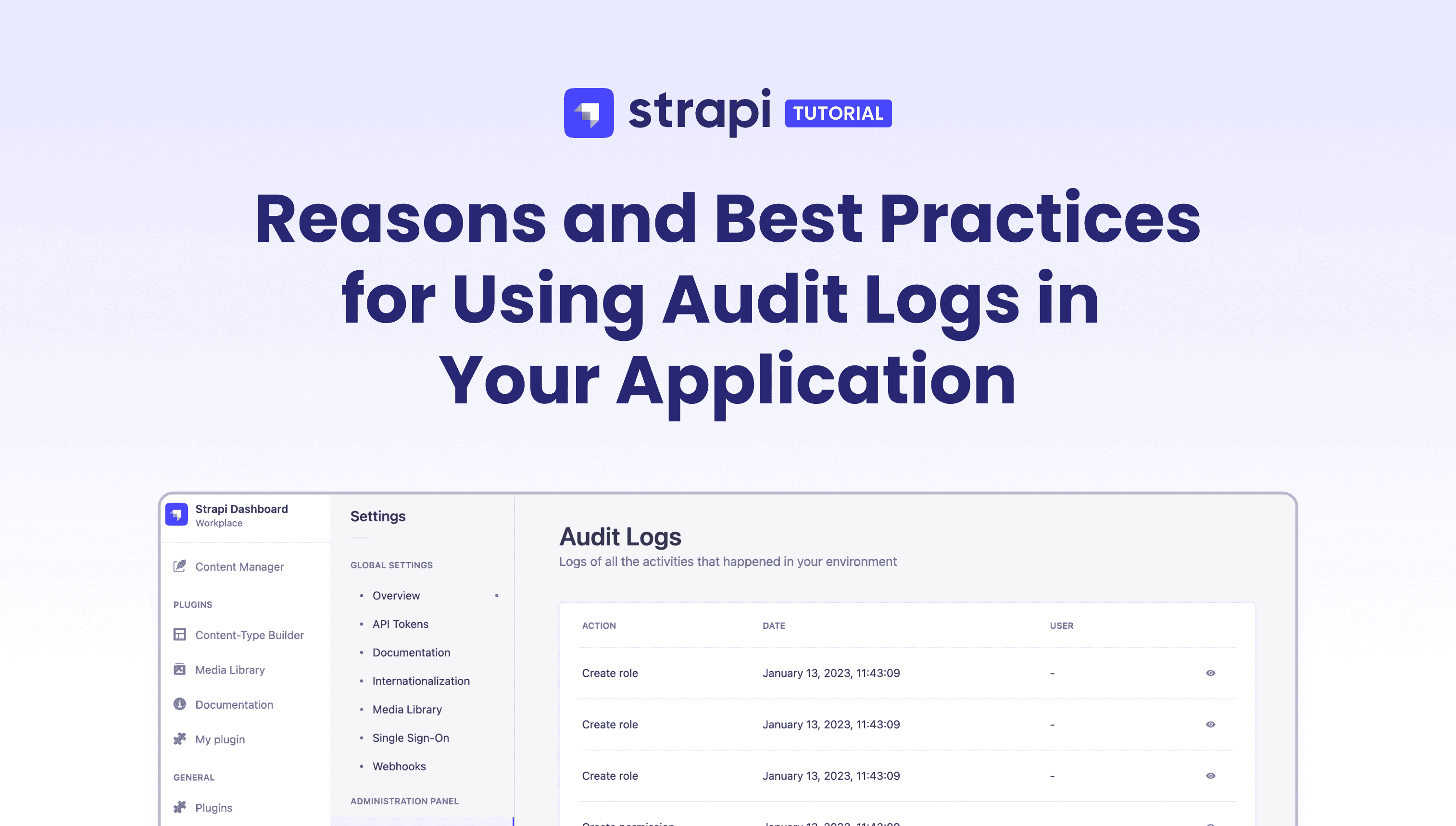
Strapi's built-in audit log system captures admin-level actions and stores them with full user attribution and payload data, giving compliance teams a searchable record of every change made through the Admin Panel.
What Strapi Audit Logs Track
Strapi's audit log system automatically records every action performed through the Admin Panel, from content edits and publish events to login attempts and role changes. Each entry ties the action to a specific user and timestamp, which means compliance teams can reconstruct a complete timeline of who did what without relying on external tooling. The system organizes events into six categories:
| Event Category | Tracked Actions |
|---|---|
| Content Type | create, update, delete |
| Entry (draft/publish) | create, update, delete, publish, unpublish |
| Media | create, update, delete |
| Login / Logout | success, fail |
| Role / Permission | create, update, delete |
| User | create, update, delete |
Each log entry records the action type, timestamp, the user who performed it, and a detailed payload viewable as JSON in the Admin Panel.
Filter and Inspect Log Entries
Open the audit log interface at Settings → Administration Panel → Audit Logs. Logs display in reverse chronological order by default, with three filter dimensions available: action type, user, and date range.
Clicking the detail icon on any log entry opens a modal with a Payload section. This section uses an interactive JSON component where you can expand and collapse nested data to inspect what changed.
For compliance purposes, this is your first-party record of every admin-level change. When an auditor asks "who modified this Content-Type on March 15, and what did they change?", filter by user and date range, find the entry, and open the payload.
The admin panel config reference covers the full auditLogs config block, including the retentionDays parameter and the enabled boolean toggle.
Layer RBAC for Controlled Content Access
Role-Based Access Control in Strapi enforces who can create, edit, publish, and view content. For compliance workflows, RBAC becomes the mechanism that ensures separation of duties between content creators, reviewers, and approvers.
Design Roles for Compliance Workflows
Strapi ships with three default administrator roles: Super Admin (can access all features and settings), Editor (can create, manage, and publish any content), and Author (can create and manage their own content only). These are available in both Community and Enterprise editions.
For a compliance management system, you need purpose-built roles that enforce separation of duties. Create these at Settings → Administration Panel → Roles by clicking "Add new role":
- Content Creator: Can create and edit drafts for assigned content types only. Cannot publish.
- Compliance Reviewer: Can read all content and move entries through review workflow stages, but cannot publish.
- Compliance Officer: Can publish, and has read access to Audit Logs and Review Workflows settings.
For each role, the permissions table is split into four categories: Collection types, Single types, Plugins, and Settings. Per Content-Type, you configure five actions: Create, Read, Update, Delete, and Publish (the Publish option only appears when Draft & Publish is enabled on the Content-Type).
To restrict entry-level access, apply built-in conditions to each permission. For example, Strapi ships with a "Has created the entry" condition: when applied to the Update action, Content Creators can only edit entries they authored, not entries created by other users.
To set this, click the gear icon next to the action, select the condition from the dropdown, and click Apply. A dot appears next to the permission name to confirm a condition is active. This is how you enforce author-level isolation without writing custom code.
Set Granular Field-Level Permissions
Some fields should be locked down by role. For example, a compliance-status field on a Content-Type should be writable only by the Compliance Officer role, while Content Creators can see it but not change it.
Configure this in the RBAC role editor:
- Tick the Content-Type checkbox to grant access (all actions are enabled for all fields by default)
- Click the name of the Content-Type to expand the full field list
- For each field, untick specific action boxes to restrict access for the role
- Save
Content Creators see the compliance status on every entry but cannot modify it. Changes are tracked in audit logs, and admin access is controlled through roles and permissions.
Add Review Workflows for Approval Gates
Review Workflows define the approval stages content must pass through before publication, giving compliance teams a formal gate between authoring and going live.
Create a Compliance Review Pipeline
Review Workflows (Enterprise only) let you define approval stages that content must pass through before publication. Configure them at Settings → Global Settings → Review Workflows.
The default workflow ships with four stages: To do, In progress, Ready to review, and Reviewed. For a compliance system, replace these with stages that map to your actual approval process:
- Draft: Content Creator has written or edited the entry.
- Legal Review: Entry is under review by the legal team.
- Compliance Approval: Compliance Reviewer validates the entry meets regulatory requirements.
- Ready to Publish: Entry has passed all gates and awaits publication by the Compliance Officer.
For each stage, configure two permission fields:
- Roles that can change from this stage: who can move content out of this stage
- Roles that can move content to this stage: who can move content into this stage
Both permissions must be satisfied for a stage transition to appear in the dropdown. This enforces separation of duties: a Content Creator can push an entry from Draft to Legal Review, but the dropdown won't show Compliance Approval or Ready to Publish as options because they lack the required role permissions for those stages.
Assign Reviewers and Track Stage Changes
From the Content Manager edit view of any entry, locate the Information box on the right side. Click the Assignee drop-down list to assign a specific admin user as the reviewer. This assignment saves automatically.
To change the review stage, click the Review stage drop-down list in the same box and select the new stage. The change saves automatically too.
A dedicated webhook event (review-workflows.updateEntryStage) fires when an entry moves between stages, which you can use to notify external systems. One gap to note: the webhook payload for stage transitions does not include a user attribution field. For compliance scenarios where you need to know who moved the entry between stages, rely on the Enterprise Audit Logs or implement a custom Document Service middleware.
Track Content Versions with Content History
Content History complements audit logs by answering a different question. Audit logs tell you who did what. Content History shows you what the content looked like at each point. Together, they cover the full compliance picture.
Access it from the Content Manager: open any entry's edit view, click the menu icon (top right), and select Content History. The sidebar lists every saved version with a timestamp and a status label (Draft, Modified, or Published). Selecting a version shows the field-by-field content for that snapshot.
If a regulator asks "what did this page say on March 15?", select the closest version and read the fields directly. The view also handles schema evolution: fields that have been deleted or renamed since that version are clearly labeled. This prevents schema changes from misrepresenting historical content.
The restore capability does not bypass your approval pipeline. Restoring a previous version overwrites the current draft and sets the document to Modified status. It does not auto-publish. Editors must publish after restoring before the content goes live, which preserves the approval chain required for compliance.
Build Custom Audit Tracking with Document Service Middlewares
Built-in audit logs cover Admin Panel actions, but some compliance scenarios require tracking at the API level: REST or GraphQL mutations from a frontend, automated imports, or third-party integrations hitting the Content API.
When You Need More Than Built-in Logs
Document Service middlewares run before and after every Document Service operation, making them the right hook for custom audit logic. These middlewares are the Strapi 5 recommended approach for many use cases that previously relied on v4 lifecycle hook files. If you're migrating from v4, use the Document Service API rather than the deprecated Entity Service.
Create an Audit Middleware
First, define an audit-trail Content-Type (via Content-Type Builder or JSON schema) with these fields: action (enumeration), contentType (string), documentId (string), userId (string), payload (JSON), and timestamp (datetime).
Then register the middleware in src/index.ts:
// src/index.ts
export default {
  register({ strapi }) {
    strapi.documents.use(async (context, next) => {
      const result = await next();

      const writeActions = ['create', 'update', 'delete', 'publish', 'unpublish'];
      if (writeActions.includes(context.action)) {
        await strapi.db.query('api::audit-trail.audit-trail').create({
          data: {
            action: context.action,
            contentType: context.uid,
            documentId: context.params?.documentId || result?.documentId || null,
            userId: context.params?.data?.updatedBy || null,
            timestamp: new Date().toISOString(),
          },
        });
      }

      return result;
    });
  },
};
A few key details about this middleware:
- The middleware runs for all content types. To scope it to specific types, add a
uidcheck at the top before running the audit logic:
const applyTo = ['api::article.article'];

strapi.documents.use(async (context, next) => {
  if (!applyTo.includes(context.uid)) {
    return next();
  }
  // ... audit logic
});- It fires after
next(). This means you capture the final state, and theresultobject contains thedocumentIdfor newly created entries. - Always return the result from
next(). Failing to do so breaks the Strapi application. This is a critical rule from the middleware docs. - Use
documentId, not numericid. In Strapi 5,documentIdis a persistent 24-character alphanumeric string that replaces the numeric ID from v4 in Content API calls. It's the stable identifier used across locales and draft/published versions.
You can also expand the tracked actions to include discardDraft for full lifecycle coverage.
Query Your Custom Audit Trail via the API
With the audit-trail Collection Type exposed via the REST API, compliance teams can pull reports programmatically. Filter by content type and date range using Strapi's filter operators:
GET /api/audit-trails?filters[contentType][$eq]=api::policy.policy&filters[timestamp][$gte]=2025-01-01&sort=timestamp:descThis returns all audit entries for the policy Content-Type since January 2025, sorted by most recent. The filters API supports all the standard operators: $eq, $gte, $lte, $in, $contains, and more.
Push Audit Events to External Systems with Webhooks
Webhooks in Strapi push content lifecycle events to external endpoints in real time, enabling integration with SIEM tools, Slack channels, and compliance platforms without polling the API.
Configure Webhooks for Compliance Alerts
Organizations that need audit data in a Security Information and Event Management (SIEM) tool, Slack channel, or external compliance platform can use Strapi's webhook system to push content lifecycle events in real time.
Create a webhook in Strapi: set the target URL, select the events to trigger on (such as entry.create, entry.update, and entry.delete), and add an authorization header for security.
To set default headers across all webhooks globally, add this to config/server.ts:
// config/server.ts
export default {
  webhooks: {
    defaultHeaders: {
      'Custom-Header': 'my-custom-header',
    },
  },
};
Each webhook delivery includes an X-Strapi-Event HTTP header with the event name, and private fields are excluded from the payload by design.
One important limitation: webhooks do not fire for User Content-Type changes. Strapi excludes these by design to protect user privacy. If you need user-change audit events sent to external systems, use Document Service middleware in src/index.ts or user-model lifecycle hooks under the users-permissions extension as a workaround.
Combine Webhooks with the Custom Audit Trail
A practical architecture uses both mechanisms together: the Document Service middleware logs to the internal audit-trail collection (for querying inside Strapi and giving compliance officers an in-app interface), while webhooks simultaneously push the same events to an external system for long-term retention. The external system's retention can outlast Strapi's configured retentionDays, giving you both immediate access and archival coverage.
For Review Workflows specifically, the review-workflows.updateEntryStage webhook event (Enterprise only) fires when entries move between stages, so your external system captures the approval pipeline flow alongside content changes.
How the Pieces Connect
The compliance management system works as five coordinated layers:
- Admin actions are captured automatically by built-in audit logs (Enterprise). This covers content CRUD, publish/unpublish, login/logout, role changes, and user management.
- API-level mutations are captured by your custom Document Service middleware and written to the
audit-trailCollection Type. This covers REST/GraphQL requests from frontends and integrations. - Content approval is enforced by RBAC roles with field-level permissions, combined with Review Workflows for staged review and publishing.
- Version snapshots are browsable and restorable via Content History. Restores require re-publication, returning the document to Modified status until it is published again.
- External alerting is pushed by webhooks to SIEM, Slack, or compliance platforms for long-term retention and real-time notifications.
Built-in audit logs cover who did what. Content History covers what the content looked like. The custom middleware fills gaps for API-level tracking and before/after field states. Webhooks ensure nothing stays locked inside Strapi alone.
Where to Go from Here
Three concrete next steps worth considering:
- Configure SSO so that audit log user identities map to your corporate directory rather than standalone Strapi accounts. SSO is an Enterprise feature.
- Connect webhooks to a SIEM tool (Splunk, Elastic, Datadog) to build alerting rules around content changes. For example, flag any publish action on a financial disclosure Content-Type that did not pass through all review workflow stages.
- Build a custom Admin Panel plugin that surfaces audit data for non-technical compliance officers who should not need to parse JSON payloads or write API queries.
The Strapi Marketplace has plugins and providers that extend these capabilities further.
How Strapi Powers This
This guide built a compliance management system that answers the four questions regulators care about: who changed it, when, what it looked like, and who approved it. Strapi 5 enabled this approach through:
- The Content-Type Builder models audit trails, compliance statuses, and policy content without writing schema files.
- Enterprise Audit Logs record every Admin Panel action with user attribution, timestamps, and inspectable JSON payloads.
- Review Workflows enforce staged approval gates that prevent publication without passing through legal and compliance review.
- Content History provides version snapshots that show field-by-field state at any point, with schema-aware labeling for deleted or renamed fields.
- Document Service middlewares extend tracking to API-level mutations that built-in logs do not capture.
Ready to build this yourself? Start with the Strapi 5 documentation and create your first Content-Type, or explore Cloud hosting for a managed Enterprise deployment.