
Strapi is designed to scale and perform well in production environments. Teams running well-designed Strapi applications routinely serve high traffic volumes with stable response times and predictable resource usage.
When Strapi performance issues do arise, they are almost always the result of implementation choices rather than limitations of Strapi itself — most commonly around content modeling, query design, or the use of unsupported plugins.
This article highlights common pitfalls that lead to poor Strapi performance and outlines Strapi best practices for building fast, reliable Strapi applications, with a specific focus on why populate=deep plugins should be avoided in production.
Where Strapi Performance Issues Usually Come From
In practice, Strapi performance problems tend to surface when:
- Queries fetch far more data than the frontend actually needs
- Schemas grow organically without being revisited
- Deeply nested components and relations are overused
- Convenience plugins are used without understanding their runtime impact
These patterns can turn an otherwise performant system into one that struggles under light load.
Performance Starts With Intentional Data Fetching
Strapi gives developers fine-grained control over how content is queried and returned. When these controls are used deliberately, Strapi performs extremely well.
Problems arise when APIs are designed to:
- Fetch entire content trees “just in case”
- Return full documents when only a handful of fields are required
- Treat every endpoint as a single, all-purpose data source
The most important performance principle is simple: only fetch what you actually need.
Prefer Explicit Population
Explicit population is the supported and recommended way to retrieve related content in Strapi.
It allows you to:
- Control exactly which relations are populated
- Limit how deep population goes
- Restrict which fields are returned at each level
See Strapi documentation on population.
As a general guideline, population depths beyond two or three levels should be treated as a signal to revisit the content model.
Centralising Population Logic With Route-Level Middleware
For endpoints that always require the same population (such as a homepage, navigation, or global settings), Strapi supports defining population logic at the routing layer.
This approach:
- Keeps controllers and frontend code clean
- Prevents accidental over-fetching
- Makes performance characteristics consistent and predictable
Visit the Strapi blog post on route-based population.
A common performance issue in Strapi apps is inconsistent population logic across the frontend.
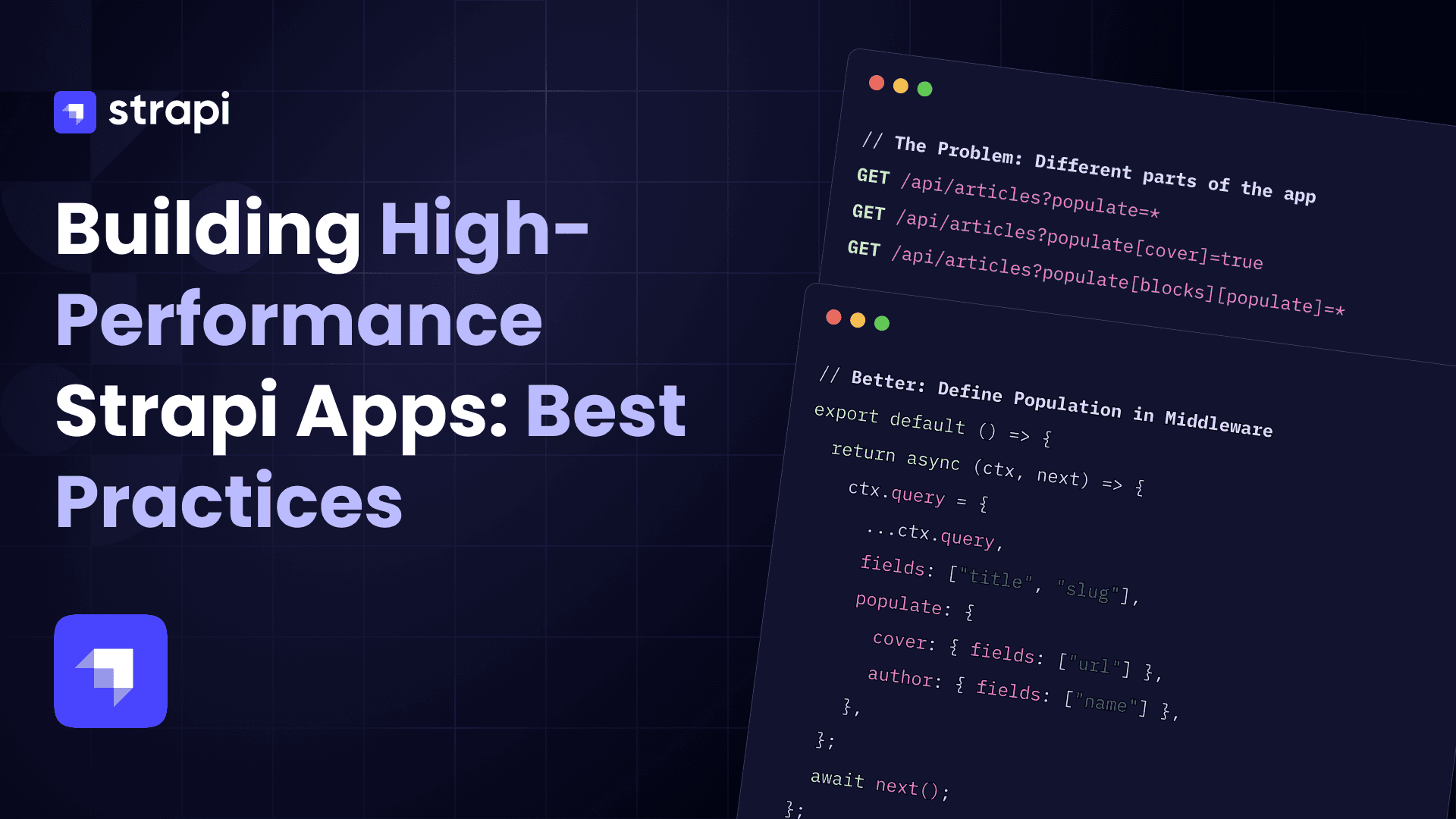
The Problem
// Different parts of the app

GET /api/articles?populate=*

GET /api/articles?populate[cover]=true

GET /api/articles?populate[blocks][populate]=*
This leads to:
- Over-fetching (
populate=*) - Inconsistent response shapes
- Unpredictable performance
Better: Define Population in Middleware
Instead of letting the frontend control population, centralise it in the backend.
// ./src/api/article/middlewares/article-populate.js

export default () => {
  return async (ctx, next) => {
    ctx.query = {
      ...ctx.query,

      fields: ["title", "slug"],

      populate: {
        cover: { fields: ["url"] },

        author: { fields: ["name"] },
      },
    };

    await next();
  };
};
Attach it to the route:
config: {
  middlewares: ["api::article.article-populate"];
}
What This Solves
- Consistent responses across the app
- Prevents over-fetching by default
- Keeps frontend requests simple:
GET /api/articles
As highlighted in the Strapi blog, this approach keeps requests “lean and organized” by handling population in the backend rather than the frontend.
Schema Design Has a Direct Impact on Performance
Strapi is flexible by design, but flexibility requires discipline as projects grow.
Common modeling issues that affect performance include:
- Deeply nested dynamic zones
- Components used where relations aren’t actually needed
- Highly relational models used purely for presentation purposes
When these patterns appear, it’s often worth reconsidering the structure rather than compensating at query time.
Use Custom Fields for Complex, Non-Relational Data
For Strapi best practices, not all structured data needs to be relational.
For complex data that:
- Is always consumed as a single unit
- Does not need independent querying
- Primarily drives presentation or configuration
Custom fields that store structured JSON are often a better fit. This reduces database joins and keeps queries fast and predictable.
Example - Opening Times, Custom field vs complex Schema
Opening times are a perfect example of where teams often over-model data in Strapi.
At first glance, opening hours look relational:
- A location has many days
- A day has many timeframes
- A timeframe has attributes (start, end, staffing)
This often leads to a schema like the one below.
Over-Engineered Relational Approach
Location (collection type)

└── Opening Day (component, repeatable)

       ├── day (enum)

       ├── enabled (boolean)

       └── timeframes (component, repeatable)

             ├── startTime (string)

             ├── endTime (string)

             └── staffing (enum)
Or worse, fully relational:
Location

└── hasMany OpeningDay

       └── hasMany Timeframe
Why This Becomes a Problem
This structure introduces several performance and maintainability issues:
- Deep nesting → Requires multi-level population (
populate[days][populate][timeframes]) - Increased joins → Especially problematic in relational DBs at scale
- Unnecessary flexibility → Days and timeframes are not independently queried
- Frontend over-fetching → Entire structures are returned even when not needed
- Schema fragility → Small changes ripple through queries and UI
This is exactly the kind of structure that tempts teams into using populate=deep, which then amplifies the performance cost.
Recommended Approach: Custom Field (Structured JSON)
Instead of modeling opening times as relations or nested components, treat them as a single unit of structured data. This allows you greater control over the way the data is stored without the overhead of multiple joins in your end query, with this control comes the ability to build a unique UI to give your content editors better functionality when adding this content.
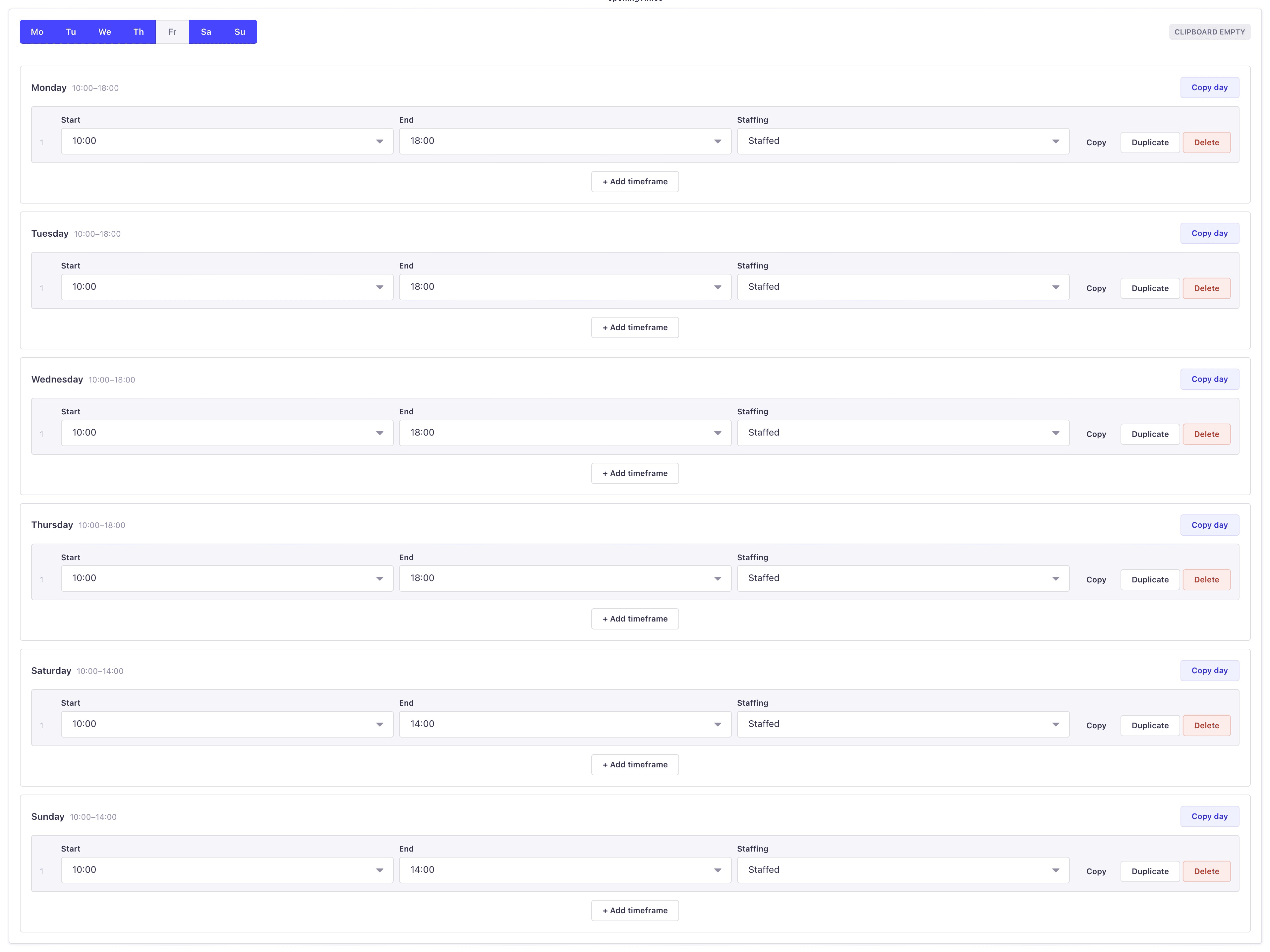
This is what your custom field is doing.
Example Stored Value
{
  "days": [
    {
      "day": "monday",
      "enabled": true,
      "timeframes": [
        {
          "id": "1",
          "startTime": "09:00",
          "endTime": "17:00",
          "staffing": "staffed"
        }
      ]
    },
    {
      "day": "thursday",
      "enabled": true,
      "timeframes": [
        {
          "id": "1",
          "startTime": "09:00",
          "endTime": "12:00",
          "staffing": "staffed"
        },
        {
          "id": "2",
          "startTime": "15:30",
          "endTime": "17:00",
          "staffing": "volunteer"
        }
      ]
    }
  ]
}
This aligns exactly with the UI logic shown in your custom field component:
- Days are toggled on/off
- Each day contains ordered timeframes
- Validation (overlaps, ordering) is handled at the UI level
- Clipboard and duplication logic operates on a single structured object
Why This Performs Better
1. No Population Required
The entire structure is retrieved as a single field:
const location = await strapi.documents("api::location.location").findOne({
  documentId,

  fields: ["name", "openingTimes"],
});
No populate, no joins, no depth concerns.
This aligns with Strapi’s recommended approach to selecting only required fields.
2. Zero Database Joins
Instead of:
- joining
opening_days - joining
timeframes
You’re reading a single column.
This keeps queries:
- fast
- predictable
- cheap to scale
3. Matches Real Usage Patterns
Opening times are:
- always consumed together
- never queried independently
- purely presentational
That makes them a poor fit for relational modeling, but a perfect fit for structured JSON.
4. Moves Complexity to the Right Layer
Your custom field handles:
- ordering (
sortTimeframes) - validation (
findOverlappingTimeframeIndexes) - duplication / clipboard logic
- UI constraints (start/end filtering)
This is application logic, not database logic.
The Key Insight
The goal is not to model data in the most “normalized” way.
It’s to model data in the way it is actually used.
If a piece of data:
- is always fetched together
- is not queried independently
- exists purely for configuration or presentation
→ it should not be relational.
Rule of Thumb
If your query looks like this:
populate: {
  days: {
    populate: {
      timeframes: true;
    }
  }
}
You should strongly consider whether this should instead be: fields: ['openingTimes'].
Why populate=deep Is a Common Footgun
What populate=deep Does
populate=deep plugins attempt to automatically fetch all relations, components, and dynamic zones to an arbitrary depth.
While convenient during early development, this approach removes essential safeguards.
Why This Causes Problems
- Queries become unbounded and grow in cost as schemas evolve
- Dynamic zones and repeatable components multiply query complexity
- Small schema or frontend changes can cause large performance regressions
- Debugging becomes difficult due to opaque, deeply nested queries
For these reasons, populate=deep is not recommended for production use and is intentionally not listed on the Strapi Marketplace.
The issue here is not Strapi’s query engine, but the removal of intentional query design.
Safer Alternatives to populate=deep
- Use explicit population per endpoint.
- Centralise population logic using route-level middleware.
- Limit population depth and restructure schemas where necessary
These approaches preserve Strapi’s performance characteristics while keeping APIs maintainable.
Caching Complements Good Query Design
Strapi does not provide automatic application-level query caching, by design.
For public, read-heavy endpoints, caching can significantly reduce load when applied after queries are properly optimised. Our REST caching plugin is commonly used for this purpose.
We have another blog post regarding this plugin that is worth reading if you’re implementing caching in your Strapi application.
Caching should reinforce good architecture, not compensate for inefficient queries.
Observability and Debugging
Understanding what your application is doing at the database level is essential.
Enabling query logging makes it much easier to:
- See exactly what SQL is being generated
- Identify excessive joins
- Catch N+1 query patterns early
Strapi also covers performance best practices in the talk below:
Final Thoughts
Strapi is capable of excellent performance at scale when used as intended.
The majority of performance issues we see are the result of:
- Unbounded population
- Overly complex schemas
- Convenience-driven shortcuts such as
populate=deep
By being intentional about content modeling, population depth, and query design, teams can build Strapi applications that are both flexible and highly performant — without additional infrastructure or complexity.