What We're Building
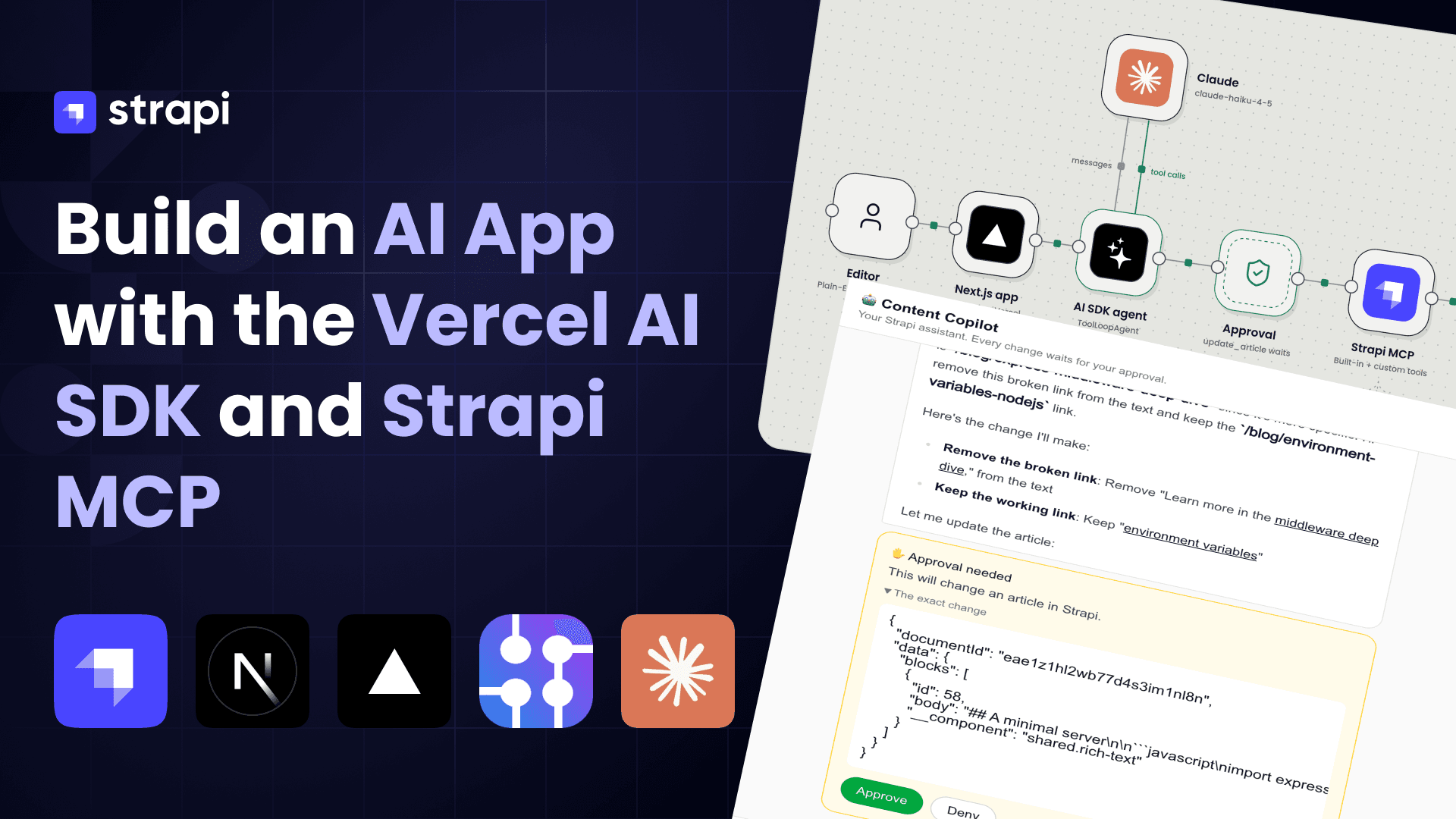
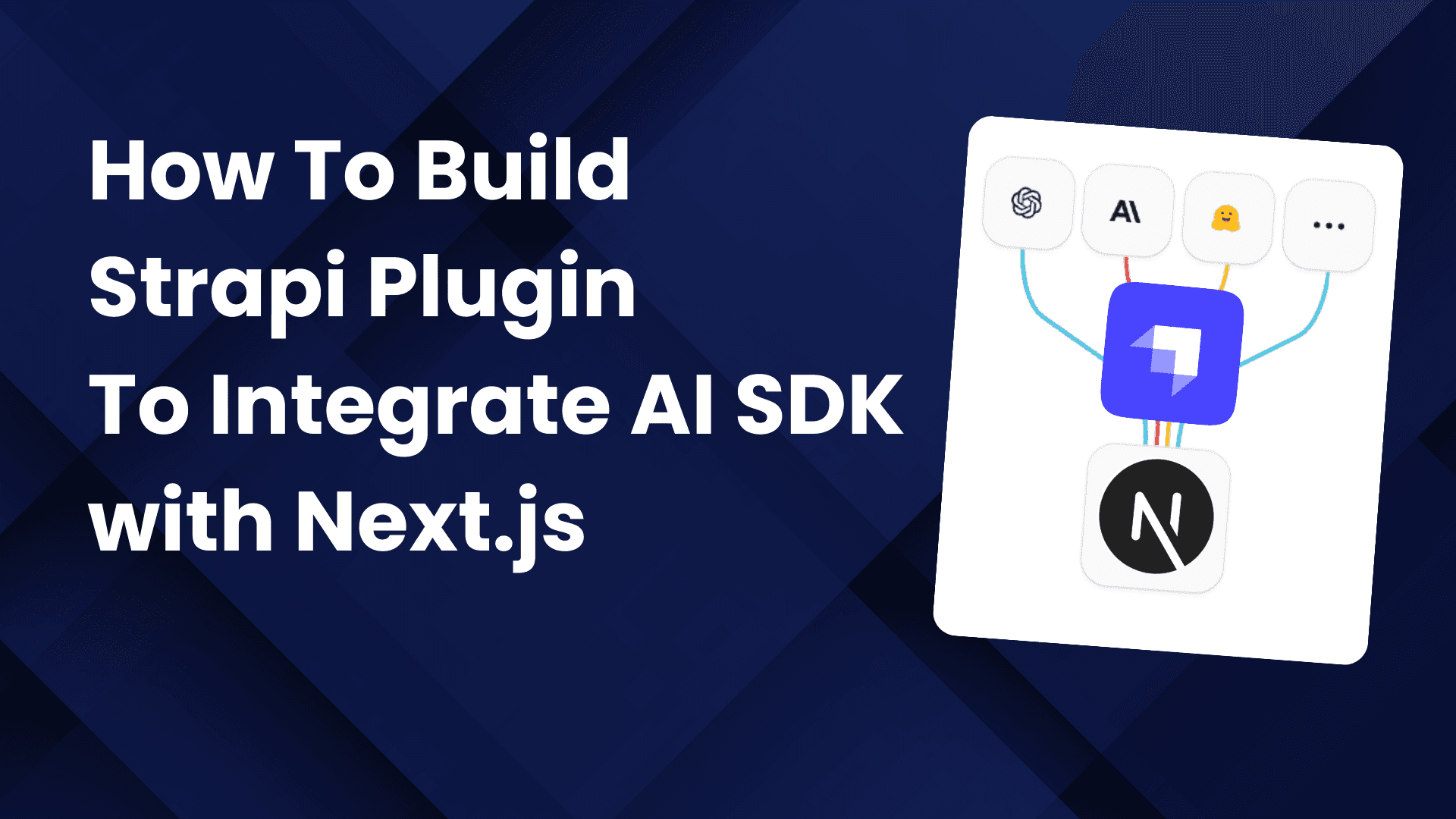
Want to try something different? Let’s build a custom Strapi plugin that integrates Vercel’s AI SDK, giving our backend native AI capabilities we can securely expose to our Next.js app.
Here is a complimentary video to go along with the post.
Instead of wiring AI logic directly into the frontend, we’ll centralize it inside Strapi—so we can:
🔐 Keep API keys secure 🧠 Standardize prompts and AI workflows 🔌 Expose clean, reusable endpoints to Next.js 🚀 Scale and iterate without touching frontend logic
Think of it as turning Strapi into our AI control center—while Next.js becomes the experience layer.
If we do this right, we won’t just “add AI.” We’ll build an extensible AI layer into our architecture.

We will cover three following examples
- Simple Ask - Send a prompt, receive a complete response
- Streaming Response - Real-time token-by-token streaming via Server-Sent Events (SSE)
- Multi-turn Chat - Full conversational interface with message history

Key Features
- Modular Plugin Architecture - Reusable Strapi plugin for AI capabilities
- Multiple Streaming Patterns - SSE and UI Message Stream protocols
Architecture Overview
System Architecture

Request Flow Patterns

Project Structure
ai-sdk/
├── server/                          # Strapi Backend
│   ├── config/
│   │   ├── plugins.ts               # Plugin configuration
│   │   ├── database.ts              # Database settings
│   │   └── server.ts                # Server settings
│   ├── src/
│   │   └── plugins/
│   │       └── ai-sdk/              # Our AI SDK Plugin
│   │           ├── admin/           # Admin UI components
│   │           └── server/          # Backend logic
│   │               ├── src/
│   │               │   ├── controllers/
│   │               │   ├── services/
│   │               │   ├── routes/
│   │               │   └── lib/     # AI SDK integration
│   │               └── package.json
│   ├── .env                         # Environment variables
│   └── package.json
│
├── next-client/                     # Next.js Frontend
│   ├── app/
│   │   ├── layout.tsx               # Root layout
│   │   └── page.tsx                 # Home page
│   ├── components/
│   │   ├── AskExample.tsx           # Non-streaming demo
│   │   ├── AskStreamExample.tsx     # SSE streaming demo
│   │   └── ChatExample.tsx          # Chat interface demo
│   ├── hooks/
│   │   ├── useAsk.ts                # Non-streaming hook
│   │   └── useAskStream.ts          # Streaming hook
│   ├── lib/
│   │   └── api.ts                   # API client functions
│   └── package.json
│
└── docs/                            # Documentation
    └── TUTORIAL.md                  # This file
Technology Stack
Backend (Strapi Server)
| Technology | Version | Purpose |
|---|---|---|
| Strapi | 5.33.3 | Headless CMS framework |
| AI SDK | 6.0.39 | Vercel's unified AI SDK |
| @ai-sdk/anthropic | 3.0.15 | Anthropic provider for AI SDK |
| TypeScript | 5.x | Type-safe development |
| SQLite | - | Default database (configurable) |
Frontend (Next.js Client)
| Technology | Version | Purpose |
|---|---|---|
| Next.js | 16.1.3 | React framework |
| React | 19.2.3 | UI library |
| @ai-sdk/react | 3.0.41 | React hooks for AI SDK |
| Tailwind CSS | 4.x | Utility-first styling |
| TypeScript | 5.x | Type-safe development |
AI Services
| Service | Model | Purpose |
|---|---|---|
| Anthropic Claude | claude-sonnet-4-20250514 | Primary LLM |
Important: UIMessage vs ModelMessage (AI SDK v6)
In AI SDK v6, there are two distinct message formats:
| Format | Used By | Structure |
|---|---|---|
| UIMessage | useChat hook, frontend state | { id, role, parts: [{ type: "text", text }] } |
| ModelMessage | streamText, generateText | { role, content } |
The useChat hook manages conversation state using UIMessage format (richer, includes IDs and parts). However, the AI SDK's streamText function expects ModelMessage format.
Use convertToModelMessages(uiMessages) to convert between them:
import { convertToModelMessages, type UIMessage } from "ai";

// In your service layer
async chat(messages: UIMessage[]) {
  const modelMessages = await convertToModelMessages(messages);
  return streamText({ model, messages: modelMessages });
}
Note:
convertToModelMessagesis async in AI SDK v6 to support asyncTool.toModelOutput().
Part 1: Setting Up Strapi
Note: make sure to use Node 22 (lts version)
Note: This tutorial uses
npmfor all commands. If you prefer yarn or pnpm, the commands are interchangeable (e.g.,npm run dev→yarn dev,npm install→yarn add).
Step 1.1: Create a New Strapi Project
# Create a new Strapi project
npx create-strapi@latest server
Complete the following questions:
paul@dev test npx create-strapi-app@latest server

 Strapi   v5.33.3 🚀 Let's create your new project

🚀 Welcome to Strapi! Ready to bring your project to life?

Create a free account and get:
30 days of access to the Growth plan, which includes:
✨ Strapi AI: content-type builder, media library and translations
✅ Live Preview
✅ Single Sign-On (SSO) login
✅ Content History
✅ Releases

? Please log in or sign up. Skip
? Do you want to use the default database (sqlite) ? Yes
? Start with an example structure & data? No
? Start with Typescript? Yes
? Install dependencies with npm? Yes
? Initialize a git repository? Yes
? Participate in anonymous A/B testing (to improve Strapi)? No

 Strapi   Creating a new application at /Users/paul/test/server
# Navigate to the project
cd serverStep 1.2: Project Structure After Creation
server/
├── config/
│   ├── admin.ts
│   ├── api.ts
│   ├── database.ts
│   ├── middlewares.ts
│   ├── plugins.ts
│   └── server.ts
├── database/
├── public/
├── src/
│   └── admin/
├── types/
├── .env
├── .env.example
├── package.json
└── tsconfig.json
Step 1.3: Configure Environment Variables
Create or update your .env file:
# Server
HOST=0.0.0.0
PORT=1337

# Secrets (generate with: openssl rand -base64 32)
APP_KEYS=your-app-keys-here
API_TOKEN_SALT=your-api-token-salt
ADMIN_JWT_SECRET=your-admin-jwt-secret
TRANSFER_TOKEN_SALT=your-transfer-token-salt
JWT_SECRET=your-jwt-secret

# Database (for SQLite)
DATABASE_CLIENT=sqlite
DATABASE_FILENAME=.tmp/data.db

# AI SDK Configuration ( you can use any provider, I chose to use Anthropic)
ANTHROPIC_API_KEY=sk-ant-your-api-key-here
ANTHROPIC_MODEL=claude-sonnet-4-20250514
Step 1.4: Verify Strapi Installation
# Start the development server
cd server
npm run dev
Visit http://localhost:1337 to create your admin account.

Once you have created your Admin User you will be greeted by the Strapi Admin area.
If you have never used Strapi checkout this Crash Course Tutorial that I have created.
Part 2: Building the AI SDK Plugin (Our first Strapi Plugin)
This is the core of our implementation - a Strapi plugin that integrates the Vercel AI SDK with Anthropic Claude.
Plugin Architecture

Step 2.1: Using Strapi Plugin SDK to Scaffold Our Plugin
We'll use the official Strapi Plugin SDK to scaffold our plugin. This CLI toolkit provides a complete project structure with all necessary configuration files.
# From the server directory, run the plugin init command
cd server
npx @strapi/sdk-plugin@latest init ai-sdk
You'll be prompted with several questions. Here are the recommended answers for our AI SDK plugin:
npx @strapi/sdk-plugin@latest init ai-sdk
[INFO]  Creating a new package at:  src/plugins/ai-sdk
✔ plugin name … ai-sdk
✔ plugin display name … AI SDK
✔ plugin description … Integrate AI capabilities using Vercel AI SDK
✔ plugin author name … Paul Bratslavsky
✔ plugin author email … paul.bratslavsky@strapi.io
✔ git url …
✔ plugin license … MIT
✔ register with the admin panel? … yes
✔ register with the server? … yes
✔ use editorconfig? … yes
✔ use eslint? … yes
✔ use prettier? … yes
✔ use typescript? … yes
Important: Make sure to answer Yes to both "register with the admin panel" and "register with the server" since our plugin needs backend API routes.
Troubleshooting: Peer Dependency Error During Scaffolding
The
@strapi/sdk-plugin initcommand automatically runsnpm installat the end of scaffolding. You may encounter a peer dependency conflict like this:npm error ERESOLVE unable to resolve dependency tree npm error peer react@"19" from react-intl@8.1.3This happens because the scaffolded plugin template includes
react-intl@^8.1.3(which requires React 19) but setsreact@^18.3.1as a devDependency. Don't worry - the plugin files are still generated successfully, only thenpm installstep failed.To fix this, navigate to the plugin directory and install dependencies manually:
cd src/plugins/ai-sdk
npm install --legacy-peer-deps
Alternatively, if you're using Yarn or pnpm, you can install with those instead, as they handle peer dependency conflicts more gracefully:
cd src/plugins/ai-sdk
yarn install  # or: pnpm install
Once this process is done, you will see the following message:
You can now enable your plugin by adding the following in ./config/plugins.ts
───────────────────────────────────
export default {
  // ...
  'ai-sdk': {
    enabled: true,
    resolve: './src/plugins/ai-sdk'
  },
  // ...
}
───────────────────────────────────

[INFO] Plugin generated successfully.
Go ahead and do that now.
Now let's install our dependencies and build out plugin for the first time.
# Navigate to the plugin directory
cd src/plugins/ai-sdk
npm run build
You can also start your plugin in watch mode with the following command:
npm run watchThen restart your Strapi application by running npm run dev in the root and you should see the following.
Should show up in Menu

Should show up in Settings

Now that we know our basic plugin structure is set up, lets start by installing all the required dependencies.
Step 2.2 Install the AI SDK dependencies
Make sure to run this in the src/plugins/ai-sdk folder:
npm install @ai-sdk/anthropic aiNote: If you encounter the same
ERESOLVEpeer dependency error from Step 2.1, use the--legacy-peer-depsflag:npm install @ai-sdk/anthropic ai --legacy-peer-deps
Note: Don't forget to rebuild your plugin and restart the Strapi application to apply the changes.
Step 2.3: Plugin Structure Overview
After scaffolding, your plugin structure will look like this:
src/plugins/ai-sdk/
├── admin/
│   └── src/
│       ├── components/          # Admin UI components (generated)
│       ├── pages/               # Admin pages (generated)
│       └── index.ts             # Admin entry point
├── server/
│   └── src/
│       ├── controllers/         # We'll add our API controllers here
│       ├── services/            # We'll add our service layer here
│       ├── routes/              # We'll add our routes here
│       └── index.ts             # Server entry point
├── package.json
├── tsconfig.json
└── README.md
Now let's create the additional directories we need for our implementation.
Run the following in the root folder of your plugin:
# Create the lib directory for our core AI SDK integration
mkdir -p server/src/lib
mkdir -p server/src/routes/content-api
We will cover these in detail in a bit.
Phase 1: Plugin Configuration & Initialization
Let's update plugin config to initialize and connect to the Anthropic API. We'll verify it works before adding any endpoints.
Step 2.4: Configure the Plugin in Strapi
First, let's tell Strapi about our plugin and pass it the API key. Update config/plugins.ts in your Strapi root:
export default ({ env }) => ({
  "ai-sdk": {
    enabled: true,
    resolve: "./src/plugins/ai-sdk",
    config: {
      anthropicApiKey: env("ANTHROPIC_API_KEY"),
      chatModel: env("ANTHROPIC_MODEL", "claude-sonnet-4-20250514"),
    },
  },
});
Make sure your .env file has the API key:
ANTHROPIC_API_KEY=sk-ant-your-api-key-here
ANTHROPIC_MODEL=claude-sonnet-4-20250514
Step 2.5: Create Basic Types
Create src/plugins/ai-sdk/server/src/lib/types.ts with just what we need for initialization:
/**
 * Supported Claude model names
 */
export const CHAT_MODELS = [
  "claude-sonnet-4-20250514",
  "claude-opus-4-20250514",
  "claude-3-5-sonnet-20241022",
  "claude-3-5-haiku-20241022",
  "claude-3-haiku-20240307",
] as const;

export type ChatModelName = (typeof CHAT_MODELS)[number];
export const DEFAULT_MODEL: ChatModelName = "claude-sonnet-4-20250514";

/**
 * Plugin configuration interface
 */
export interface PluginConfig {
  anthropicApiKey: string;
  chatModel?: ChatModelName;
  baseURL?: string;
}
We'll add more types as we need them in later phases.
Step 2.6: Create the AI SDK Manager (Basic Version)
Create src/plugins/ai-sdk/server/src/lib/init-ai-sdk.ts. We'll start with just initialization - no AI calls yet:
import { createAnthropic, type AnthropicProvider } from "@ai-sdk/anthropic";
import {
  CHAT_MODELS,
  DEFAULT_MODEL,
  type PluginConfig,
  type ChatModelName,
} from "./types";

/**
 * AISDKManager - Core class for AI SDK integration
 * We'll add AI methods in the next phase
 */
class AISDKManager {
  private provider: AnthropicProvider | null = null;
  private model: ChatModelName = DEFAULT_MODEL;

  /**
   * Initialize the manager with plugin configuration
   * Returns false if config is missing required fields
   */
  initialize(config: unknown): boolean {
    const cfg = config as Partial<PluginConfig> | undefined;

    if (!cfg?.anthropicApiKey) {
      return false;
    }

    this.provider = createAnthropic({
      apiKey: cfg.anthropicApiKey,
      baseURL: cfg.baseURL,
    });

    if (cfg.chatModel && CHAT_MODELS.includes(cfg.chatModel)) {
      this.model = cfg.chatModel;
    }

    return true;
  }

  getChatModel(): ChatModelName {
    return this.model;
  }

  isInitialized(): boolean {
    return this.provider !== null;
  }
}

export const aiSDKManager = new AISDKManager();
Step 2.7: Create the Register Hook
Create src/plugins/ai-sdk/server/src/register.ts. This runs when Strapi starts:
import type { Core } from "@strapi/strapi";
import { aiSDKManager } from "./lib/init-ai-sdk";

const register = ({ strapi }: { strapi: Core.Strapi }) => {
  const config = strapi.config.get("plugin::ai-sdk");
  const initialized = aiSDKManager.initialize(config);

  if (!initialized) {
    strapi.log.warn(
      "AI SDK plugin: anthropicApiKey not configured, plugin will not be initialized",
    );
    return;
  }

  strapi.log.info(
    `AI SDK plugin initialized with model: ${aiSDKManager.getChatModel()}`,
  );
};

export default register;
Step 2.8: Verify Plugin Initialization
Rebuild and start Strapi:
npm run build
npm run develop
Check the console. You will see:
[2026-01-18 16:10:49.069] warn: AI SDK plugin: anthropicApiKey not configured, plugin will not be initializedWe need to add our credentials to our .env file:
ANTHROPIC_API_KEY=your_api_keyNow, restart and you should see the following message:
[2026-01-18 16:15:50.508] info: AI SDK plugin initialized with model: claude-sonnet-4-20250514Phase 2: Basic Text Generation (Non-Streaming)
Now let's add our first AI endpoint.
Step 2.9: Add generateText to AISDKManager
Update src/plugins/ai-sdk/server/src/lib/init-ai-sdk.ts to add text generation capabilities.
Add to imports:
import { generateText, type LanguageModel } from "ai";Add these methods to the AISDKManager class (before getChatModel()):
  private getLanguageModel(): LanguageModel {
    if (!this.provider) {
      throw new Error('AI SDK Manager not initialized');
    }
    return this.provider(this.model);
  }

  async generateText(prompt: string, options?: { system?: string }) {
    const result = await generateText({
      model: this.getLanguageModel(),
      prompt,
      system: options?.system,
    });
    return { text: result.text };
  }
Your file should now look like this:
import { createAnthropic, type AnthropicProvider } from "@ai-sdk/anthropic";
import { generateText, type LanguageModel } from "ai"; // ← Added
import {
  CHAT_MODELS,
  DEFAULT_MODEL,
  type PluginConfig,
  type ChatModelName,
} from "./types";

class AISDKManager {
  private provider: AnthropicProvider | null = null;
  private model: ChatModelName = DEFAULT_MODEL;

  initialize(config: unknown): boolean {
    const cfg = config as Partial<PluginConfig> | undefined;

    if (!cfg?.anthropicApiKey) {
      return false;
    }

    this.provider = createAnthropic({
      apiKey: cfg.anthropicApiKey,
      baseURL: cfg.baseURL,
    });

    if (cfg.chatModel && CHAT_MODELS.includes(cfg.chatModel)) {
      this.model = cfg.chatModel;
    }

    return true;
  }

  // ↓ New method
  private getLanguageModel(): LanguageModel {
    if (!this.provider) {
      throw new Error("AI SDK Manager not initialized");
    }
    return this.provider(this.model);
  }

  // ↓ New method
  async generateText(prompt: string, options?: { system?: string }) {
    const result = await generateText({
      model: this.getLanguageModel(),
      prompt,
      system: options?.system,
    });
    return { text: result.text };
  }

  getChatModel(): ChatModelName {
    return this.model;
  }

  isInitialized(): boolean {
    return this.provider !== null;
  }
}

export const aiSDKManager = new AISDKManager();
Step 2.10: Create the Service
Create src/plugins/ai-sdk/server/src/services/service.ts:
import type { Core } from "@strapi/strapi";
import { aiSDKManager } from "../lib/init-ai-sdk";

const service = ({ strapi }: { strapi: Core.Strapi }) => ({
  async ask(prompt: string, options?: { system?: string }) {
    const result = await aiSDKManager.generateText(prompt, options);
    return result.text;
  },

  isInitialized() {
    return aiSDKManager.isInitialized();
  },
});

export default service;
Step 2.11: Create the Controller
Create src/plugins/ai-sdk/server/src/controllers/controller.ts:
import type { Core } from "@strapi/strapi";
import type { Context } from "koa";

const controller = ({ strapi }: { strapi: Core.Strapi }) => ({
  async ask(ctx: Context) {
    const { prompt, system } = (ctx.request as any).body as {
      prompt?: string;
      system?: string;
    };

    if (!prompt || typeof prompt !== "string") {
      ctx.badRequest("prompt is required and must be a string");
      return;
    }

    const service = strapi.plugin("ai-sdk").service("service");
    if (!service.isInitialized()) {
      ctx.badRequest("AI SDK not initialized");
      return;
    }

    const result = await service.ask(prompt, { system });
    ctx.body = { data: { text: result } };
  },
});

export default controller;
Step 2.12: Create the Route
Create src/plugins/ai-sdk/server/src/routes/content-api/index.ts:
export default {
  type: "content-api",
  routes: [
    {
      method: "POST",
      path: "/ask",
      handler: "controller.ask",
      config: { policies: [] },
    },
  ],
};
Create src/plugins/ai-sdk/server/src/routes/index.ts:
import contentApi from "./content-api";

export default {
  "content-api": contentApi,
};
Step 2.13: Test with curl
Rebuild, restart, and test:
curl -X POST http://localhost:1337/api/ai-sdk/ask \
  -H "Content-Type: application/json" \
  -d '{"prompt": "What is 2 + 2? Reply with just the number."}'
You will get the Forbidden message:
{
  "data": null,
  "error": {
    "status": 403,
    "name": "ForbiddenError",
    "message": "Forbidden",
    "details": {}
  }
}
We need to first enable our API in Strapi:

Now, try again.
Expected response:
{ "data": { "text": "4" } }Step 2.14: Write a Test for the Ask Endpoint
Create tests/test-ask.mjs in your Strapi project root:
const API_URL = "http://localhost:1337/api/ai-sdk";

async function testAsk() {
  console.log("Testing /ask endpoint...\n");

  const response = await fetch(`${API_URL}/ask`, {
    method: "POST",
    headers: { "Content-Type": "application/json" },
    body: JSON.stringify({
      prompt: "What is Strapi and why should I use it?",
    }),
  });

  if (!response.ok) {
    console.error("Request failed:", response.status, response.statusText);
    const error = await response.text();
    console.error(error);
    process.exit(1);
  }

  const data = await response.json();
  console.log("Response:", JSON.stringify(data, null, 2));

  if (data.data?.text) {
    console.log("\n✅ Test passed!");
  } else {
    console.error("\n❌ Test failed: unexpected response format");
    process.exit(1);
  }
}

testAsk().catch(console.error);
Add the test script to your package.json:
{
  "scripts": {
    "test:ask": "node tests/test-ask.mjs"
  }
}
Run the test:
npm run test:askExpected output:
Testing /ask endpoint...

Response: {
  "data": {
    "text": "Strapi is an open-source headless CMS..."
  }
}

✅ Test passed!
Phase 3: Next.js Frontend
Now let's build a simple frontend to interact with our API.
Step 3.1: Create Next.js App

In a separate directory (outside your Strapi project):
npx create-next-app@latest next-clientpaul@dev test npx create-next-app@latest next-client
? Would you like to use the recommended Next.js defaults? › - Use arrow-keys. Return to submit.
❯ Yes, use recommended defaults
TypeScript, ESLint, Tailwind CSS, App Router
No, reuse previous settings
No, customize settings
Using npm.
Initializing project with template: app-tw
Installing dependencies:
- next
- react
- react-dom
Installing devDependencies:
- @tailwindcss/postcss
- @types/node
- @types/react
- @types/react-dom
- eslint
- eslint-config-next
- tailwindcss
- typescript
added 357 packages, and audited 358 packages in 30s
142 packages are looking for funding
run `npm fund` for details
found 0 vulnerabilities
Generating route types...
✓ Types generated successfully
Initialized a git repository.
Success! Created next-client at /Users/paul/test/next-clientStep 3.2: Create the API Client
Create the lib folder and add lib/api.ts:
const API_BASE = process.env.NEXT_PUBLIC_API_URL || "http://localhost:1337/api/ai-sdk";

// Simple fetch wrapper
export async function askAI(prompt: string, options?: { system?: string }) {
  const res = await fetch(`${API_BASE}/ask`, {
    method: "POST",
    headers: { "Content-Type": "application/json" },
    body: JSON.stringify({ prompt, ...options }),
  });

  if (!res.ok) {
    throw new Error(`API error: ${res.status}`);
  }

  const data = await res.json();
  return data.data?.text as string;
}

export { API_BASE };
Step 3.3: Create the useAsk Hook
Create the hooks folder and add hooks/useAsk.ts:
"use client";

import { useState, useCallback } from "react";
import { askAI } from "@/lib/api";

export function useAsk() {
  const [response, setResponse] = useState("");
  const [loading, setLoading] = useState(false);
  const [error, setError] = useState<Error | null>(null);

  const ask = useCallback(async (prompt: string, options?: { system?: string }) => {
    setLoading(true);
    setError(null);
    setResponse("");

    try {
      const text = await askAI(prompt, options);
      setResponse(text);
      return text;
    } catch (err) {
      const error = err instanceof Error ? err : new Error(String(err));
      setError(error);
      throw error;
    } finally {
      setLoading(false);
    }
  }, []);

  const reset = useCallback(() => {
    setResponse("");
    setError(null);
  }, []);

  return { ask, response, loading, error, reset };
}
Create hooks/index.ts to export the hook:
export { useAsk } from "./useAsk";Step 3.4: Create the AskExample Component
Create the components folder and add components/AskExample.tsx:
"use client";

import { useState, type SubmitEvent } from "react";
import { useAsk } from "@/hooks";

export function AskExample() {
  const [prompt, setPrompt] = useState("What is the capital of France?");
  const { ask, response, loading, error } = useAsk();

  const handleSubmit = async (e: SubmitEvent) => {
    e.preventDefault();
    await ask(prompt);
  };

  return (
    <section className="bg-white dark:bg-zinc-900 rounded-lg p-6 shadow">
      <h2 className="text-xl font-semibold mb-4 text-black dark:text-white">
        /ask - Non-streaming
      </h2>
      <form onSubmit={handleSubmit} className="space-y-4">
        <input
          type="text"
          value={prompt}
          onChange={(e) => setPrompt(e.target.value)}
          className="w-full p-3 border rounded-lg dark:bg-zinc-800 dark:border-zinc-700 dark:text-white"
          placeholder="Enter your prompt..."
        />
        <button
          type="submit"
          disabled={loading}
          className="px-4 py-2 bg-blue-600 text-white rounded-lg hover:bg-blue-700 disabled:opacity-50"
        >
          {loading ? "Loading..." : "Ask"}
        </button>
      </form>
      {error && (
        <div className="mt-4 p-4 bg-red-100 dark:bg-red-900 rounded-lg">
          <p className="text-red-700 dark:text-red-200">{error.message}</p>
        </div>
      )}
      {response && (
        <div className="mt-4 p-4 bg-zinc-100 dark:bg-zinc-800 rounded-lg">
          <p className="text-black dark:text-white whitespace-pre-wrap">{response}</p>
        </div>
      )}
    </section>
  );
}
Create components/index.ts to export the component:
export { AskExample } from "./AskExample";Step 3.5: Update the Home Page
Replace app/page.tsx:
import { AskExample } from "@/components";

export default function Home() {
  return (
    <div className="min-h-screen bg-zinc-50 dark:bg-black p-8">
      <main className="max-w-4xl mx-auto space-y-8">
        <h1 className="text-3xl font-bold text-center text-black dark:text-white">
          AI SDK Test
        </h1>

        <div className="grid gap-8">
          <AskExample />
        </div>
      </main>
    </div>
  );
}
Step 3.6: Run the Frontend
npm run devOpen http://localhost:3000, type a prompt, and click Ask. You should see the AI response appear.

Phase 4: Add Streaming (Enhancement)
Now let's enhance our app with streaming responses for a better user experience. Instead of waiting for the entire response, users will see text appear token-by-token in real time.
Step 4.1: Add streamText to AISDKManager
Update src/plugins/ai-sdk/server/src/lib/init-ai-sdk.ts to add streaming capabilities.
Update the import to add streamText:
import { generateText, streamText, type LanguageModel } from "ai"; // ← Added streamTextAdd this method to the AISDKManager class (after generateText()):
  async streamText(prompt: string, options?: { system?: string }) {
    const result = streamText({
      model: this.getLanguageModel(),
      prompt,
      system: options?.system,
    });
    return { textStream: result.textStream };
  }
Your full file should now look like this:
import { createAnthropic, type AnthropicProvider } from "@ai-sdk/anthropic";
import { generateText, streamText, type LanguageModel } from "ai"; // ← Added streamText
import {
  CHAT_MODELS,
  DEFAULT_MODEL,
  type PluginConfig,
  type ChatModelName,
} from "./types";

class AISDKManager {
  private provider: AnthropicProvider | null = null;
  private model: ChatModelName = DEFAULT_MODEL;

  initialize(config: unknown): boolean {
    const cfg = config as Partial<PluginConfig> | undefined;

    if (!cfg?.anthropicApiKey) {
      return false;
    }

    this.provider = createAnthropic({
      apiKey: cfg.anthropicApiKey,
      baseURL: cfg.baseURL,
    });

    if (cfg.chatModel && CHAT_MODELS.includes(cfg.chatModel)) {
      this.model = cfg.chatModel;
    }

    return true;
  }

  private getLanguageModel(): LanguageModel {
    if (!this.provider) {
      throw new Error("AI SDK Manager not initialized");
    }
    return this.provider(this.model);
  }

  async generateText(prompt: string, options?: { system?: string }) {
    const result = await generateText({
      model: this.getLanguageModel(),
      prompt,
      system: options?.system,
    });
    return { text: result.text };
  }

  // ↓ New method
  async streamText(prompt: string, options?: { system?: string }) {
    const result = streamText({
      model: this.getLanguageModel(),
      prompt,
      system: options?.system,
    });
    return { textStream: result.textStream };
  }

  getChatModel(): ChatModelName {
    return this.model;
  }

  isInitialized(): boolean {
    return this.provider !== null;
  }
}

export const aiSDKManager = new AISDKManager();
Step 4.2: Install Koa Types
The SSE utility we're about to create uses Koa's Context type. Install the type definitions in your plugin directory:
cd src/plugins/ai-sdk
npm install --save-dev @types/koa --legacy-peer-deps
Note: After installing, if your editor still shows a "Cannot find module 'koa'" error, don't worry - this is just your IDE not picking up the newly installed types. Reload VS Code (Cmd+Shift+P → "Developer: Reload Window") and the error will disappear. The build itself will work fine.
Step 4.3: Create SSE Utilities
We need a helper to set up Server-Sent Events (SSE) on Koa's response. Create src/plugins/ai-sdk/server/src/lib/utils.ts:
import type { Context } from "koa";
import { PassThrough } from "node:stream";

export function createSSEStream(ctx: Context): PassThrough {
  ctx.set({
    "Content-Type": "text/event-stream",
    "Cache-Control": "no-cache, no-transform",
    Connection: "keep-alive",
    "X-Accel-Buffering": "no",
  });

  const stream = new PassThrough();
  ctx.body = stream;
  ctx.res.flushHeaders();

  return stream;
}

export function writeSSE(stream: PassThrough, data: unknown): void {
  stream.write(`data: ${JSON.stringify(data)}\n\n`);
}
Step 4.4: Add askStream to Service
Update src/plugins/ai-sdk/server/src/services/service.ts to add streaming support.
Add this method (after ask()):
  async askStream(prompt: string, options?: { system?: string }) {
    const result = await aiSDKManager.streamText(prompt, options);
    return result.textStream;
  },
Your full service file should now look like this:
import type { Core } from "@strapi/strapi";
import { aiSDKManager } from "../lib/init-ai-sdk";

const service = ({ strapi }: { strapi: Core.Strapi }) => ({
  async ask(prompt: string, options?: { system?: string }) {
    const result = await aiSDKManager.generateText(prompt, options);
    return result.text;
  },

  // ↓ New method
  async askStream(prompt: string, options?: { system?: string }) {
    const result = await aiSDKManager.streamText(prompt, options);
    return result.textStream;
  },

  isInitialized() {
    return aiSDKManager.isInitialized();
  },
});

export default service;
Step 4.5: Add askStream to Controller
Update src/plugins/ai-sdk/server/src/controllers/controller.ts.
Add the import for our SSE utilities at the top:
import { createSSEStream, writeSSE } from "../lib/utils";Add this method (after ask()):
  async askStream(ctx: Context) {
    const { prompt, system } = (ctx.request as any).body as { prompt?: string; system?: string };

    if (!prompt || typeof prompt !== 'string') {
      ctx.badRequest('prompt is required');
      return;
    }

    const service = strapi.plugin('ai-sdk').service('service');
    if (!service.isInitialized()) {
      ctx.badRequest('AI SDK not initialized');
      return;
    }

    const textStream = await service.askStream(prompt, { system });
    const stream = createSSEStream(ctx);

    void (async () => {
      try {
        for await (const chunk of textStream) {
          writeSSE(stream, { text: chunk });
        }
        stream.write('data: [DONE]\n\n');
      } catch (error) {
        strapi.log.error('AI SDK stream error:', error);
        writeSSE(stream, { error: 'Stream error' });
      } finally {
        stream.end();
      }
    })();
  },
Your full controller file should now look like this:
import type { Core } from "@strapi/strapi";
import type { Context } from "koa";
import { createSSEStream, writeSSE } from "../lib/utils";

const controller = ({ strapi }: { strapi: Core.Strapi }) => ({
  async ask(ctx: Context) {
    const { prompt, system } = (ctx.request as any).body as {
      prompt?: string;
      system?: string;
    };

    if (!prompt || typeof prompt !== "string") {
      ctx.badRequest("prompt is required and must be a string");
      return;
    }

    const service = strapi.plugin("ai-sdk").service("service");
    if (!service.isInitialized()) {
      ctx.badRequest("AI SDK not initialized");
      return;
    }

    const result = await service.ask(prompt, { system });
    ctx.body = { data: { text: result } };
  },

  // ↓ New method
  async askStream(ctx: Context) {
    const { prompt, system } = (ctx.request as any).body as {
      prompt?: string;
      system?: string;
    };

    if (!prompt || typeof prompt !== "string") {
      ctx.badRequest("prompt is required");
      return;
    }

    const service = strapi.plugin("ai-sdk").service("service");
    if (!service.isInitialized()) {
      ctx.badRequest("AI SDK not initialized");
      return;
    }

    const textStream = await service.askStream(prompt, { system });
    const stream = createSSEStream(ctx);

    void (async () => {
      try {
        for await (const chunk of textStream) {
          writeSSE(stream, { text: chunk });
        }
        stream.write("data: [DONE]\n\n");
      } catch (error) {
        strapi.log.error("AI SDK stream error:", error);
        writeSSE(stream, { error: "Stream error" });
      } finally {
        stream.end();
      }
    })();
  },
});

export default controller;
Step 4.6: Add Streaming Route
Update src/plugins/ai-sdk/server/src/routes/content-api/index.ts to add the new endpoint:
export default {
  type: "content-api",
  routes: [
    {
      method: "POST",
      path: "/ask",
      handler: "controller.ask",
      config: { policies: [] },
    },
    {
      method: "POST",
      path: "/ask-stream",
      handler: "controller.askStream",
      config: { policies: [] },
    },
  ],
};
Step 4.7: Test Streaming with curl
Rebuild and restart your plugin, then test:
curl -X POST http://localhost:1337/api/ai-sdk/ask-stream \
  -H "Content-Type: application/json" \
  -d '{"prompt": "Count from 1 to 5"}'
Important: Don't forget to enable the new endpoint in Strapi Admin: Settings → Users & Permissions → Roles → Public → Ai-sdk → ask-stream.
You should see SSE events streaming in:
data: {"text":"1"}
data: {"text":","}
data: {"text":" 2"}
...

data: [DONE]
Step 4.8: Write a Test for the Stream Endpoint
Create tests/test-stream.mjs in your Strapi project root:
const API_URL = "http://localhost:1337/api/ai-sdk";

async function testStream() {
  console.log("Testing /ask-stream endpoint...\n");

  const response = await fetch(`${API_URL}/ask-stream`, {
    method: "POST",
    headers: { "Content-Type": "application/json" },
    body: JSON.stringify({ prompt: "Count from 1 to 5" }),
  });

  if (!response.ok) {
    console.error("Request failed:", response.status, response.statusText);
    const error = await response.text();
    console.error(error);
    process.exit(1);
  }

  const reader = response.body.getReader();
  const decoder = new TextDecoder();

  while (true) {
    const { done, value } = await reader.read();
    if (done) break;
    process.stdout.write(decoder.decode(value));
  }

  console.log("\n\n✅ Stream test passed!");
}

testStream().catch(console.error);
Add the test script to your package.json:
{
  "scripts": {
    "test:ask": "node tests/test-ask.mjs",
    "test:stream": "node tests/test-stream.mjs"
  }
}
Run the test:
npm run test:streamStep 4.9: Add Streaming to the Frontend
Now let's add streaming support to our Next.js app. We'll create a dedicated hook and component that sits alongside the existing non-streaming ones.
Add the askStreamAI function to lib/api.ts:
export async function askStreamAI(
  prompt: string,
  options?: { system?: string }
): Promise<Response> {
  const res = await fetch(`${API_BASE}/ask-stream`, {
    method: "POST",
    headers: { "Content-Type": "application/json" },
    body: JSON.stringify({ prompt, ...options }),
  });

  if (!res.ok) {
    throw new Error(`API error: ${res.status}`);
  }

  return res;
}
Create hooks/useAskStream.ts:
"use client";

import { useState, useCallback } from "react";
import { askStreamAI } from "@/lib/api";

export function useAskStream() {
  const [response, setResponse] = useState("");
  const [loading, setLoading] = useState(false);
  const [error, setError] = useState<Error | null>(null);

  const askStream = useCallback(
    async (prompt: string, options?: { system?: string }) => {
      setLoading(true);
      setError(null);
      setResponse("");

      try {
        const res = await askStreamAI(prompt, options);
        const reader = res.body?.getReader();
        const decoder = new TextDecoder();

        if (!reader) throw new Error("No reader available");

        while (true) {
          const { done, value } = await reader.read();
          if (done) break;

          const chunk = decoder.decode(value);
          const lines = chunk.split("\n");

          for (const line of lines) {
            if (line.startsWith("data: ") && line !== "data: [DONE]") {
              try {
                const data = JSON.parse(line.slice(6));
                if (data.text) {
                  setResponse((prev) => prev + data.text);
                }
              } catch {
                // Skip invalid JSON
              }
            }
          }
        }
      } catch (err) {
        const error = err instanceof Error ? err : new Error(String(err));
        setError(error);
        throw error;
      } finally {
        setLoading(false);
      }
    },
    []
  );

  const reset = useCallback(() => {
    setResponse("");
    setError(null);
  }, []);

  return { askStream, response, loading, error, reset };
}
Update hooks/index.ts:
export { useAsk } from "./useAsk";
export { useAskStream } from "./useAskStream";
Create components/AskStreamExample.tsx:
"use client";

import { useState, type SubmitEvent } from "react";
import { useAskStream } from "@/hooks";

export function AskStreamExample() {
  const [prompt, setPrompt] = useState("Count from 1 to 10 and explain each number.");
  const { askStream, response, loading, error } = useAskStream();

  const handleSubmit = async (e: SubmitEvent) => {
    e.preventDefault();
    await askStream(prompt);
  };

  return (
    <section className="bg-white dark:bg-zinc-900 rounded-lg p-6 shadow">
      <h2 className="text-xl font-semibold mb-4 text-black dark:text-white">
        /ask-stream - SSE Streaming
      </h2>
      <form onSubmit={handleSubmit} className="space-y-4">
        <input
          type="text"
          value={prompt}
          onChange={(e) => setPrompt(e.target.value)}
          className="w-full p-3 border rounded-lg dark:bg-zinc-800 dark:border-zinc-700 dark:text-white"
          placeholder="Enter your prompt..."
        />
        <button
          type="submit"
          disabled={loading}
          className="px-4 py-2 bg-green-600 text-white rounded-lg hover:bg-green-700 disabled:opacity-50"
        >
          {loading ? "Streaming..." : "Ask (Stream)"}
        </button>
      </form>
      {error && (
        <div className="mt-4 p-4 bg-red-100 dark:bg-red-900 rounded-lg">
          <p className="text-red-700 dark:text-red-200">{error.message}</p>
        </div>
      )}
      {response && (
        <div className="mt-4 p-4 bg-zinc-100 dark:bg-zinc-800 rounded-lg">
          <p className="text-black dark:text-white whitespace-pre-wrap">{response}</p>
        </div>
      )}
    </section>
  );
}
Update components/index.ts:
export { AskExample } from "./AskExample";
export { AskStreamExample } from "./AskStreamExample";
Update app/page.tsx to include both examples:
import { AskExample, AskStreamExample } from "@/components";

export default function Home() {
  return (
    <div className="min-h-screen bg-zinc-50 dark:bg-black p-8">
      <main className="max-w-4xl mx-auto space-y-8">
        <h1 className="text-3xl font-bold text-center text-black dark:text-white">
          AI SDK Test
        </h1>

        <div className="grid gap-8">
          <AskExample />
          <AskStreamExample />
        </div>
      </main>
    </div>
  );
}
Step 4.10: Run and Test
Start both your Strapi server and Next.js client:
# Terminal 1 - Strapi
cd server
npm run develop

# Terminal 2 - Next.js
cd next-client
npm run dev
Open http://localhost:3000. You should now see two sections - the original non-streaming "Ask" and the new "Ask (Stream)". Try the streaming version and watch the response appear token-by-token in real time.

Congratulations! You now have both non-streaming and streaming AI responses working end-to-end.
Phase 5: Add Chat with useChat Hook (Enhancement)
This final phase adds full multi-turn chat support compatible with the useChat hook from @ai-sdk/react. Unlike our previous endpoints that take a single prompt, chat maintains conversation history and streams responses using the UI Message Stream protocol.
Step 5.1: Update Types for Chat
We need to add types for handling chat messages. Update src/plugins/ai-sdk/server/src/lib/types.ts:
import type { ModelMessage } from "ai";

export const CHAT_MODELS = [
  "claude-sonnet-4-20250514",
  "claude-opus-4-20250514",
  "claude-3-5-sonnet-20241022",
  "claude-3-5-haiku-20241022",
  "claude-3-haiku-20240307",
] as const;

export type ChatModelName = (typeof CHAT_MODELS)[number];
export const DEFAULT_MODEL: ChatModelName = "claude-sonnet-4-20250514";
export const DEFAULT_TEMPERATURE = 0.7;

export interface PluginConfig {
  anthropicApiKey: string;
  chatModel?: ChatModelName;
  baseURL?: string;
}

export interface GenerateOptions {
  system?: string;
  temperature?: number;
  maxOutputTokens?: number;
}

export interface PromptInput extends GenerateOptions {
  prompt: string;
}

export interface MessagesInput extends GenerateOptions {
  messages: ModelMessage[];
}

export type GenerateInput = PromptInput | MessagesInput;

export function isPromptInput(input: GenerateInput): input is PromptInput {
  return "prompt" in input;
}
Step 5.2: Add streamRaw to AISDKManager
Update src/plugins/ai-sdk/server/src/lib/init-ai-sdk.ts to support the useChat hook.
Update the imports from ./types to include the new types:
import {
  CHAT_MODELS,
  DEFAULT_MODEL,
  DEFAULT_TEMPERATURE, // ← Added
  isPromptInput, // ← Added
  type PluginConfig,
  type ChatModelName,
  type GenerateInput, // ← Added
} from "./types";
Add this interface before the AISDKManager class:
export interface StreamTextRawResult {
  readonly textStream: AsyncIterable<string>;
  toUIMessageStreamResponse(): Response;
}
Add these methods to the AISDKManager class (after getLanguageModel()):
  private buildParams(input: GenerateInput) {
    const base = {
      model: this.getLanguageModel(),
      system: input.system,
      temperature: input.temperature ?? DEFAULT_TEMPERATURE,
      maxOutputTokens: input.maxOutputTokens,
    };

    return isPromptInput(input)
      ? { ...base, prompt: input.prompt }
      : { ...base, messages: input.messages };
  }
Add this method (after streamText()):
  streamRaw(input: GenerateInput): StreamTextRawResult {
    return streamText(this.buildParams(input)) as StreamTextRawResult;
  }
Your full file should now look like this:
import { createAnthropic, type AnthropicProvider } from "@ai-sdk/anthropic";
import { generateText, streamText, type LanguageModel } from "ai";
import {
  CHAT_MODELS,
  DEFAULT_MODEL,
  DEFAULT_TEMPERATURE,
  isPromptInput,
  type PluginConfig,
  type ChatModelName,
  type GenerateInput,
} from "./types";

export interface StreamTextRawResult {
  readonly textStream: AsyncIterable<string>;
  toUIMessageStreamResponse(): Response;
}

class AISDKManager {
  private provider: AnthropicProvider | null = null;
  private model: ChatModelName = DEFAULT_MODEL;

  initialize(config: unknown): boolean {
    const cfg = config as Partial<PluginConfig> | undefined;

    if (!cfg?.anthropicApiKey) {
      return false;
    }

    this.provider = createAnthropic({
      apiKey: cfg.anthropicApiKey,
      baseURL: cfg.baseURL,
    });

    if (cfg.chatModel && CHAT_MODELS.includes(cfg.chatModel)) {
      this.model = cfg.chatModel;
    }

    return true;
  }

  private getLanguageModel(): LanguageModel {
    if (!this.provider) {
      throw new Error("AI SDK Manager not initialized");
    }
    return this.provider(this.model);
  }

  // ↓ New method
  private buildParams(input: GenerateInput) {
    const base = {
      model: this.getLanguageModel(),
      system: input.system,
      temperature: input.temperature ?? DEFAULT_TEMPERATURE,
      maxOutputTokens: input.maxOutputTokens,
    };

    return isPromptInput(input)
      ? { ...base, prompt: input.prompt }
      : { ...base, messages: input.messages };
  }

  async generateText(prompt: string, options?: { system?: string }) {
    const result = await generateText({
      model: this.getLanguageModel(),
      prompt,
      system: options?.system,
    });
    return { text: result.text };
  }

  async streamText(prompt: string, options?: { system?: string }) {
    const result = streamText({
      model: this.getLanguageModel(),
      prompt,
      system: options?.system,
    });
    return { textStream: result.textStream };
  }

  // ↓ New method
  streamRaw(input: GenerateInput): StreamTextRawResult {
    return streamText(this.buildParams(input)) as StreamTextRawResult;
  }

  getChatModel(): ChatModelName {
    return this.model;
  }

  isInitialized(): boolean {
    return this.provider !== null;
  }
}

export const aiSDKManager = new AISDKManager();
Step 5.3: Add Chat to Service
Update src/plugins/ai-sdk/server/src/services/service.ts.
Update the imports:
import type { Core } from "@strapi/strapi";
import type { UIMessage } from "ai"; // ← Added
import { convertToModelMessages } from "ai"; // ← Added
import { aiSDKManager, type StreamTextRawResult } from "../lib/init-ai-sdk"; // ← Added type
Add this method (after askStream()):
  async chat(messages: UIMessage[], options?: { system?: string }): Promise<StreamTextRawResult> {
    const modelMessages = await convertToModelMessages(messages);
    return aiSDKManager.streamRaw({
      messages: modelMessages,
      system: options?.system,
    });
  },
Your full service file should now look like this:
import type { Core } from "@strapi/strapi";
import type { UIMessage } from "ai";
import { convertToModelMessages } from "ai";
import { aiSDKManager, type StreamTextRawResult } from "../lib/init-ai-sdk";

const service = ({ strapi }: { strapi: Core.Strapi }) => ({
  async ask(prompt: string, options?: { system?: string }) {
    const result = await aiSDKManager.generateText(prompt, options);
    return result.text;
  },

  async askStream(prompt: string, options?: { system?: string }) {
    const result = await aiSDKManager.streamText(prompt, options);
    return result.textStream;
  },

  // ↓ New method
  async chat(messages: UIMessage[], options?: { system?: string }): Promise<StreamTextRawResult> {
    const modelMessages = await convertToModelMessages(messages);
    return aiSDKManager.streamRaw({
      messages: modelMessages,
      system: options?.system,
    });
  },

  isInitialized() {
    return aiSDKManager.isInitialized();
  },
});

export default service;
Step 5.4: Add Chat to Controller
Update src/plugins/ai-sdk/server/src/controllers/controller.ts.
Add the import for Readable at the top:
import { Readable } from "node:stream";Add this method (after askStream()):
  async chat(ctx: Context) {
    const { messages, system } = (ctx.request as any).body as {
      messages?: any[];
      system?: string;
    };

    if (!messages || !Array.isArray(messages) || messages.length === 0) {
      ctx.badRequest("messages is required and must be a non-empty array");
      return;
    }

    const service = strapi.plugin("ai-sdk").service("service");
    if (!service.isInitialized()) {
      ctx.badRequest("AI SDK not initialized");
      return;
    }

    const result = await service.chat(messages, { system });
    const response = result.toUIMessageStreamResponse();

    ctx.status = 200;
    ctx.set("Content-Type", "text/event-stream; charset=utf-8");
    ctx.set("Cache-Control", "no-cache, no-transform");
    ctx.set("Connection", "keep-alive");
    ctx.set("X-Accel-Buffering", "no");
    ctx.set("x-vercel-ai-ui-message-stream", "v1");

    ctx.body = Readable.fromWeb(
      response.body as import("stream/web").ReadableStream
    );
  },
Your full controller file should now look like this:
import type { Core } from "@strapi/strapi";
import type { Context } from "koa";
import { Readable } from "node:stream";
import { createSSEStream, writeSSE } from "../lib/utils";

const controller = ({ strapi }: { strapi: Core.Strapi }) => ({
  async ask(ctx: Context) {
    const { prompt, system } = (ctx.request as any).body as {
      prompt?: string;
      system?: string;
    };

    if (!prompt || typeof prompt !== "string") {
      ctx.badRequest("prompt is required and must be a string");
      return;
    }

    const service = strapi.plugin("ai-sdk").service("service");
    if (!service.isInitialized()) {
      ctx.badRequest("AI SDK not initialized");
      return;
    }

    const result = await service.ask(prompt, { system });
    ctx.body = { data: { text: result } };
  },

  async askStream(ctx: Context) {
    const { prompt, system } = (ctx.request as any).body as {
      prompt?: string;
      system?: string;
    };

    if (!prompt || typeof prompt !== "string") {
      ctx.badRequest("prompt is required");
      return;
    }

    const service = strapi.plugin("ai-sdk").service("service");
    if (!service.isInitialized()) {
      ctx.badRequest("AI SDK not initialized");
      return;
    }

    const textStream = await service.askStream(prompt, { system });
    const stream = createSSEStream(ctx);

    void (async () => {
      try {
        for await (const chunk of textStream) {
          writeSSE(stream, { text: chunk });
        }
        stream.write("data: [DONE]\n\n");
      } catch (error) {
        strapi.log.error("AI SDK stream error:", error);
        writeSSE(stream, { error: "Stream error" });
      } finally {
        stream.end();
      }
    })();
  },

  // ↓ New method
  async chat(ctx: Context) {
    const { messages, system } = (ctx.request as any).body as {
      messages?: any[];
      system?: string;
    };

    if (!messages || !Array.isArray(messages) || messages.length === 0) {
      ctx.badRequest("messages is required and must be a non-empty array");
      return;
    }

    const service = strapi.plugin("ai-sdk").service("service");
    if (!service.isInitialized()) {
      ctx.badRequest("AI SDK not initialized");
      return;
    }

    const result = await service.chat(messages, { system });
    const response = result.toUIMessageStreamResponse();

    ctx.status = 200;
    ctx.set("Content-Type", "text/event-stream; charset=utf-8");
    ctx.set("Cache-Control", "no-cache, no-transform");
    ctx.set("Connection", "keep-alive");
    ctx.set("X-Accel-Buffering", "no");
    ctx.set("x-vercel-ai-ui-message-stream", "v1");

    ctx.body = Readable.fromWeb(
      response.body as import("stream/web").ReadableStream
    );
  },
});

export default controller;
Step 5.5: Add Chat Route
Update src/plugins/ai-sdk/server/src/routes/content-api/index.ts to add the chat endpoint:
export default {
  type: "content-api",
  routes: [
    {
      method: "POST",
      path: "/ask",
      handler: "controller.ask",
      config: { policies: [] },
    },
    {
      method: "POST",
      path: "/ask-stream",
      handler: "controller.askStream",
      config: { policies: [] },
    },
    {
      method: "POST",
      path: "/chat",
      handler: "controller.chat",
      config: { policies: [] },
    },
  ],
};
Step 5.6: Test Chat with curl
Rebuild your plugin, restart Strapi, and test:
curl -X POST http://localhost:1337/api/ai-sdk/chat \
  -H "Content-Type: application/json" \
  -d '{
    "messages": [{
      "id": "1",
      "role": "user",
      "parts": [{"type": "text", "text": "Hello!"}]
    }]
  }'
Important: Don't forget to enable the new endpoint in Strapi Admin: Settings → Users & Permissions → Roles → Public → Ai-sdk → chat.
Step 5.7: Write a Test for the Chat Endpoint
Create tests/test-chat.mjs in your Strapi project root:
/**
 * Test chat endpoint with UIMessage format
 *
 * In AI SDK v6, the useChat hook sends UIMessage format:
 * - id: unique message identifier
 * - role: "user" | "assistant" | "system"
 * - parts: array of content parts (text, tool calls, etc.)
 */
const API_URL = "http://localhost:1337/api/ai-sdk";

async function testChat() {
  console.log("Testing /chat endpoint...\n");

  const response = await fetch(`${API_URL}/chat`, {
    method: "POST",
    headers: { "Content-Type": "application/json" },
    body: JSON.stringify({
      messages: [
        {
          id: "msg-1",
          role: "user",
          parts: [{ type: "text", text: "Hello! What is Strapi?" }],
        },
      ],
    }),
  });

  if (!response.ok) {
    console.error("Request failed:", response.status, response.statusText);
    const error = await response.text();
    console.error(error);
    process.exit(1);
  }

  const reader = response.body.getReader();
  const decoder = new TextDecoder();

  while (true) {
    const { done, value } = await reader.read();
    if (done) break;
    process.stdout.write(decoder.decode(value));
  }

  console.log("\n\n✅ Chat test passed!");
}

testChat().catch(console.error);
Add the test script to your package.json:
{
  "scripts": {
    "test:ask": "node tests/test-ask.mjs",
    "test:stream": "node tests/test-stream.mjs",
    "test:chat": "node tests/test-chat.mjs"
  }
}
Run the test:
npm run test:chatStep 5.8: Add Chat to the Frontend
Now let's add a full chat interface using the useChat hook from @ai-sdk/react.
Install the AI SDK React package in your Next.js app:
cd next-client
npm install @ai-sdk/react
Create components/ChatExample.tsx:
"use client";

import { useState, type SubmitEvent } from "react";
import { useChat } from "@ai-sdk/react";
import { DefaultChatTransport } from "ai";

const transport = new DefaultChatTransport({
  api: "http://localhost:1337/api/ai-sdk/chat",
});

export function ChatExample() {
  const [input, setInput] = useState("");
  const { messages, sendMessage, status } = useChat({ transport });

  const isLoading = status === "submitted" || status === "streaming";

  const handleSubmit = async (e: SubmitEvent) => {
    e.preventDefault();
    if (!input.trim() || isLoading) return;

    const text = input;
    setInput("");
    await sendMessage({ text });
  };

  return (
    <section className="bg-white dark:bg-zinc-900 rounded-lg p-6 shadow">
      <h2 className="text-xl font-semibold mb-4 text-black dark:text-white">
        /chat - Multi-turn Chat
      </h2>

      <div className="space-y-3 mb-4 max-h-96 overflow-y-auto">
        {messages.map((message) => (
          <div
            key={message.id}
            className={`p-3 rounded-lg ${
              message.role === "user"
                ? "bg-blue-100 dark:bg-blue-900 ml-auto max-w-[80%]"
                : "bg-zinc-100 dark:bg-zinc-800 mr-auto max-w-[80%]"
            }`}
          >
            <p className="text-xs font-semibold mb-1 text-zinc-500 dark:text-zinc-400">
              {message.role === "user" ? "You" : "AI"}
            </p>
            <p className="text-black dark:text-white whitespace-pre-wrap">
              {message.parts
                .filter((part) => part.type === "text")
                .map((part) => part.text)
                .join("")}
            </p>
          </div>
        ))}
      </div>

      <form onSubmit={handleSubmit} className="flex gap-2">
        <input
          value={input}
          onChange={(e) => setInput(e.target.value)}
          placeholder="Type a message..."
          className="flex-1 p-3 border rounded-lg dark:bg-zinc-800 dark:border-zinc-700 dark:text-white"
          disabled={isLoading}
        />
        <button
          type="submit"
          disabled={isLoading || !input.trim()}
          className="px-4 py-2 bg-purple-600 text-white rounded-lg hover:bg-purple-700 disabled:opacity-50"
        >
          {isLoading ? "..." : "Send"}
        </button>
      </form>
    </section>
  );
}
Note: In AI SDK v6,
useChatno longer manages input state internally. You manage the input withuseStateyourself and usesendMessage({ text })instead of the oldhandleSubmit. Thestatusproperty ('ready' | 'submitted' | 'streaming' | 'error') replacesisLoading.
Update components/index.ts:
export { AskExample } from "./AskExample";
export { AskStreamExample } from "./AskStreamExample";
export { ChatExample } from "./ChatExample";
Update app/page.tsx to include all three examples:
import { AskExample, AskStreamExample, ChatExample } from "@/components";

export default function Home() {
  return (
    <div className="min-h-screen bg-zinc-50 dark:bg-black p-8">
      <main className="max-w-4xl mx-auto space-y-8">
        <h1 className="text-3xl font-bold text-center text-black dark:text-white">
          AI SDK Test
        </h1>

        <div className="grid gap-8">
          <AskExample />
          <AskStreamExample />
          <ChatExample />
        </div>
      </main>
    </div>
  );
}
Step 5.9: Run and Test
Start both your Strapi server and Next.js client:
# Terminal 1 - Strapi
cd server
npm run develop

# Terminal 2 - Next.js
cd next-client
npm run dev
Open http://localhost:3000. You should now see all three sections:

- Ask - Non-streaming, waits for full response
- Ask (Stream) - SSE streaming, tokens appear in real time
- Chat - Full multi-turn conversation with message history
Try sending multiple messages in the Chat section - the conversation history is maintained, so the AI remembers context from previous messages.
Nice—we did it! Great job. So what’s next? I’d love to see the AI integrations you build based on what you’ve learned.
As for me, I might have gone a bit overboard. I kept building and ended up adding AI chat directly into the Strapi Admin, with the ability to call tools and expose everything via MCP. It’s still a work in progress, but it’s coming together nicely.
Project repo: https://github.com/PaulBratslavsky/fun-strapi-ai-plugin
Did you know? Strapi hosts Open Office Hours on Discord Monday through Friday at 12:30 PM CST (running until about 1:30 PM CST). It's a great way to connect, get help, and share your feedback directly with the team.