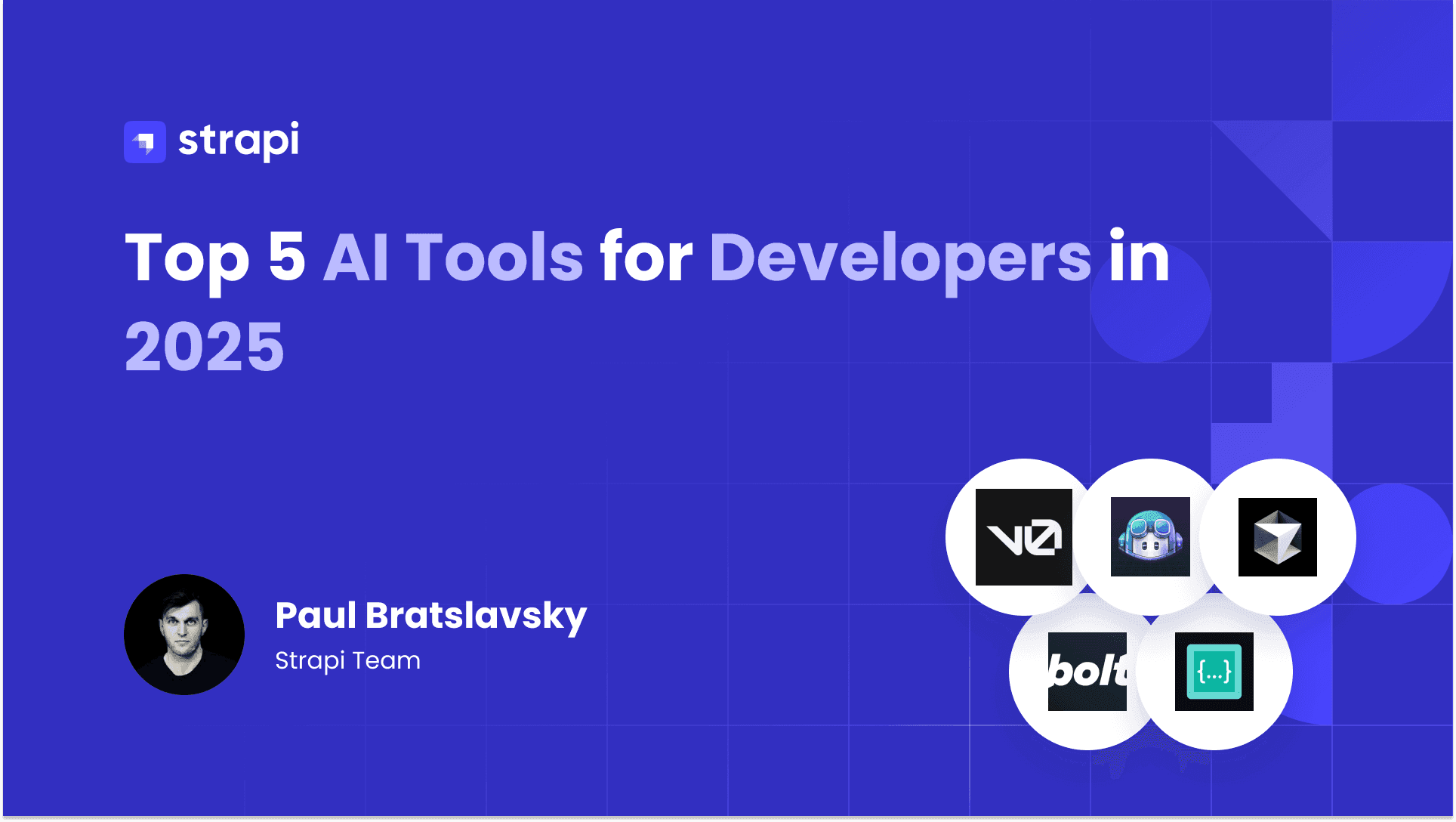
You already juggle enough context switching between frontend frameworks, debugging backend APIs, and wrestling with deployment pipelines. Modern development demands significant mental overhead without adding more complexity. AI coding assistants reduce that burden, but the landscape has grown crowded: options range from simple autocomplete to autonomous agents that write, test, and deploy entire applications.
This guide evaluates ten AI tools designed for developers in 2025, from GitHub's enterprise-grade assistant to open-source alternatives that let you bring your own model. You'll learn what each tool actually does, how it integrates with your existing workflow, and where it fits in your development stack.
In brief:
- GitHub Copilot leads with GPT-4o integration and enterprise features, priced from $10 to $39 per user monthly.
- Autonomous agents like Replit Agents and Cline handle multi-step tasks from planning through deployment.
- Full-stack generators including v0, Bolt.new, and Lovable create production applications from natural language.
- Model flexibility varies significantly: Cline offers open-source BYOK while Cursor uses proprietary models.
1. GitHub Copilot
GitHub Copilot provides AI-powered code completion, conversational chat assistance, and CLI support across major development environments. OpenAI's GPT-4o model powers the system, which integrates directly into VS Code, Visual Studio 2022, JetBrains IDEs, and Neovim. The system uses a Next Edit Suggestions model that GitHub custom-trained for enhanced context predictions, particularly optimized for TypeScript and Python.
How It Works in Practice
As you type, Copilot suggests code completions ranging from single lines to full functions based on your comments and existing code. The chat interface lets you ask questions, request refactoring, generate tests, and debug directly within your editor.
For command-line work, Copilot CLI translates natural language into shell commands and provides Git operation assistance. As of October 2024, security validation for GitHub Copilot-generated code using CodeQL occurs after code is committed or submitted via pull request, not before commit.
Here's how to configure Copilot in VS Code. Add this to your settings.json to control which file types receive AI suggestions:
{
  "github.copilot.enable": {
    "*": true,
    "yaml": false,
    "plaintext": false
  },
  "github.copilot.editor.enableAutoCompletions": true
}
These settings enable Copilot for most file types while preventing suggestions in YAML and plaintext files where they're typically less useful.
Key Strengths and Features
GitHub Copilot delivers extensive language support and enterprise security controls that make it suitable for organizations with strict compliance requirements.
- Extensive language support: Optimized for JavaScript, TypeScript, Python, Java, C#, Ruby, Go, and PHP.
- Enterprise security: Configurable privacy settings with optional training opt-out and automated security validation.
- Extensibility: Model Context Protocol enables integration with third-party tools and custom workflows.
- Version control integration: Native Git assistance across pull requests, commit messages, and code reviews.
Best Use Cases
GitHub Copilot fits your needs if you work within the GitHub ecosystem and need reliable code completion with enterprise security controls. The $10 monthly Individual plan works for solo work, while the $39 Enterprise tier includes IP indemnification and advanced audit logs for organizations requiring compliance documentation.
2. Cursor
Cursor is an AI-first code editor built as a fork of Visual Studio Code, offering multi-model LLM integration, codebase-wide context awareness, and autonomous coding agents.
The January 2025 Fusion Tab Model introduced enhanced edit prediction accuracy, extended context window length for better codebase comprehension, and reduced latency in real-time suggestions. Cursor 2.0's Composer system, introduced in October 2025, provides multi-agent coordination and agentic coding capabilities, enabling multiple AI agents to collaborate on complex coding tasks across your entire project.
How It Works in Practice
You interact with Cursor through inline suggestions, a dedicated chat panel, and the Composer interface for multi-file operations.
The Fusion Tab Model predicts not just what code to write but where your cursor will move next, anticipating navigation patterns to speed up editing workflows through enhanced edit prediction accuracy and extended context window length.
Cursor's agents can autonomously create files, edit across multiple locations, and refactor entire features while maintaining context about your project architecture. The system supports GPT-4, Claude, and Cursor's proprietary Composer model: a custom in-house AI model optimized for low-latency coding tasks introduced in Cursor 2.0.
Key Strengths and Features
Cursor's multi-file capabilities and autonomous agents handle complex refactoring tasks that traditionally require significant manual coordination.
- Multi-file refactoring: Maintains context across complex codebases for coordinated changes.
- Autonomous agents: Composer handles end-to-end feature implementation with minimal supervision.
- Enterprise-grade security: Documented compliance and encryption standards, including TLS 1.2+ for data in transit and AES-256 at rest.
- Model flexibility: Switch between multiple AI providers based on task requirements.
These capabilities make Cursor particularly valuable for architectural changes that span multiple files and modules.
Best Use Cases
Cursor works for your needs if you're building complex applications requiring frequent multi-file refactoring and architectural changes. The $20 monthly Pro plan provides baseline features, while the $200 Ultra tier offers maximum usage quotas.
3. v0
v0 generates production-ready React components and full-stack Next.js applications from natural language descriptions. Vercel's composite model architecture combines Retrieval-Augmented Generation with large language models and a custom AutoFix model for real-time error correction. The platform achieves 93.87% error-free code generation with clean, modular output
How It Works in Practice
You describe your desired interface or application in the chat interface, optionally uploading designs or referencing URLs. v0 generates React code using Tailwind CSS and shadcn/ui components, displaying a live preview alongside the code.
For full-stack applications, it creates API routes, serverless functions via Next.js server actions, and integrates with databases including Supabase, Neon, and Upstash. The Platform API enables programmatic access for automated workflows and CI/CD integration. Generated code deploys directly to Vercel with one click.
For content-driven applications, v0-generated Next.js frontends connect naturally with Strapi, which provides the structured content operations, role-based access controls, and API flexibility that production applications require. This separation lets you iterate on UI independently from your content structure.
Key Strengths and Features
v0's focus on React and Next.js enables higher accuracy than general-purpose code generators.
- Error correction: Automatic correction via custom AutoFix model reduces manual debugging.
- Full-stack capabilities: Backend API generation, database integration, environment variable management.
- Enterprise compliance: Designed to support SOC 2, ISO, GDPR, and HIPAA requirements for regulated industries.
- Design import: Figma-to-code conversion is available through third-party plugins and tools, not as a built-in feature on Premium tier and above.
Best Use Cases
v0 works well for your needs if you're working with React and Next.js and need rapid UI prototyping or full application scaffolding. The free tier includes $5 monthly credits with a 7 message/day limit, while the $20 Premium plan provides $20 in credits and allows more daily messages subject to credit usage rather than an unlimited cap.
4. Bolt.new
Bolt.new is a browser-based full-stack development environment using WebContainer technology that runs complete Node.js environments inside the browser using WebAssembly. Node.js servers, package managers, and backend code execute entirely client-side without requiring local installation.
The platform supports any JavaScript framework that runs in the browser, with verified support for React, Vue, Next.js, and Astro.
How It Works in Practice
You describe your application in natural language, and Bolt's AI agents (Claude for production-quality builds or v1 for rapid prototyping) generate functional code including frontend UI, backend logic, and database schemas.
Development happens entirely in your browser with hot reloading and live preview. The ephemeral in-memory file system supports standard file system operations, and you can connect to GitHub for version control or deploy to Bolt Cloud directly from the interface.
Third-party integrations include Supabase, Stripe, Expo for mobile development, and Figma for design integration.
For production applications requiring content management, you can connect Bolt-generated applications to Strapi. Strapi handles dynamic content and multi-channel publishing while you maintain the rapid prototyping advantages of browser-based development.
Key Strengths and Features
Bolt.new eliminates environment configuration friction that typically slows initial development velocity.
- Zero setup required: Start coding without installing dependencies or configuring environments.
- Full-stack execution: Backend and frontend run together in the browser with WebContainer architecture, enabling Node.js servers, package managers (npm and yarn), and backend code to execute securely inside the browser without requiring any local setup or installation.
- Framework agnostic: Support for React, Vue, Next.js, Astro, and other JavaScript frameworks.
- Integrated deployment: Push to Bolt Cloud or Netlify without leaving the browser.
Best Use Cases
Bolt.new fits rapid prototyping and proof-of-concept development where immediate iteration matters more than local development environment control. The free plan includes 150,000 tokens daily, capped at 1,000,000 monthly.
The $25 Pro plan removes daily limits with 10,000,000 monthly tokens and unused token rollover, plus custom domain support and 100MB file uploads.
5. Windsurf
Windsurf provides AI code completions across 70+ programming languages and 40+ IDEs, with a free plan that includes limited monthly usage and paid tiers for expanded access. The platform includes real-time context-aware suggestions, an integrated AI chat assistant, and support for the latest models including Claude 3.5 Sonnet, GPT-4, and Gemini Pro.
October 2025's Fast Context sub-agent powered by SWE-grep technology achieves 20x faster code context retrieval compared to previous versions.
How It Works in Practice
Windsurf operates as an extension in your existing IDE, providing inline completions as you type with single-line and multi-line suggestions based on codebase context.
The integrated chat assistant (Codeium Chat) handles natural language queries about your code, generates documentation, and performs refactoring via conversational commands. The platform defaults to zero-data retention mode for team and enterprise users, and individual developers can opt in to zero-data retention mode.
Fast Context, powered by SWE-grep technology, enables rapid codebase navigation and understanding, particularly valuable for large monorepos where traditional context gathering creates latency.
Key Strengths and Features
Windsurf's unlimited free tier removes the usage anxiety that affects productivity with credit-based alternatives.
- Truly unlimited free tier: Unlimited code completions with no restrictions on quantity or length.
- Extensive IDE support: Over 40 editors including VS Code, JetBrains suite, Visual Studio, Vim, and Jupyter Notebooks.
- Multiple model access: Switch between SWE models and Claude 4 variants (with standard and 'Thinking' modes) using Windsurf's model switching features.
- Enterprise security: FedRAMP-compliant with zero-data retention (SOC 2 Type II and FedRAMP High certifications not explicitly confirmed).
Best Use Cases
Windsurf works for your needs if you're seeking unlimited code completion without subscription costs, particularly valuable for individual developers, open-source contributors, and budget-conscious teams. The free tier includes unlimited code completions and 25 prompt credits per month.
The $15 monthly Pro plan adds 500 prompt credits for complex AI interactions. The GitHub repository documents known issues including Cascade-related errors and autocompletion failures.
6. Claude Code
Claude offers an API-driven coding assistant with natural language code generation, sandboxed execution, and extended context handling. Anthropic's platform provides natural language-driven code writing, editing, and refactoring capabilities alongside debugging assistance and codebase navigation.
The platform's advanced tool calling patterns enable you to build agent-based applications with programmatic access to external systems, while extended context handling processes larger codebases and documentation.
How It Works in Practice
You integrate Claude through Python SDK, TypeScript SDK, or REST API using pay-per-token pricing. Write natural language prompts describing desired functionality, and Claude generates code with contextual understanding of your project structure.
The sandboxed execution environment lets you test code safely before deployment. For complex workflows, chain multiple API calls together using tool calling patterns to build automated coding pipelines.
Claude Sonnet 3.5 provided improved code understanding compared to earlier versions, but has since been superseded by newer models. The stop_sequences parameter offers control over where output generation halts, not direct output formatting.
Key Strengths and Features
Claude's API-first design makes it ideal for building custom development tools and automation workflows.
- API-first architecture: Python, TypeScript, and REST API access for flexible integration patterns.
- Model variety: Choose between Claude Opus for complex tasks, Claude Sonnet for balanced performance, or Claude Haiku for speed.
- Prompt caching: Discounted rates for repeated codebase queries reduce costs for iterative development.
- Batch processing: Special discounted rates for non-real-time workloads like test generation.
Best Use Cases
Claude fits your needs if you're building custom AI-powered development tools, automated code review systems, or documentation generators. Pricing operates on a pay-per-token model varying by model, with prompt caching particularly valuable for repeated codebase analysis.
The platform also offers subscription-based web access tiers including Free, Pro, Max, Team, and Enterprise options. The official quickstarts repository provides complete project examples for building AI applications, such as customer support agents and financial data analysts, rather than integration templates for terminal agents, IDE plugins, or CI/CD pipelines.
7. Replit Agents
Replit Agents is an autonomous AI development tool that creates, tests, and deploys full-stack applications from natural language prompts within Replit's cloud IDE. OpenAI GPT models power the system, supporting autonomous workflows.
Agent 3 introduced browser-based testing with video replay: the agent autonomously tests applications by clicking buttons, submitting forms, and testing API integrations while recording sessions for debugging.
How It Works in Practice
Describe your desired application, and the Agent generates complete code using your chosen framework: Python, Java, Rust, Go, C#, Angular, Vue, or React. The Plan/Act model separates design review from implementation, encouraging your oversight before execution.
For testing, the Agent opens a browser pane, simulates user interactions, and provides video recordings of test sessions. Self-healing capabilities automatically detect and fix bugs identified during testing. Deploy via Autoscale for 24/7 availability or Scheduled Deployments for time-based automations like cron jobs. The Agent supports up to 200 minutes of autonomous work per session.
For applications requiring structured content management, Replit Agents can connect to Strapi, which handles content operations and multi-user workflows while the Agent generates the UI and business logic.
Key Strengths and Features
Replit's autonomous testing and deployment capabilities compress the development cycle from concept to production.
- Autonomous testing: Browser-based testing with video replay eliminates manual test execution.
- Self-healing: Automatically detects and fixes bugs without your input.
- Real-time preview: Shows interface changes as code generates.
- External integrations: OAuth-based authentication for Notion, Linear, Dropbox, GitHub, Spotify, and Salesforce.
Best Use Cases
Replit Agents works for rapid full-stack prototyping and building internal tools where cloud-based development and integrated deployment matter more than local control. The $25 monthly Core plan includes approximately 100 Agent checkpoints per month, with a transition to pay-as-you-go when credits are exhausted.
8. Amazon Q
Amazon CodeWhisperer evolved into Amazon Q Developer in 2024, representing AWS's generative AI-powered assistant for software development. The system provides real-time code suggestions from snippets to full functions based on comments and existing code, with security vulnerabilities removed during training.
A generative AI tool like Amazon Q Developer or CodeWhisperer can generate contextual code suggestions for AWS services such as S3, DynamoDB, and Lambda, using training on Amazon and publicly available code.
How It Works in Practice
Install the AWS Toolkit extension in VS Code, JetBrains IDEs, Visual Studio, or use native integration in AWS Cloud9, Lambda console, SageMaker Studio, and other AWS environments.
Write natural language comments like "upload a file to S3," and CodeWhisperer generates appropriate AWS SDK code. The integrated security scanning identifies potential issues as you write code by leveraging Amazon Q Developer's own suite of AI-powered detectors, analyzing code to detect log injection, secrets leakage, and insecure AWS API usage.
Key Strengths and Features
Amazon Q Developer's deep AWS service knowledge accelerates development for teams building on AWS infrastructure.
- AWS service expertise: Generates context-aware code for S3, DynamoDB, EC2, Lambda, and other AWS services.
- Infrastructure as Code: Supports CloudFormation (YAML/JSON), AWS CDK (TypeScript/Python), and Terraform (HCL).
- Security-first development: Real-time vulnerability detection for Java, Python, JavaScript, TypeScript, C#, CloudFormation, and Terraform.
- IP indemnity: Enterprise plan includes intellectual property protection.
Best Use Cases
Amazon Q Developer fits your needs if you're building on AWS infrastructure and benefit from service-specific code generation and automated security scanning. The perpetual free tier includes 50 agentic requests monthly with 1,000 lines of code transformation.
The $19 monthly Pro tier adds 4,000 lines of transformation per user, admin dashboards, and IP indemnity protection critical for enterprise compliance requirements.
9. Lovable
Lovable generates full-stack web applications through chat-based natural language prompts using React and Tailwind CSS for the frontend and Supabase for backend services. The platform enables you to build apps entirely through conversation, with professionally designed templates to accelerate project starts.
Support for multiple AI models provides flexibility in generation quality and speed, while integrated visual editing complements code generation for interface refinement.
How It Works in Practice
Start by describing your application in the chat interface. Lovable generates React code with Tailwind styling and provides a live preview. For 3D graphics, it supports three.js integration, and p5.js for 2D creative coding.
Connect your project to Supabase before implementing backend-dependent features like authentication, database operations, or file storage. The platform handles serverless functions through Supabase Edge Functions. GitHub integration enables full bidirectional sync between Lovable and GitHub; changes made in either environment are automatically reflected in the other.
Key Strengths and Features
Lovable's credit-based pricing and rapid iteration capabilities make it accessible for teams of varying sizes.
- Credit-based pricing: $25 monthly Pro plan shared across unlimited users with 100 credits and rollovers.
- E-commerce integration: Direct connection for product management and store setup.
- Payment processing: Stripe integration for transaction handling.
- Workflow automation: MCP servers connecting to Atlassian, Notion, Linear, n8n, and 400+ applications.
Best Use Cases
Lovable works for rapid prototyping and building consumer-facing applications where React/Supabase stack alignment and quick iteration outweigh the need for architectural flexibility.
The free tier includes basic features with limited credits, while the $25 monthly Pro plan provides 100 credits with custom domains and user roles. According to the OpenReplay guide, you'll want to implement authentication early and use the Select Tool to specify which components AI should modify.
10. Cline
Cline is an open-source, model-agnostic AI coding agent distributed as a VS Code extension that enables autonomous multi-step task execution. Licensed under Apache 2.0, it provides full transparency in system prompts and model usage, a key differentiator from proprietary alternatives.
The platform's BYOK (Bring Your Own Key) architecture supports OpenAI, Anthropic, and local models, preventing vendor lock-in while enabling cost optimization by switching between providers based on task requirements.
How It Works in Practice
Install Cline from the VS Code Extensions marketplace, configure your chosen AI provider's API key, and interact through the extension's interface.
Cline's Plan/Act model separates design review from implementation: Plan Mode creates structured approaches for your review before execution, while Act Mode handles direct implementation of approved tasks.
The tool autonomously creates and edits files across entire codebases, executes terminal commands with explicit permission controls, and leverages Claude's computer use features for browser-based testing. A checkpoint system automatically captures workspace state after each operation, enabling rollback and debugging.
Key Strengths and Features
Cline's open-source architecture and model flexibility eliminate vendor dependencies that constrain long-term technical decisions.
- Completely free tool: No subscription fees; you only pay your chosen AI provider for inference costs.
- Model flexibility: Switch between OpenAI, Anthropic, or local models based on budget and task complexity.
- MCP extensibility: Marketplace for custom tool development including monitoring, security scanning, and documentation automation.
- Context management: Use
@file,@folder,@url, and@problemsdirectives for precise context control.
Best Use Cases
Cline fits your needs if you value transparency, prefer avoiding vendor lock-in, and want control over AI provider selection. The open-source model means zero subscription costs.
The $20 monthly Teams plan (free through 2025) adds JetBrains support, centralized billing, and team management. Cline's strength handling complex tasks spanning multiple files while maintaining context across operations.
Choosing Your AI Development Tool
AI coding tools range from GitHub Copilot's enterprise-grade completion to autonomous agents like Replit and Cline that handle end-to-end workflows. Full-stack generators including v0, Bolt.new, and Lovable compress prototyping into minutes.
Each tool serves specific needs: Cursor excels at multi-file refactoring, Windsurf offers unlimited free completions, and Amazon Q Developer specializes in AWS infrastructure.
For content-driven applications, pair these AI tools with Strapi's headless CMS. While AI generators handle rapid UI iteration, Strapi provides the structured content operations, role-based access controls, and API flexibility your production applications require.
Strapi AI accelerates this further by generating complete content types from natural language prompts or Figma designs, bridging the gap between frontend prototypes and backend implementation.